Use this when you’re migrating a tree from another tool — Family Tree Maker, RootsMagic, Ancestry, Heredis, Reunion, MyHeritage — or when a relative hands you a .ged file. The goal isn’t just to import. It’s to land in a clean state, with place-name variants normalized, data-quality issues triaged, and any duplicates resolved against your existing tree.
What you’ll need#
- A
.gedfile. - Charted Roots installed and enabled.
- (Recommended) A Staging folder configured under Settings → Charted Roots → Folders → System folders, with Staging isolation enabled under Advanced → Folder filtering. Staging lets you review imported data before merging it into your main tree. Skip if this is your first import and the vault is empty.
Steps#
1. Open the Import Wizard#
Three paths:
- Control Center → Tools → Import/Export
- Dashboard → Import tile
- Command palette → Charted Roots: Open Import/Export Hub
Click the Import card.
2. Choose the format and file#
Step 1 of the wizard — pick GEDCOM 5.5.1 for a standard .ged file. Step 2 — drag-and-drop your file or click to browse.
3. Configure import options#
Step 3 has four toggles:
- Entity types. People, Events, Sources, Places. Defaults are usually correct for a first import.
- Target folder. Either your main folder or your Staging folder if you set one up.
- Conflict handling. Skip / Overwrite / Merge. Merge is the safe default for re-imports.
- Dynamic blocks. Enable for richer note content. Recommended.
4. Work the Data Quality Preview#
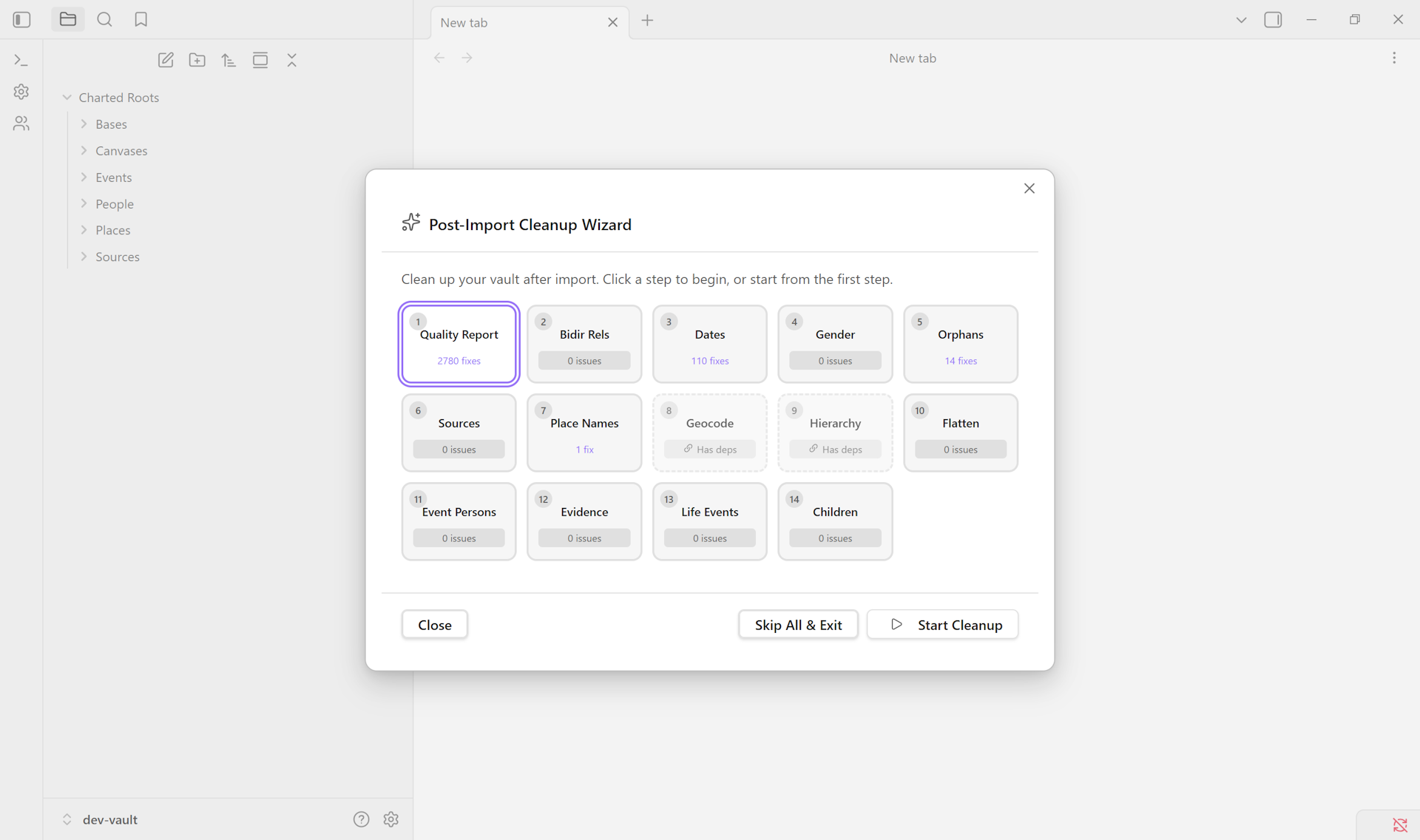
Step 4 is the highest-leverage moment in the wizard. Before any files are created, Charted Roots scans the GEDCOM and flags issues organized by category:
- Dates: death before birth, future dates, events before birth or after death.
- Relationships: gender/role mismatches, parent younger than child.
- References: orphan references to non-existent records.
- Data: missing names, unknown sex, no dates recorded.
A second pane shows place-name variants. Choose canonical forms — “USA” vs “United States of America”, “CA” vs “California” — and your choice applies to both filenames and frontmatter property values. Doing this now prevents weeks of cleanup later.
5. Run the import#
Step 5 — click Import. A progress modal shows the current phase, a progress bar, and running counts (places, sources, people, events created). On large files this takes a few minutes.
6. (Optional) Apply reference numbering#
Step 6 offers Ahnentafel, d’Aboville, Henry, or Generation numbering. Skip if you don’t use a numbered ancestor reference scheme.
7. (If you imported to staging) Promote clean data#
Open the Staging Manager — Dashboard button (appears when staging has data) or Charted Roots: Manage staging area. Each batch shows entity counts and a file list. For each batch:
- Click Check duplicates to find matches against your main tree. Confidence scoring uses 60% name similarity + 30% date proximity + 5% gender bonus.
- For each match: Same person opens the Merge Wizard. Different people dismisses.
- Click Promote to move clean data into the main tree.
8. Run duplicate detection across the main tree#
Even if you didn’t use staging, run Charted Roots: Find duplicate people after import. Confidence scoring (high / medium / low) lets you triage. The Merge Wizard handles per-field conflict resolution side-by-side, with a preview before you commit.
Variations#
- Gramps user with media. Choose Gramps XML in step 1 and use a
.gpkgfile. Embedded media is extracted automatically into your media folder. - CSV instead of GEDCOM. Same wizard, format CSV. Auto-detected column mapping for common headers (name, born, died, father, mother, spouse, gender). Adjust mapping if your headers differ.
- Re-importing the same GEDCOM. Existing
cr_idvalues are preserved; relationships update without duplicating; new individuals are added; conflicts are flagged. Safe to re-run. - Privacy for living people on later export. Configure under Settings → GEDCOM. Two modes: Exclude (omit entirely) or Anonymize (keep structure, replace details with
[Living]). Threshold is configurable by birth year.
Related guides#
- I want to find and merge duplicate persons (coming soon)
- I want to set up a staging workflow for messy imports (coming soon)
- I want to migrate from Family Tree Maker (coming soon)
Reference#
- Wiki: Import & Export
- Wiki: Staging & Cleanup
- Wiki: Data Quality
Found something wrong or unclear? Suggest an edit — opens a pre-filled issue with the guides label.