Use this when you want to see one ancestor’s geographic story — where they were born, where they lived through life, where they died, and the routes between. By the end you’ll have a map view showing the journey with chronologically-ordered place markers and (optionally) animated playback that walks through the timeline.
The same workflow extends naturally to families and lineages — once one ancestor’s life is mapped, scoping the same overlay to a person’s descendants or siblings is a single filter change.
What you’ll need#
- An ancestor with at least two place-tagged events (birth + death is the minimum; residence and occupation events make the journey richer).
- Place notes for the locations involved, with coordinates set. If they don’t have coordinates yet, the bulk geocoder (Control Center → Places → Bulk geocode) handles it for you.
Steps#
1. Confirm the ancestor’s events have places#
Open the ancestor’s note. The events section should list birth, death, and any residence / occupation / migration events with place: wikilinks. If events are missing, create them — see I want to add a new family member for the event-creation flow.
2. Geocode missing places#
Open Control Center → Places. Look at the Missing coordinates card — if any places used by your ancestor lack coordinates, click Bulk geocode to fill them in. Geocoding is rate-limited to ~1 request/second so larger backlogs take a few minutes.
For fictional places or hand-drawn-map places, see I want to create a custom map of my fictional world — pixel coordinates apply instead of geographic.
3. Open Map View#
Ribbon icon, command palette (Charted Roots: Open map view), or Control Center → Maps → Open Map View.
4. Filter to your ancestor#
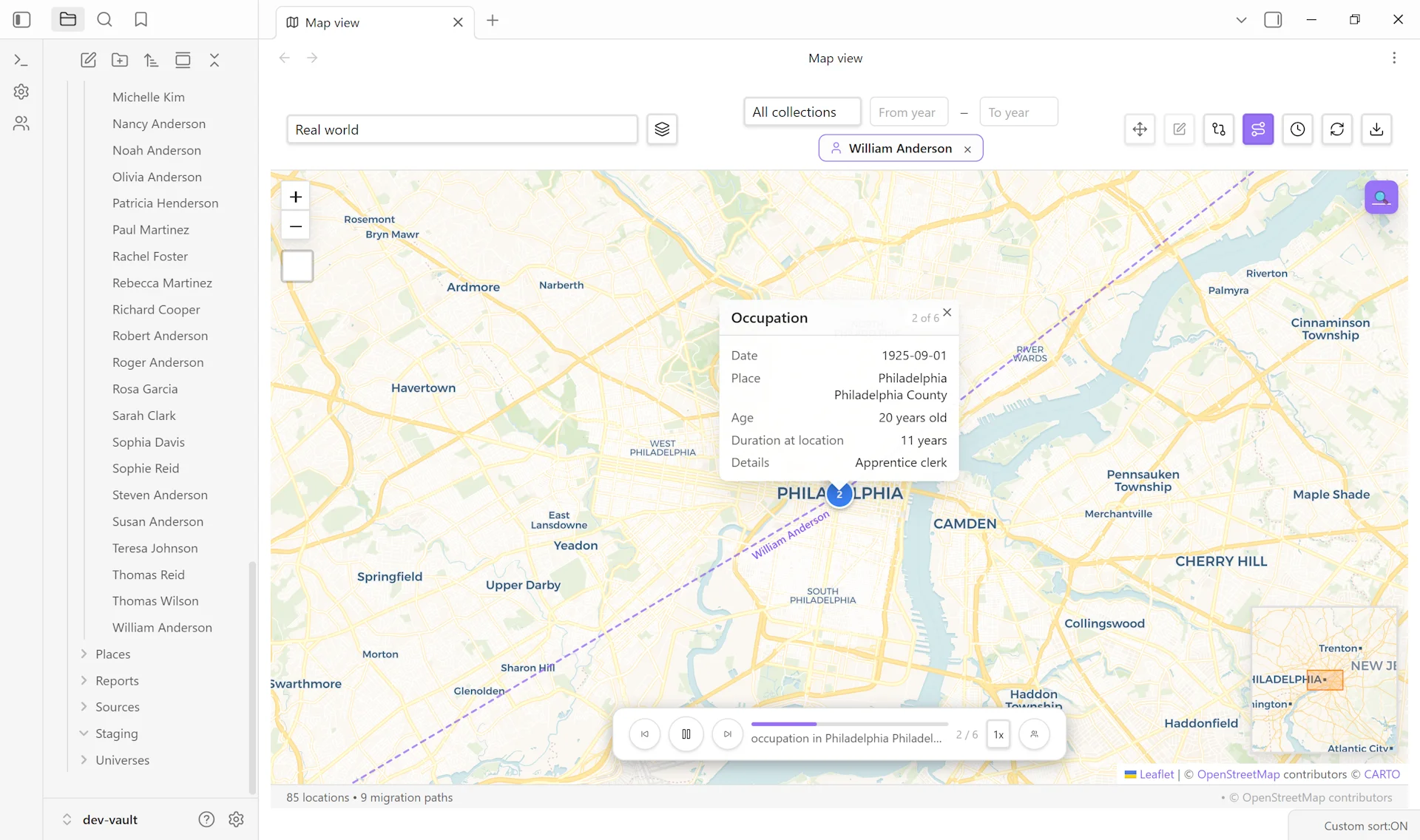
Open the toolbar → filter by person → pick your ancestor. Markers for places associated with that ancestor appear; markers for unrelated places hide.
5. Choose a visualization#
The toolbar offers several overlays — pick the one that fits your goal:
- Journey overlay — connects the ancestor’s place markers in chronological order with arrowed lines. Best for “where did they go in their life?”
- Journey playback — animates the journey as a timeline scrubber. Best for presentations or sharing with relatives.
- Heat overlay — color-codes regions by event density. Best when an ancestor’s life involves many residences in a small area.
- Migration paths — shows great-circle routes between major moves. Best for transcontinental ancestors (e.g., the immigrant generation).
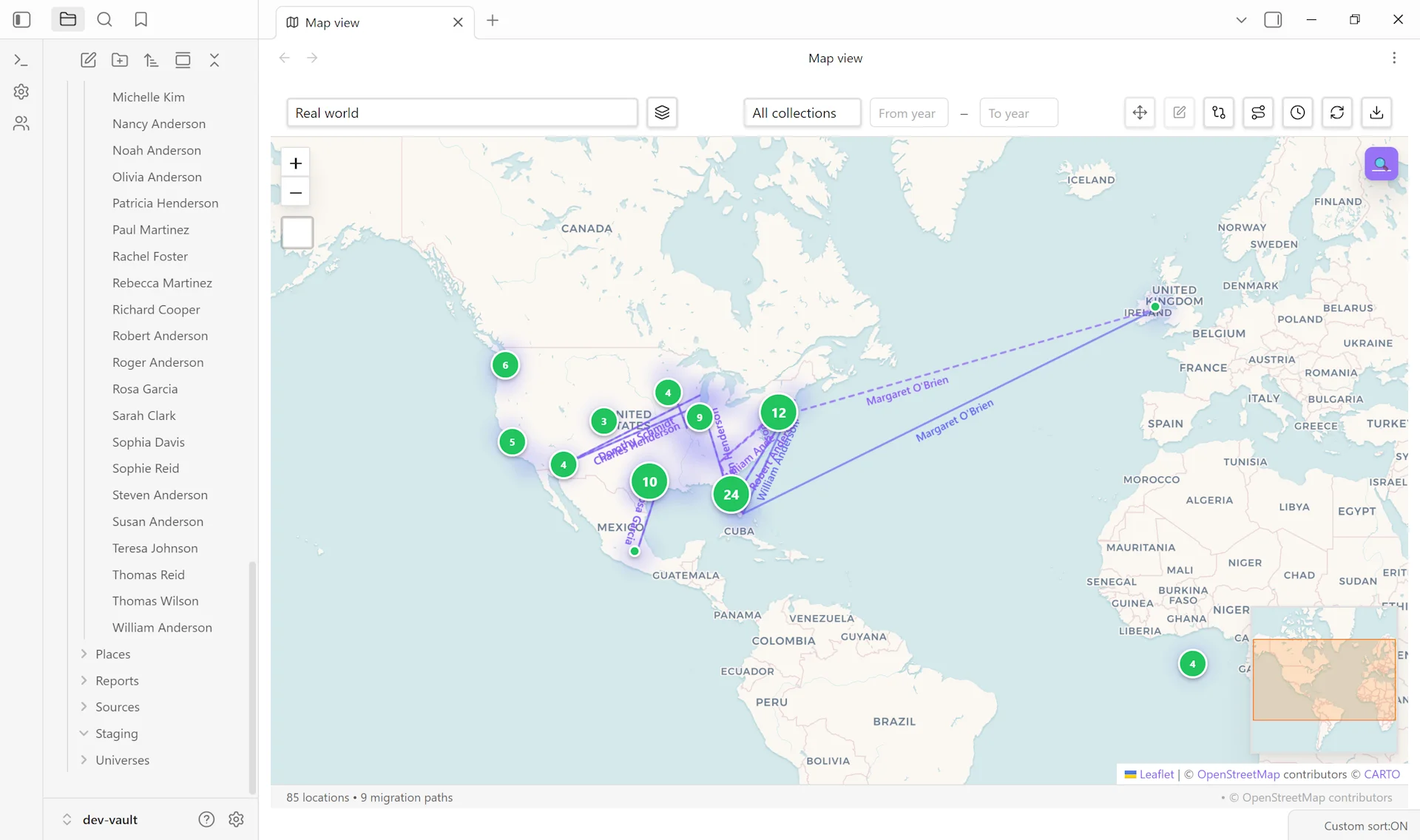
6. Refine and share#
Click any marker to see the event(s) that happened there with dates. Right-click → Open place note for the deeper context. To share, use Map View’s screenshot feature (toolbar → camera icon) for a static image, or describe the journey in a research note that references the map.
Variations#
- Ancestor lineage map. Filter by collection or family group to map an entire ancestral line — your great-grandfather’s parents, grandparents, etc. The journey overlay gets dense; the migration-paths overlay handles dense lineages better.
- Sibling comparison. Multiple siblings often diverge geographically (one stays on the family farm, two move west). Map two or three siblings simultaneously to see the divergence. A dedicated sibling-comparison guide is queued.
- Time-period scope. Use the date-range scrubber to limit the map to a specific window — useful for “where were they during the Civil War?” or “where were the family during the Dust Bowl?”
- Census-only view. Filter events to type
censusto see specifically where the ancestor was enumerated across decades. Useful for tracking residence patterns separately from broader life events.
Related guides#
- I want to add a new family member — for adding life events
- I want to compare migration paths across siblings (coming soon)
- I want to import a GEDCOM file and clean up the result — most life-event data comes in via GEDCOM
Reference#
- Wiki: Geographic Features
- Wiki: Custom Maps — for fictional or hand-drawn maps
Found something wrong or unclear? Suggest an edit — opens a pre-filled issue with the guides label.