Features
Table of Contents
Charted Roots is a genealogy and worldbuilding plugin for Obsidian. Your data lives in plain-text markdown notes; the plugin adds family-tree visualization, evidence tracking, geographic mapping, reports, and worldbuilding tools on top of what Obsidian already does well.
~14-minute chaptered walkthrough. Jump to a chapter using the YouTube chapter markers, or use the links below.
- Importing Data (0:10)
- Person Notes & Dynamic Blocks (1:11)
- Interactive Family Chart (1:45)
- Maps & Journey Mode (3:35)
- Calendar View (4:49)
- Creating a Family (5:55)
- Evidence & Sources (6:47)
- Reports & Book Builder (7:43)
- Statistics Dashboard (8:43)
- Place Lookup (9:20)
- Bases Integration (10:06)
- World-Building (10:52)
Canvas tree generation#
Generate family tree visualizations directly on Obsidian Canvas using layout algorithms tuned for genealogy data.
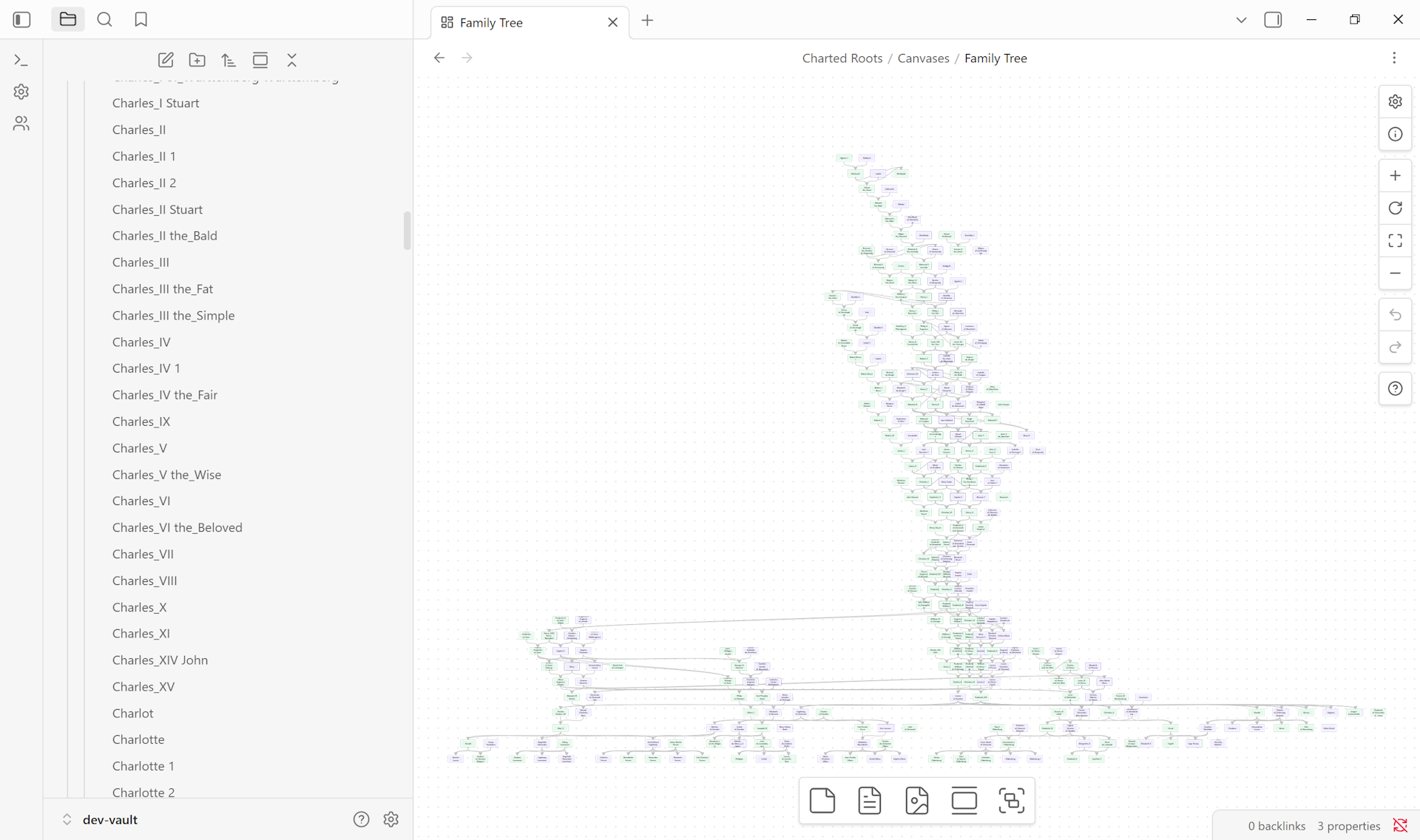
- Automated genealogical layout with no overlapping nodes
- Multiple tree types: ancestor, descendant, and full family trees with configurable generation limits
- Layout algorithms: Standard, Compact (50% tighter spacing), Timeline (chronological), Hourglass (focused lineage)
- Interactive preview with pan, zoom, and exploration before generation
- Export to PNG, SVG, and PDF
- Multi-family detection for disconnected family groups
- Regenerate canvases with updated data via right-click context menu
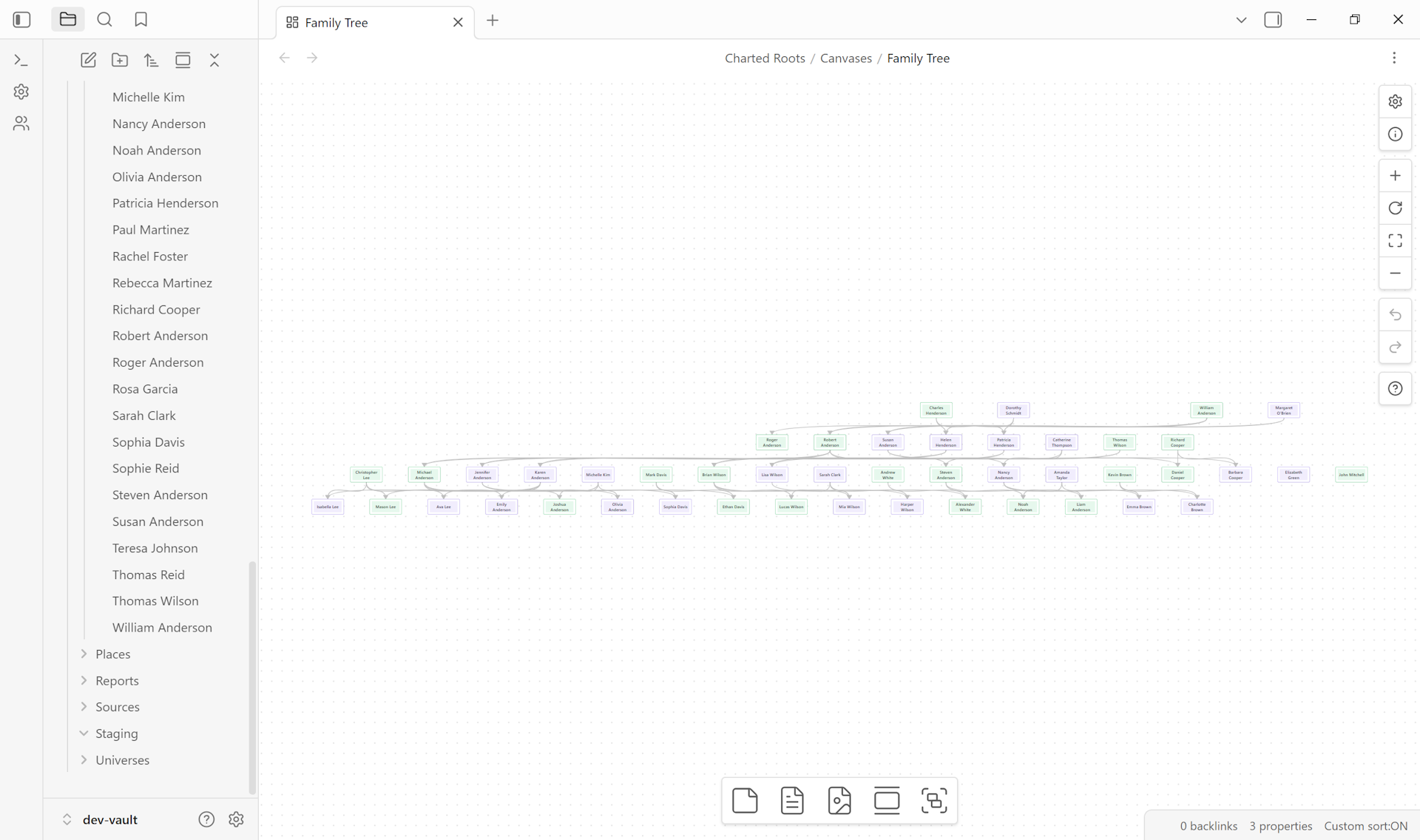
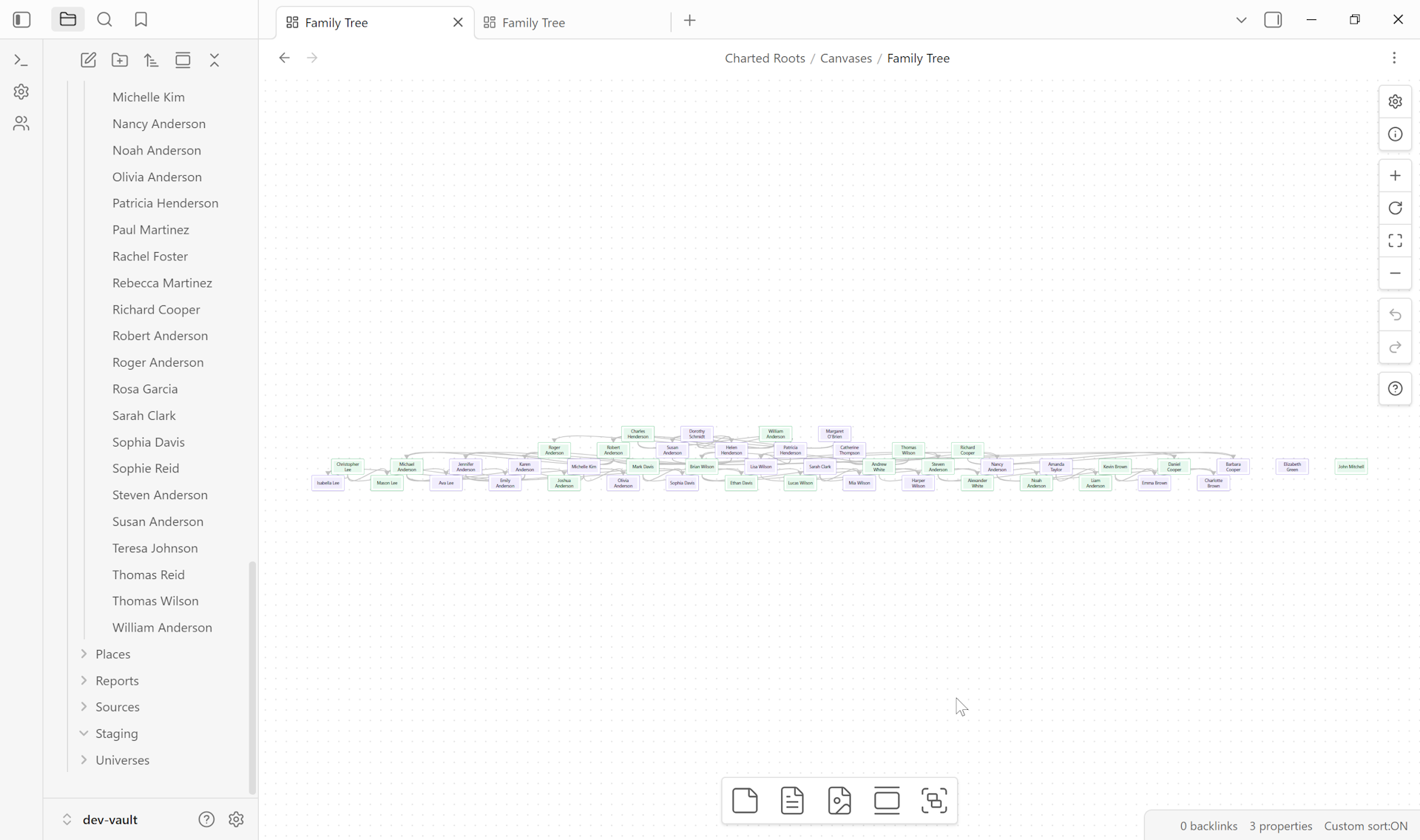
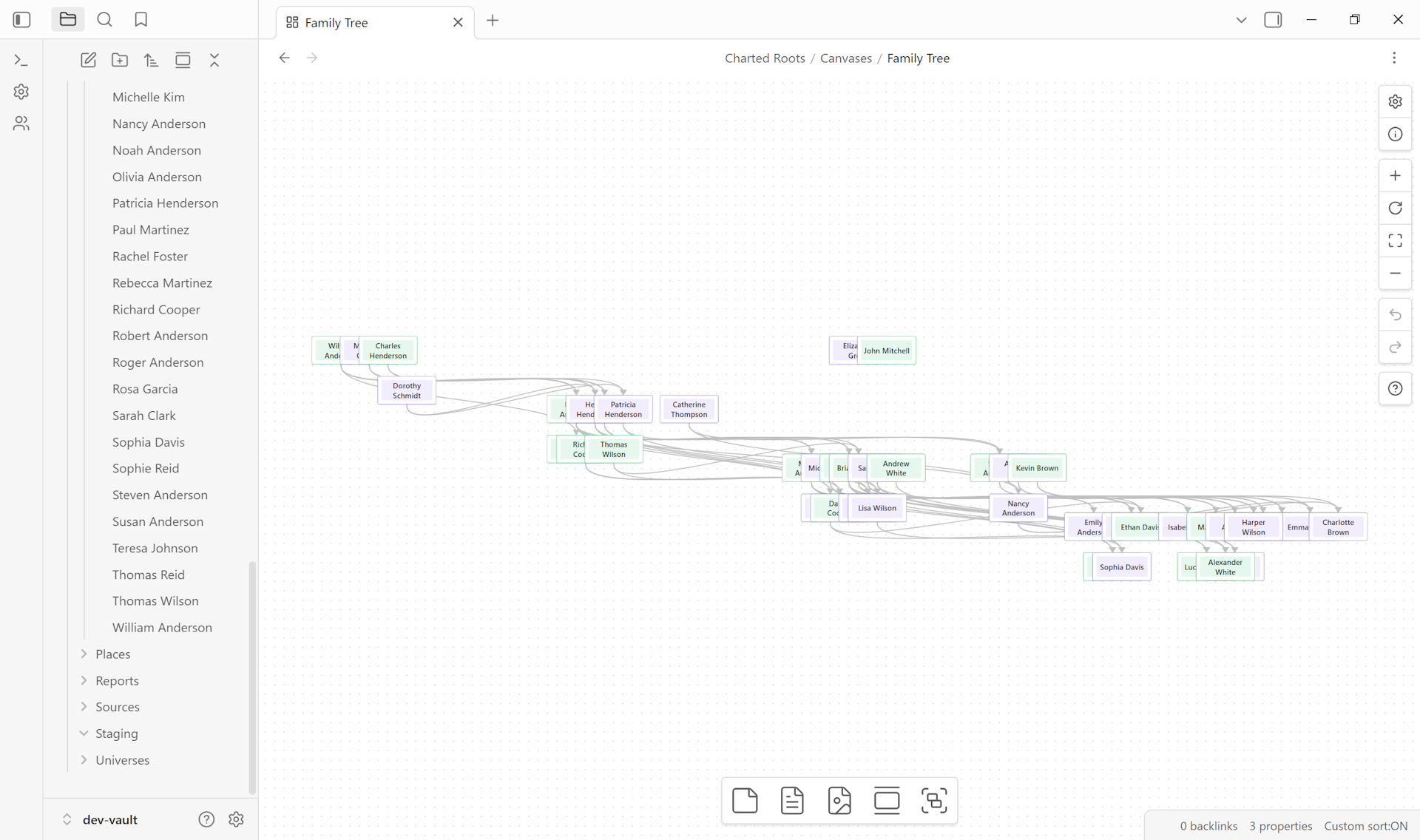
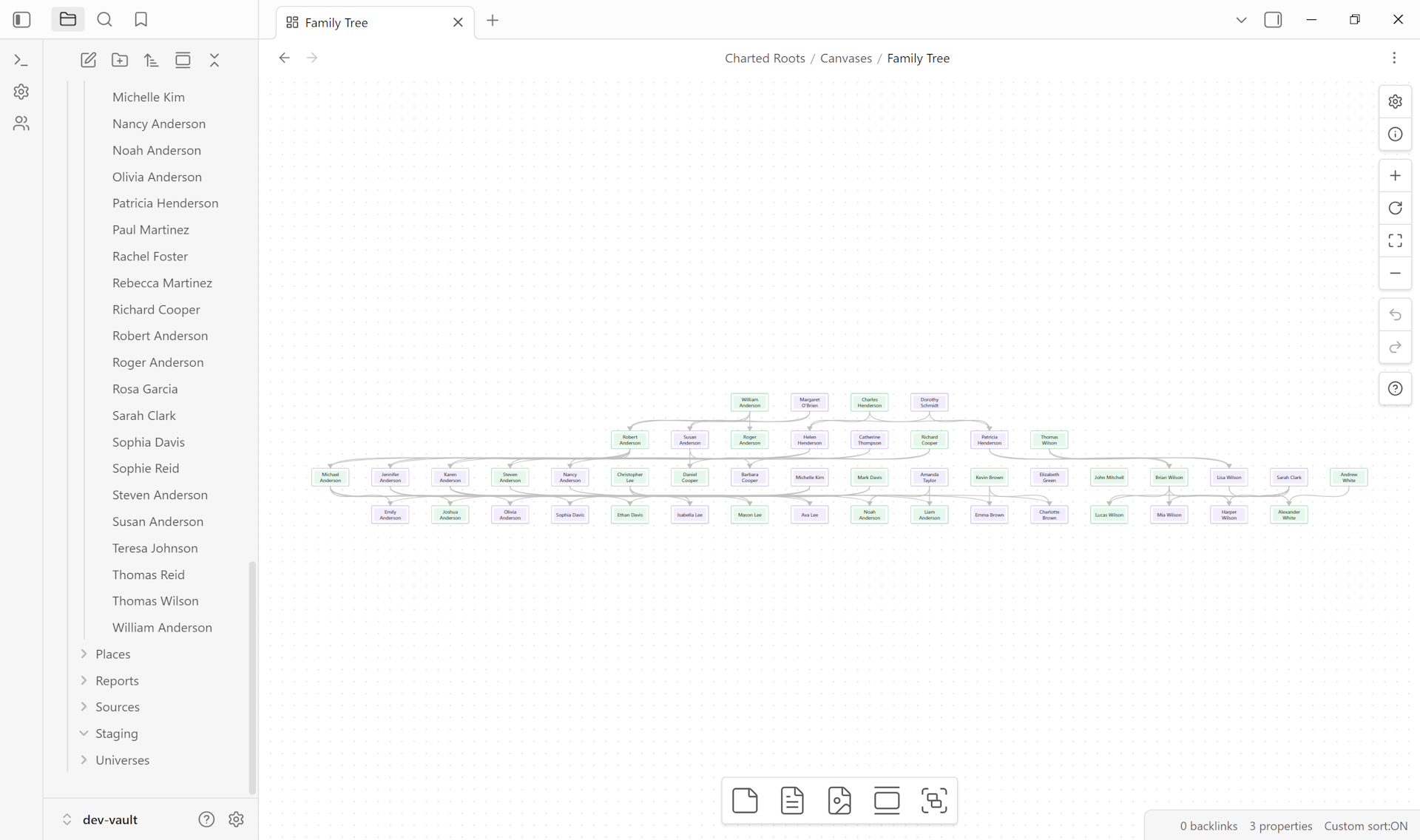
Color schemes layer on top of layouts. Any layout above pairs with any scheme below.
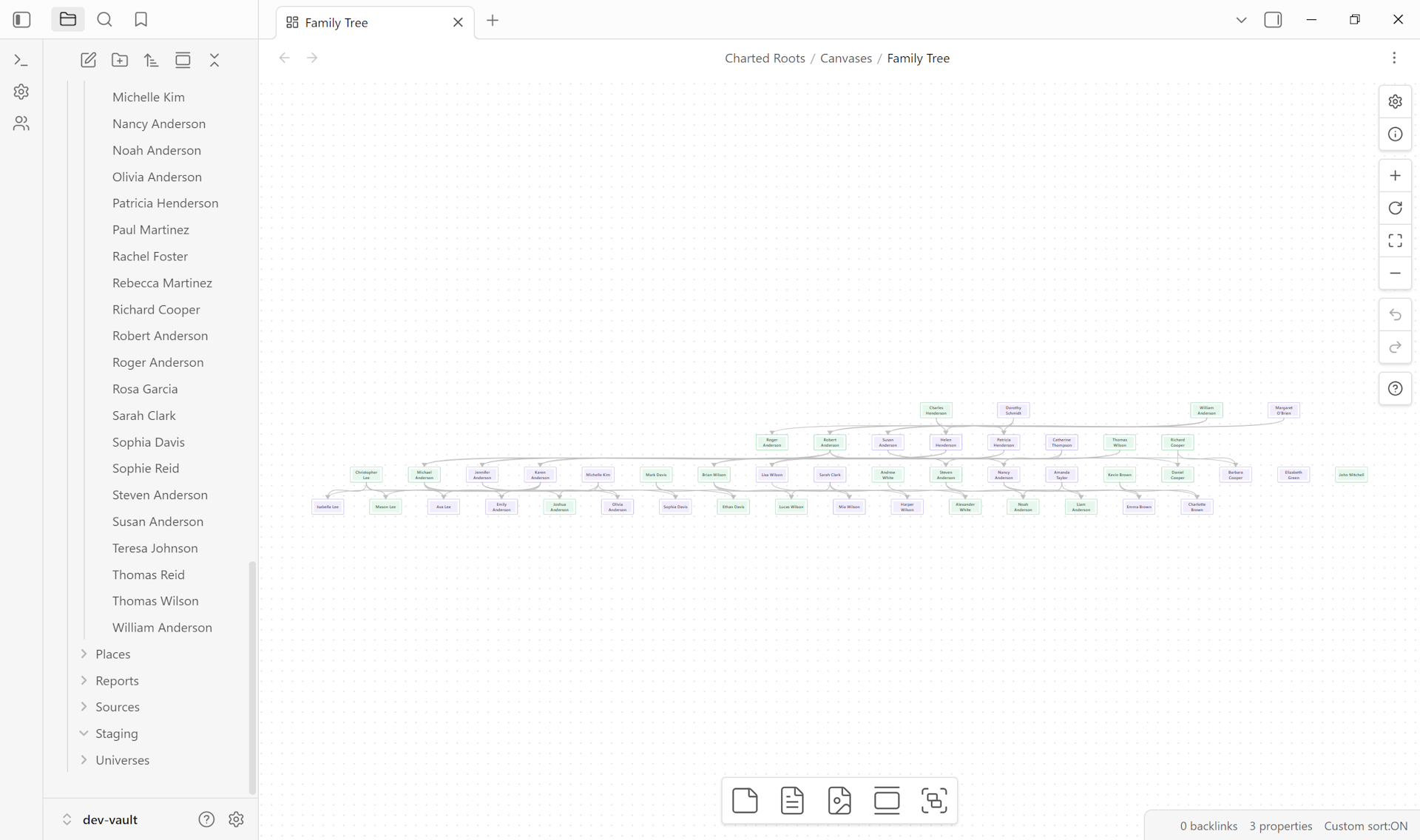
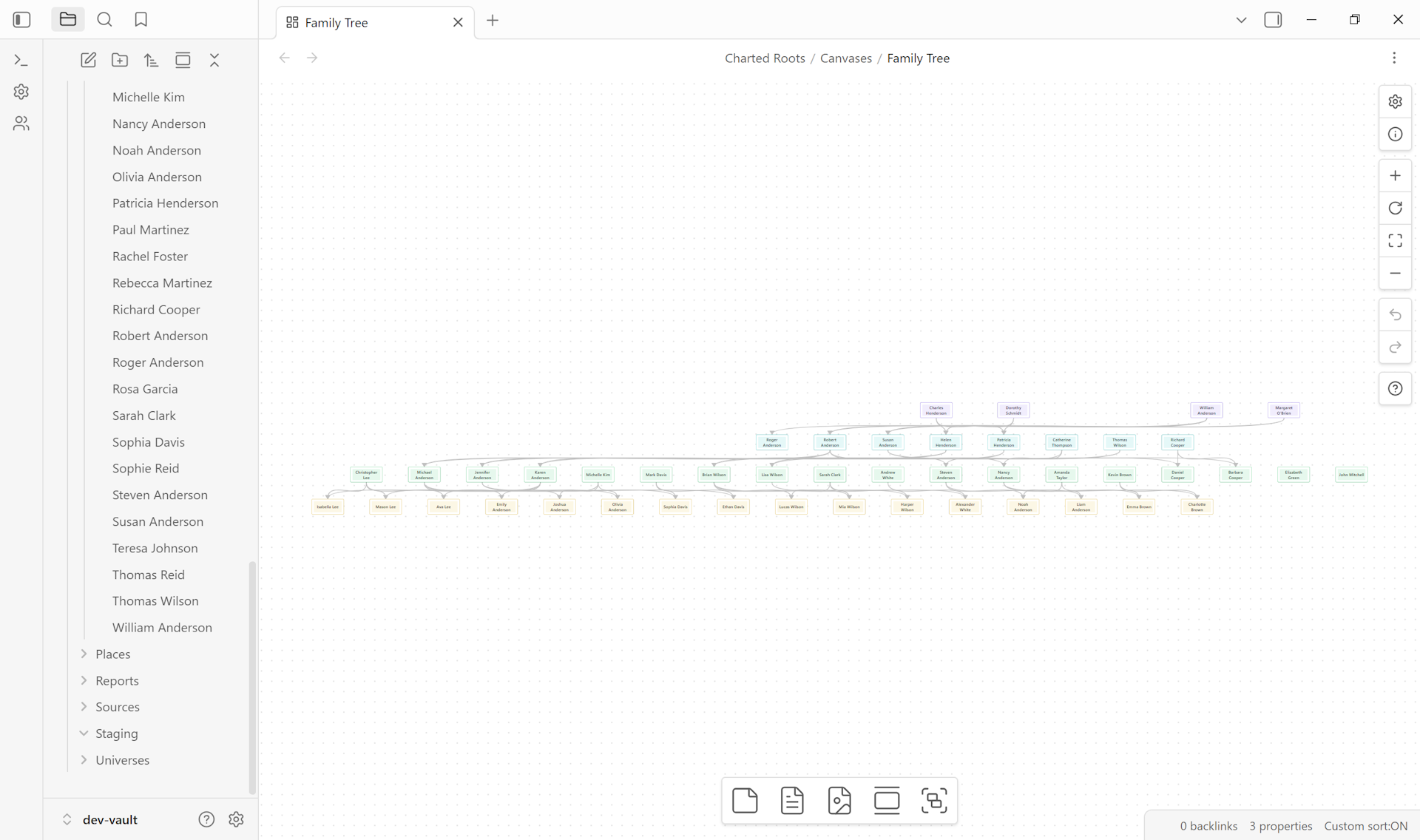
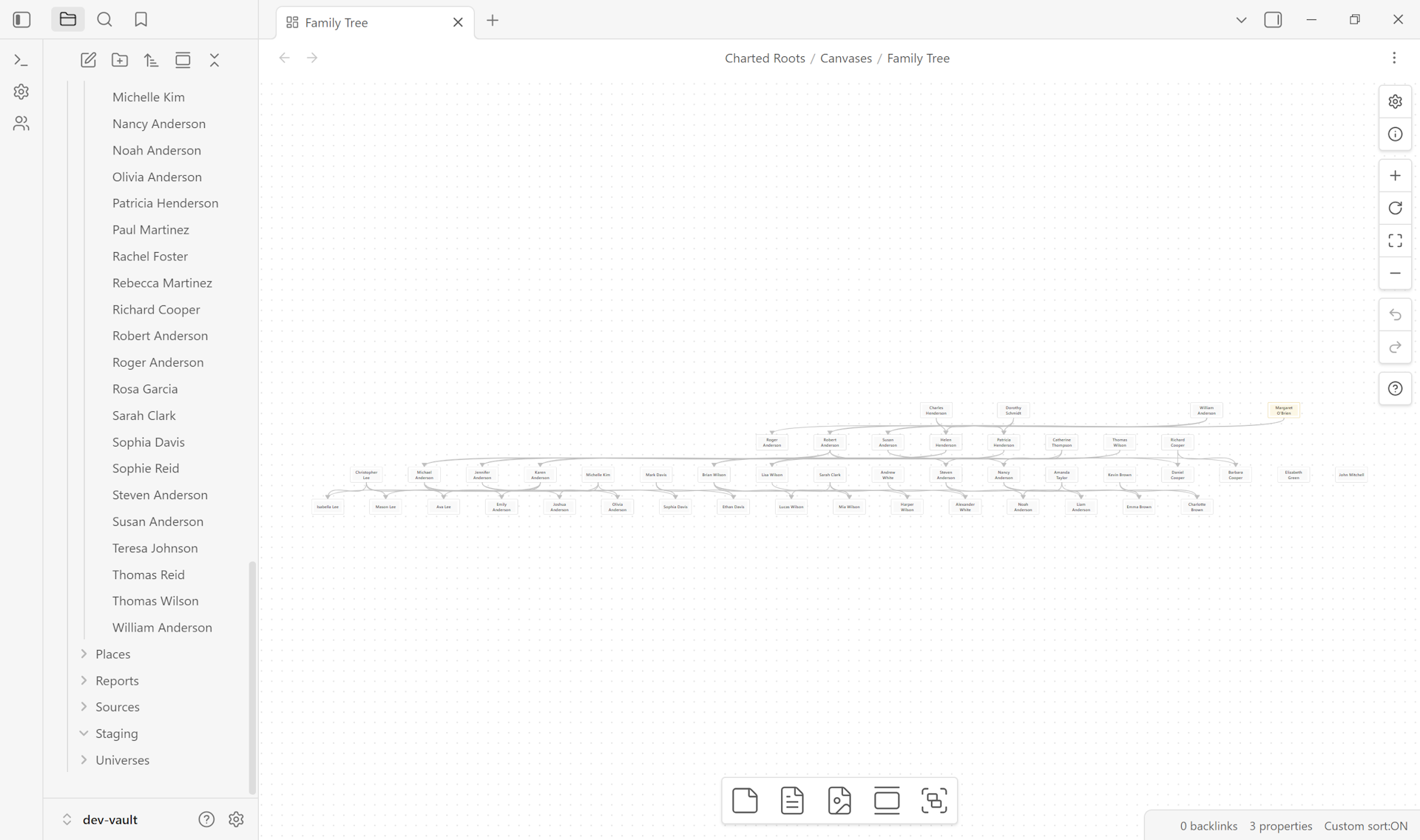
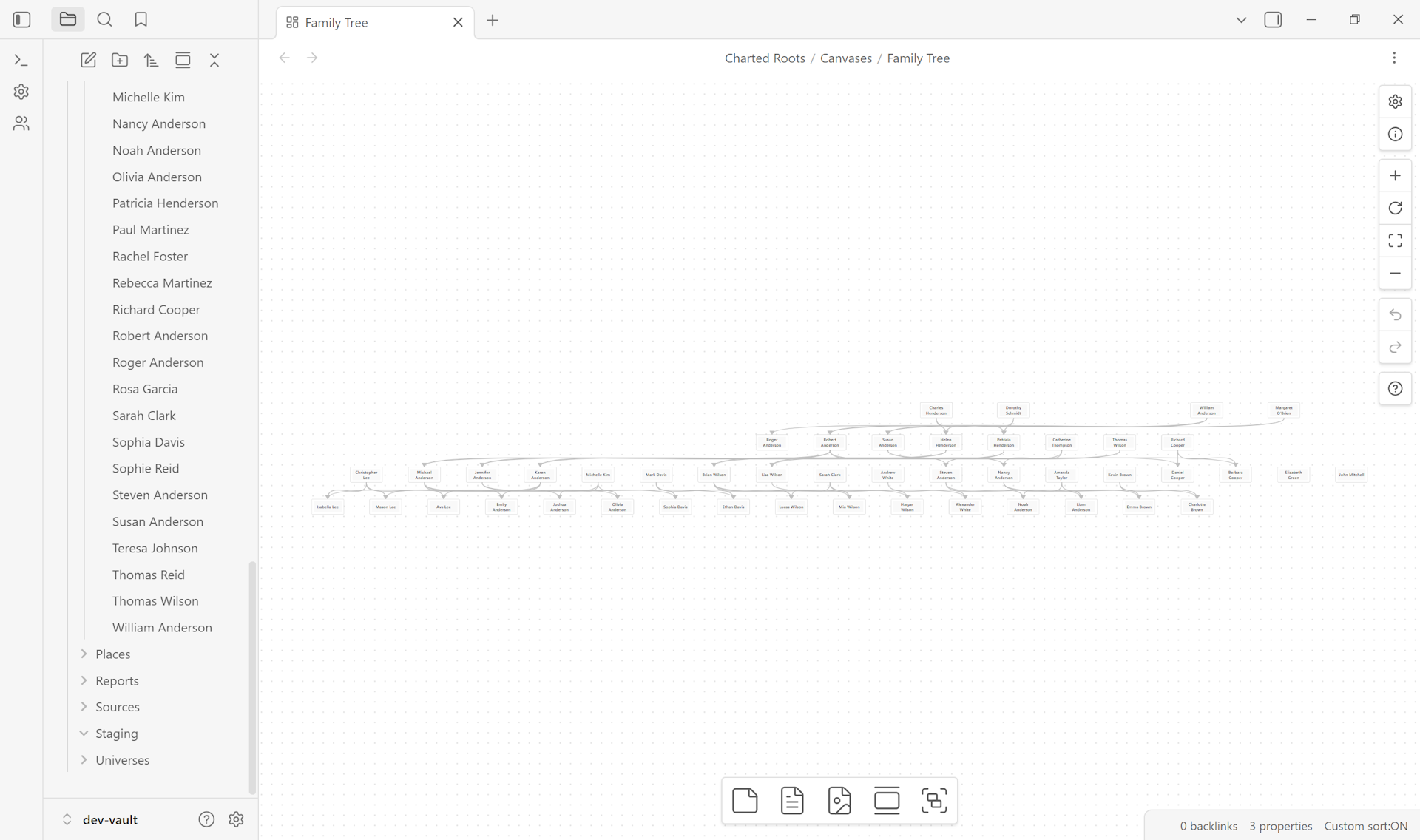
Per-collection coloring scales with vault diversity. The Anderson fixture has limited collection variety here. Vaults that group persons across multiple collections (maternal vs. paternal lines, immigration cohorts, household groups) see richer differentiation.
Workspace views#
Dockable views that live alongside your notes in the Obsidian workspace. Each one is a tab you can pin, split, or move to a sidebar like any other Obsidian view.
Interactive Family Chart View#
A persistent visualization panel for real-time exploration and editing.
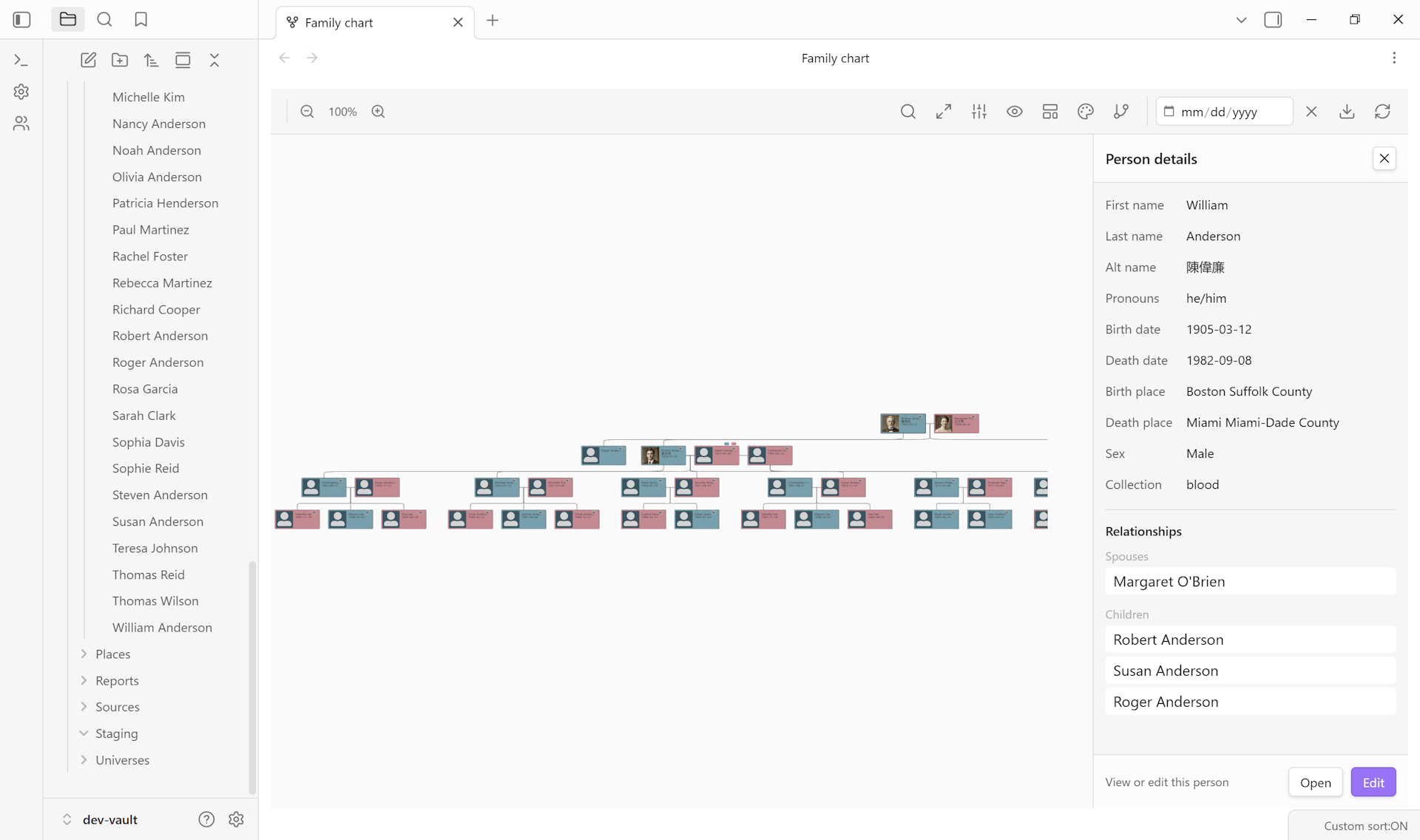
- Click a card to open a Person Details panel with inline field editing
- Bidirectional sync: chart edits update frontmatter, file changes refresh the chart
- Card styles: rectangle with avatars, circle, compact
- Multiple color schemes: gender, generation, collection, monochrome
- Split name mode (given / surname on separate lines)
- Kinship labels showing genealogical relationships relative to the rooted person
- Highlight Groups: spotlight patterns on the tree by dimming cards that don’t match a filter and glowing cards that do (e.g., bloodline vs. married-in vs. foster)
- Custom Relationships Overlay: render non-family connections (mentor, rival, sire, liege) as styled overlay lines on top of the biological tree, with per-type toggles
- High-quality export to PNG, SVG, PDF, or ODT with customizable filenames
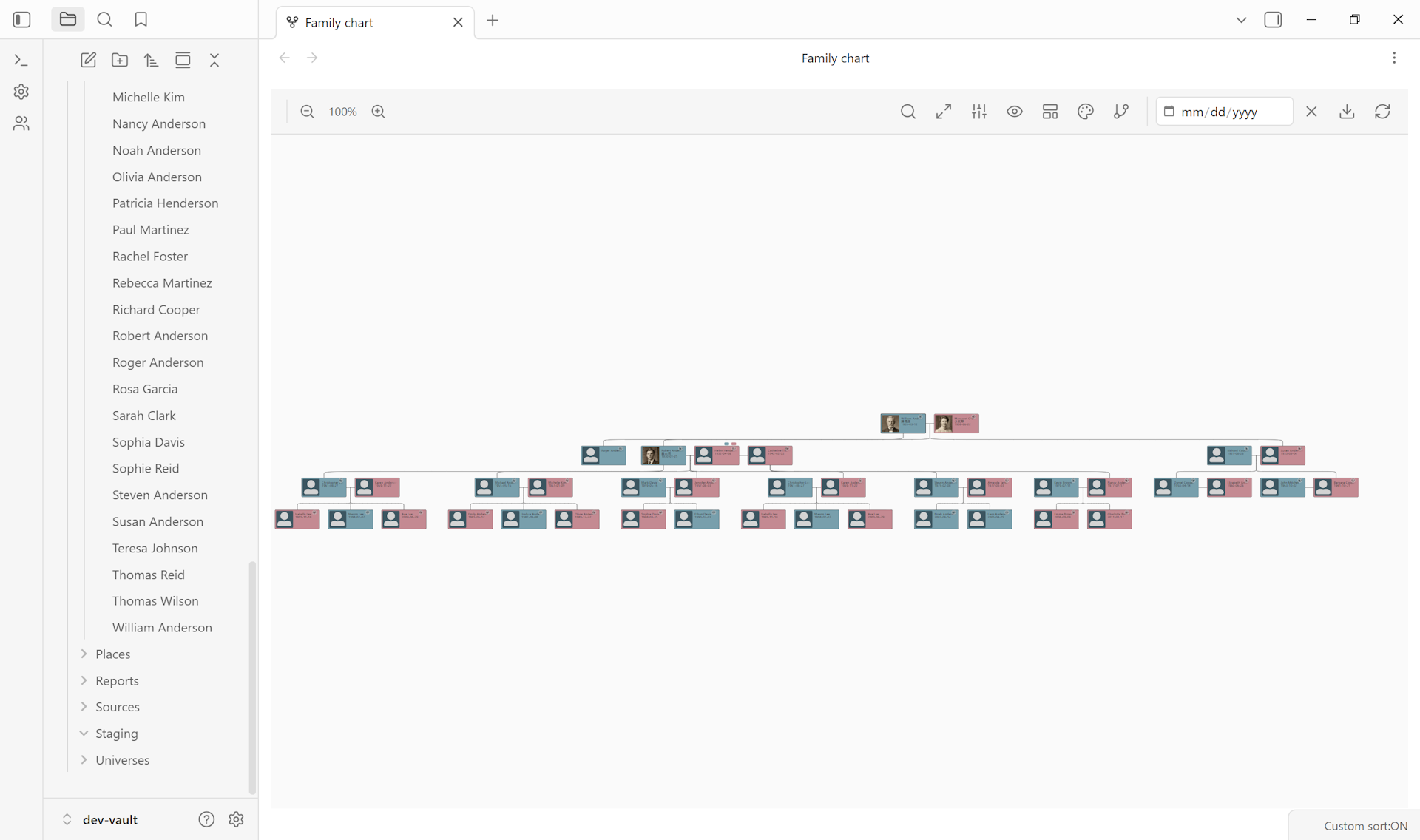
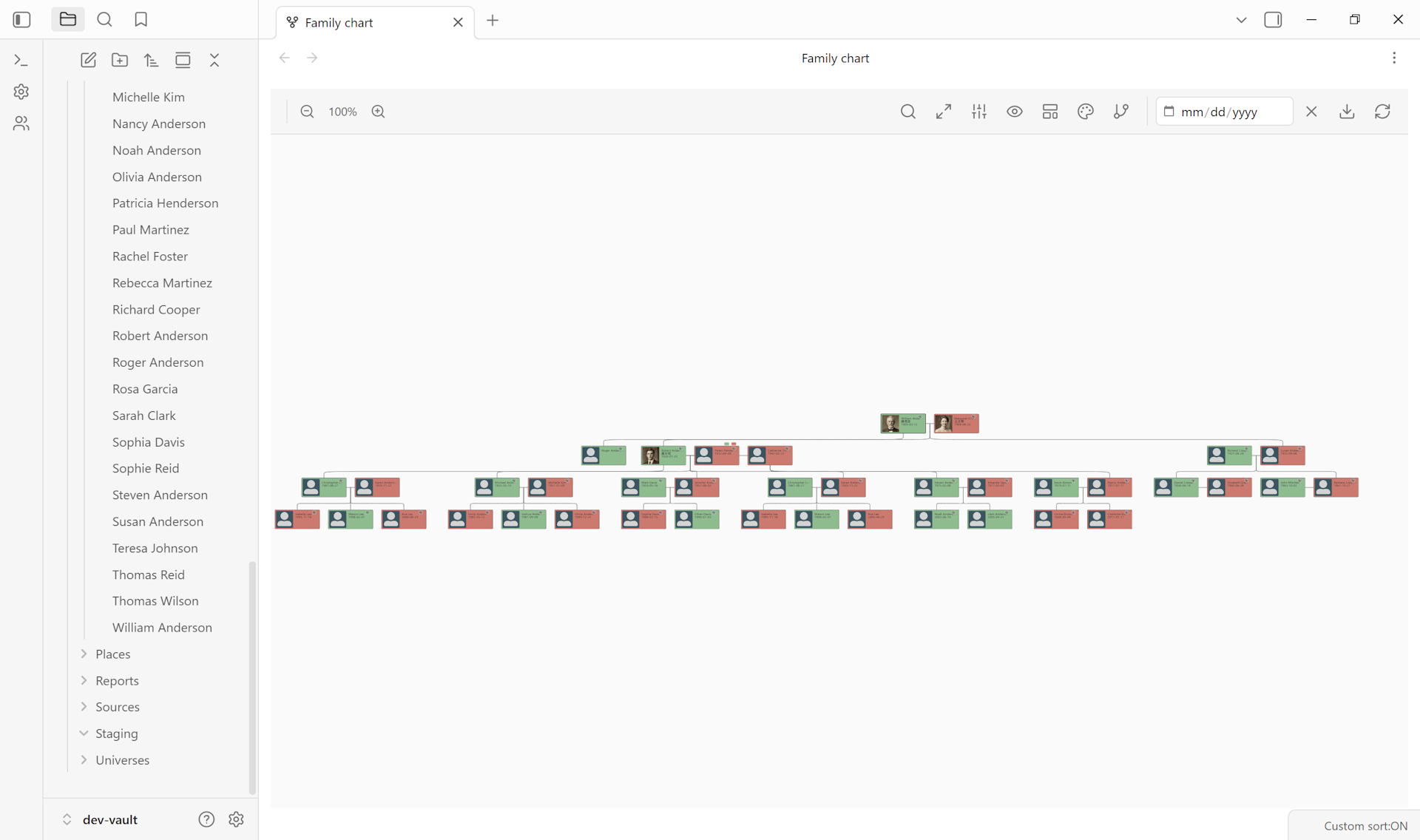
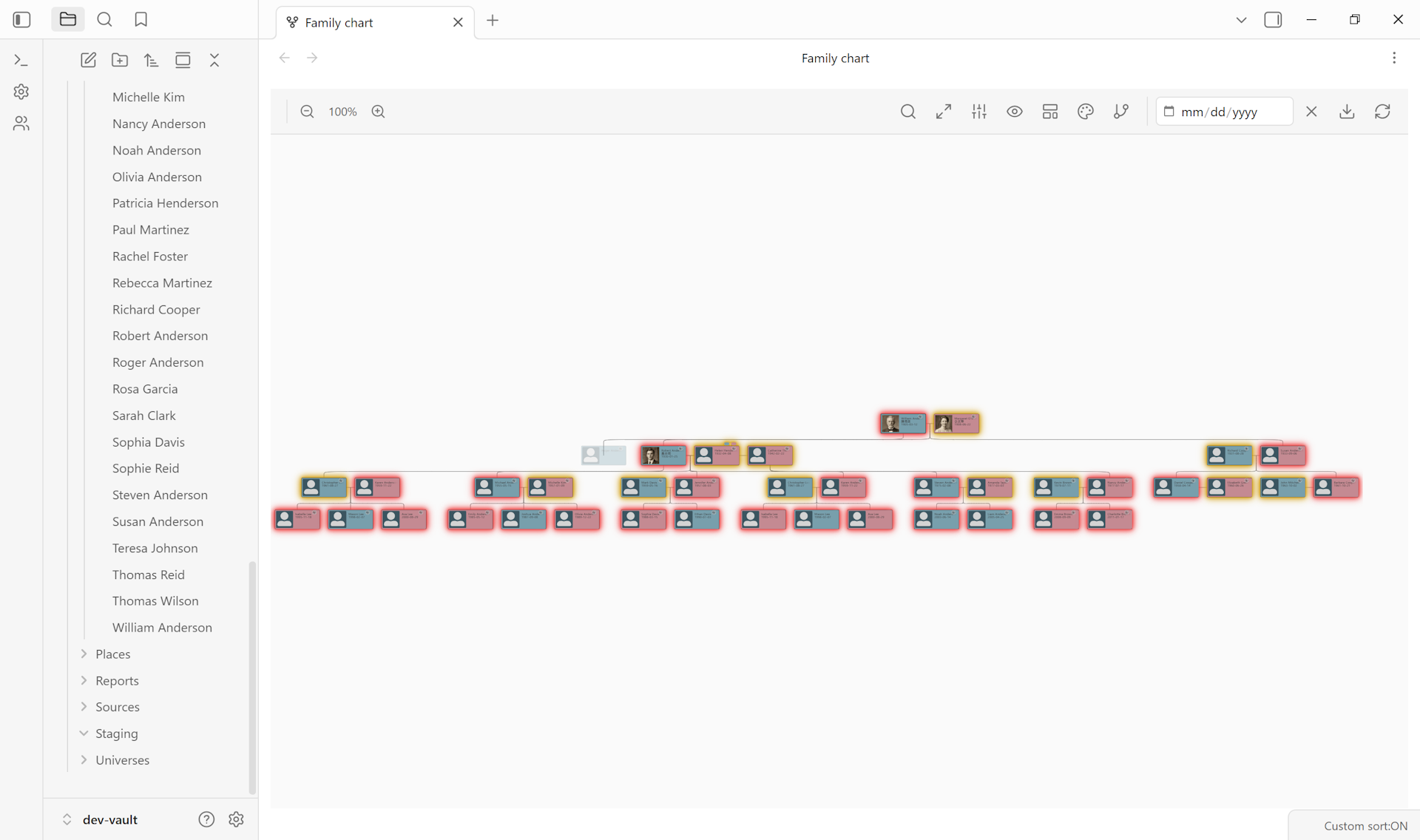
Guide: Generate a printable family tree → · Add my first person from scratch →
Read more: Family Chart View →
Geographic features#
Interactive mapping powered by Leaflet.js, with support for both real-world coordinates and fictional worlds.
Interactive Map View:
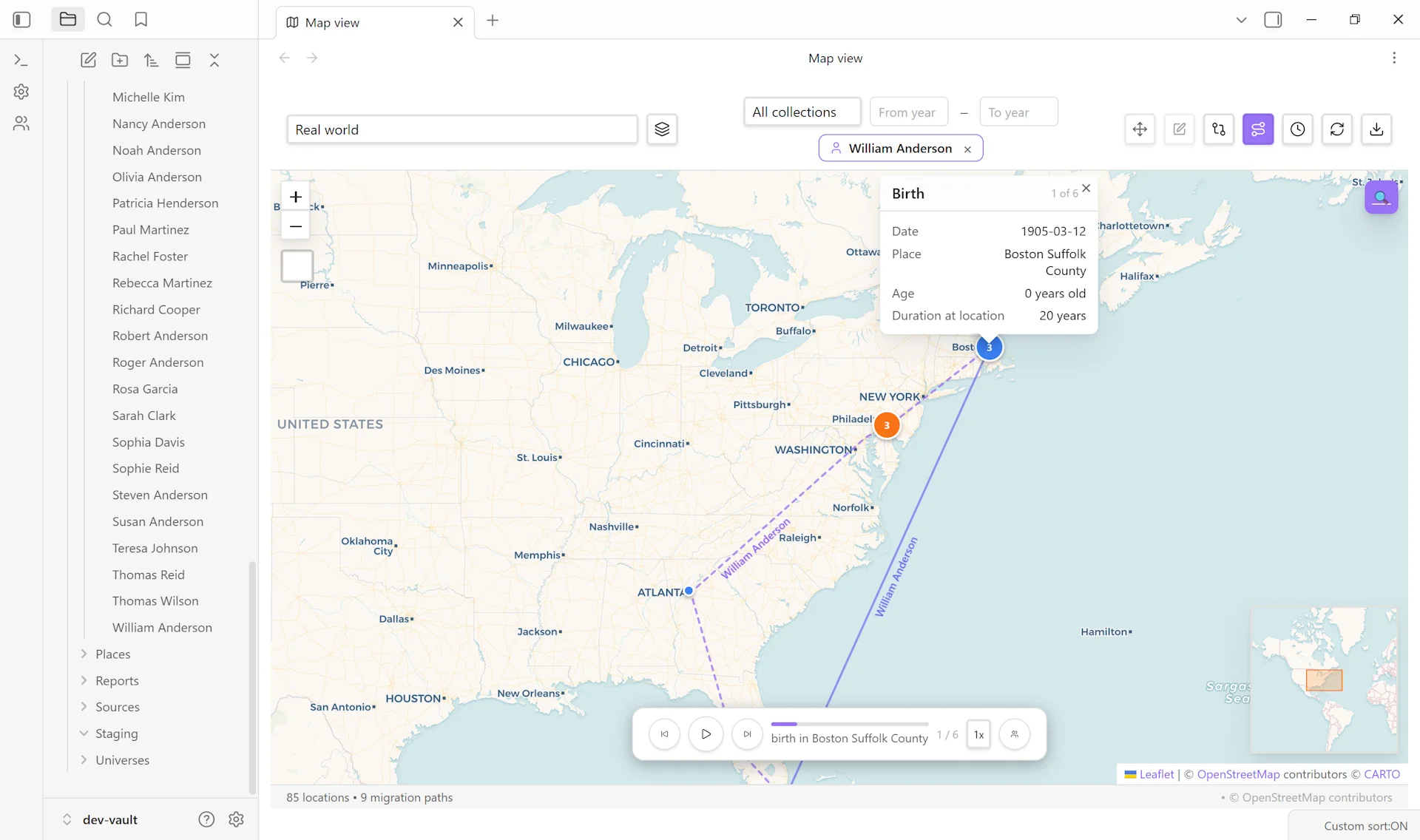
- Color-coded markers (green for birth, red for death)
- Marker clustering for dense data
- Heat maps and time-slider animation across decades
- Mini-map overview
- Layer toggles for events, places, and child maps
- Marker popups show ages and full
from – todate ranges, with proper era handling for fictional calendars (BBY descending, BBY-to-ABY crossings)
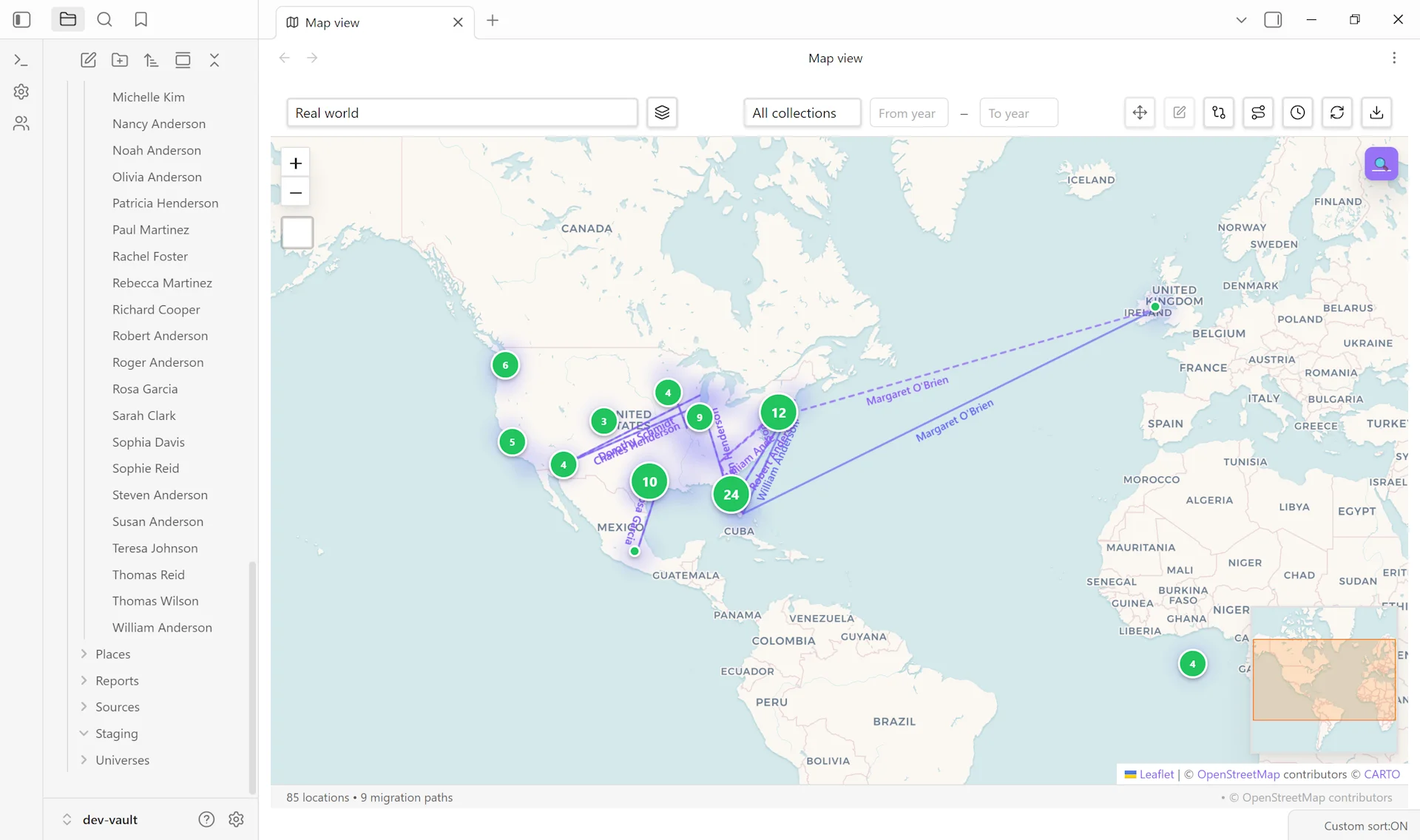
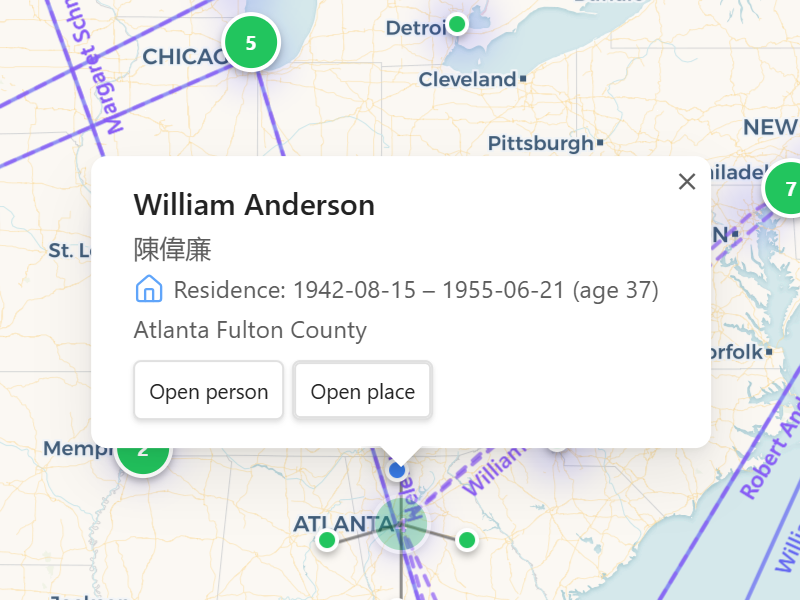
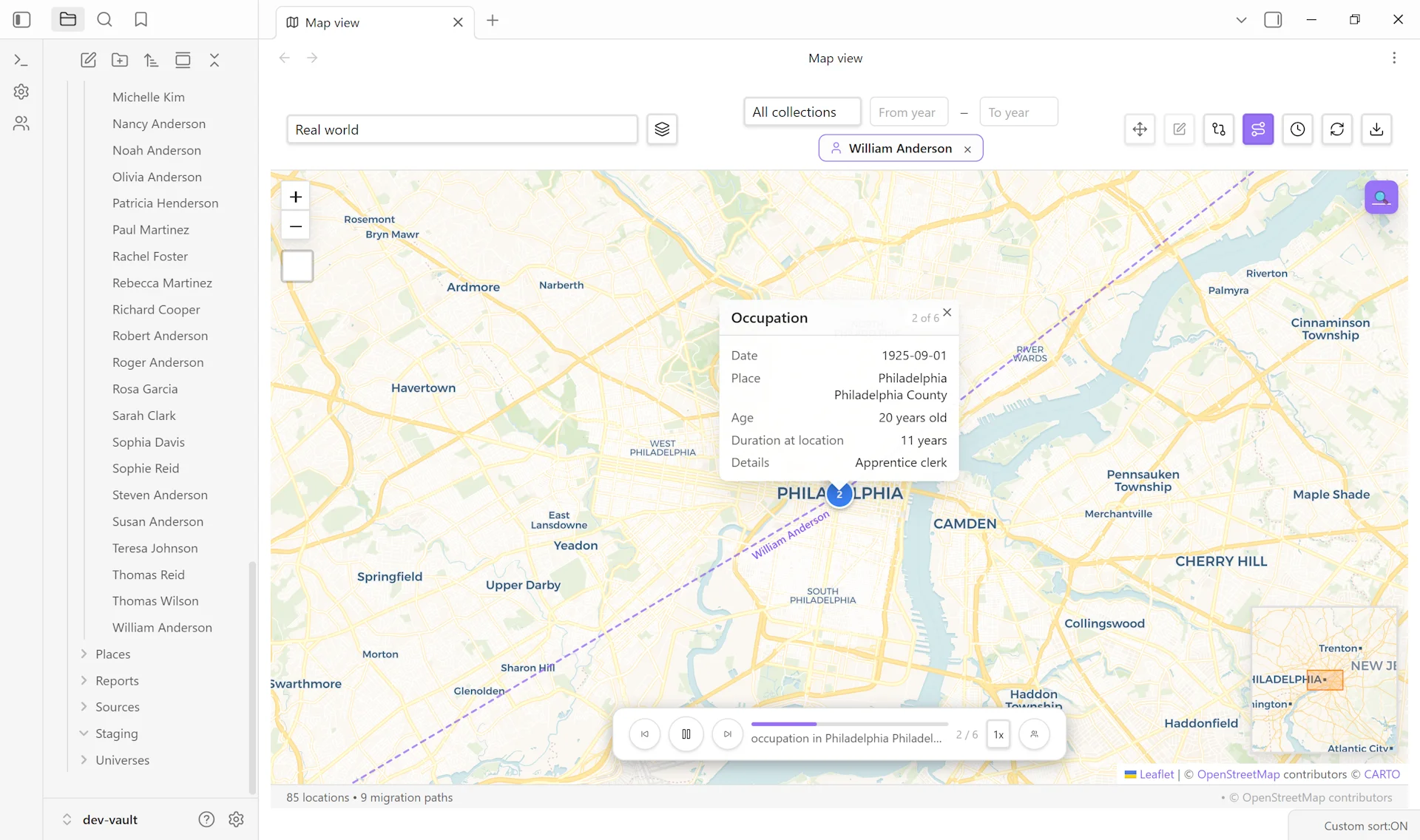
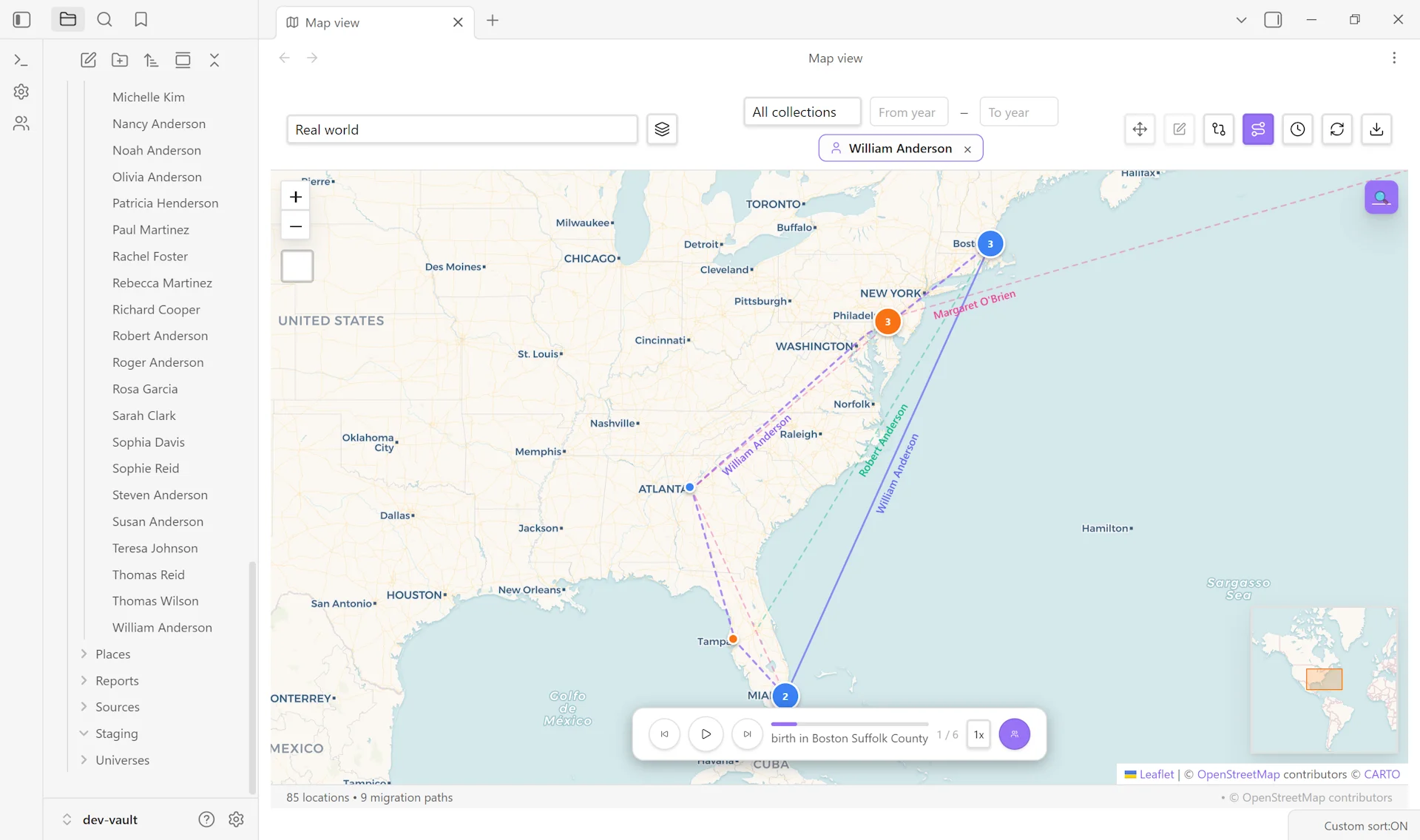
Journey Mode:
- Isolate a single person’s movements across their life as ordered waypoints
- Animated step-through playback with prev / play / next controls and variable speed (0.25× to 2.5×)
- Rich waypoint popups with event type, date, place, age at event, duration at location, and description
- Family-journey overlay with color-coded paths for parents, spouses, and children
- Inline placeholder when a person doesn’t have at least 2 places with valid coordinates, naming the person and what’s needed
Custom Image Maps:
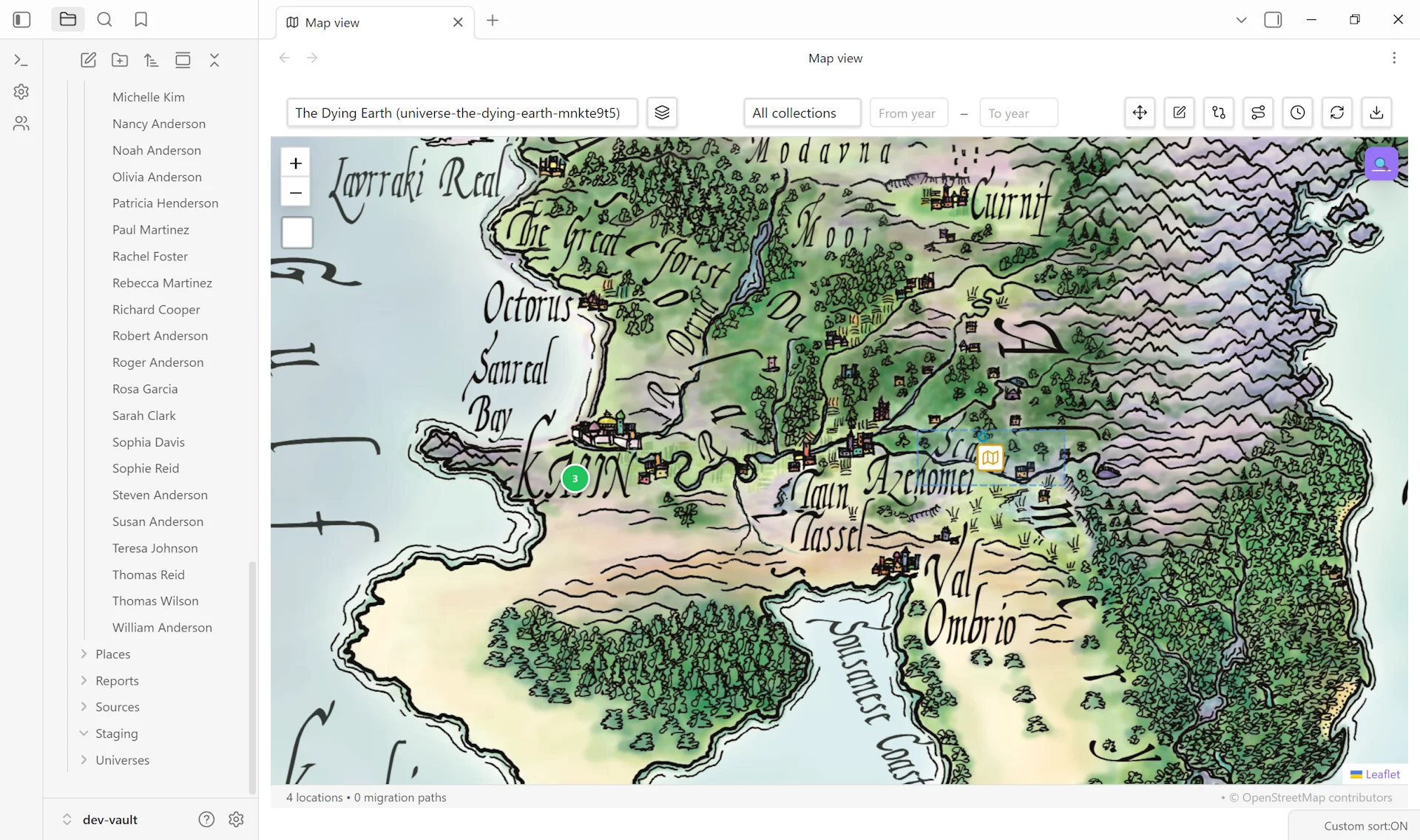
- Pixel or geographic coordinate systems for fictional worlds
- 4-step map creation wizard with live preview
- Draggable place markers with automatic persistence
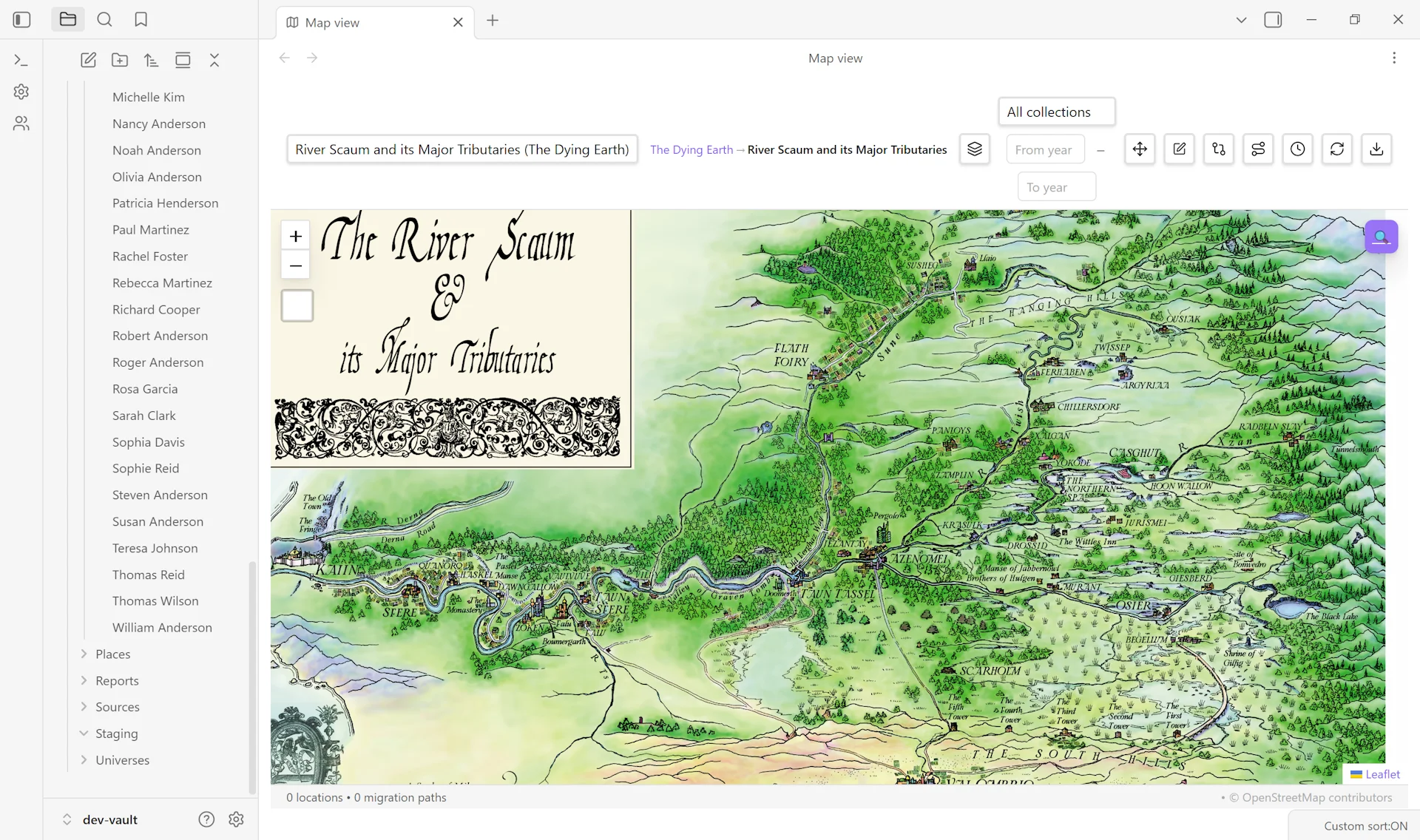
- Linked-map drill-down navigation with breadcrumbs (parent-child map hierarchies)
- Child map markers on parent maps, with on-map region editing (draggable rectangle that saves
parent_region_x/y/w/hback to frontmatter) - Journey paths build correctly for pixel-coord places, so person journeys work across image-based maps the same way they do across geographic maps
Location Tools:
- Geocoding lookup via Nominatim (OpenStreetMap)
- Place-based filtering for tree generation by birth, death, or marriage location
- Migration visualizations with D3 network and arc diagrams
Guide: Map an ancestor’s life →
Read more: Geographic Features →
Calendar View#
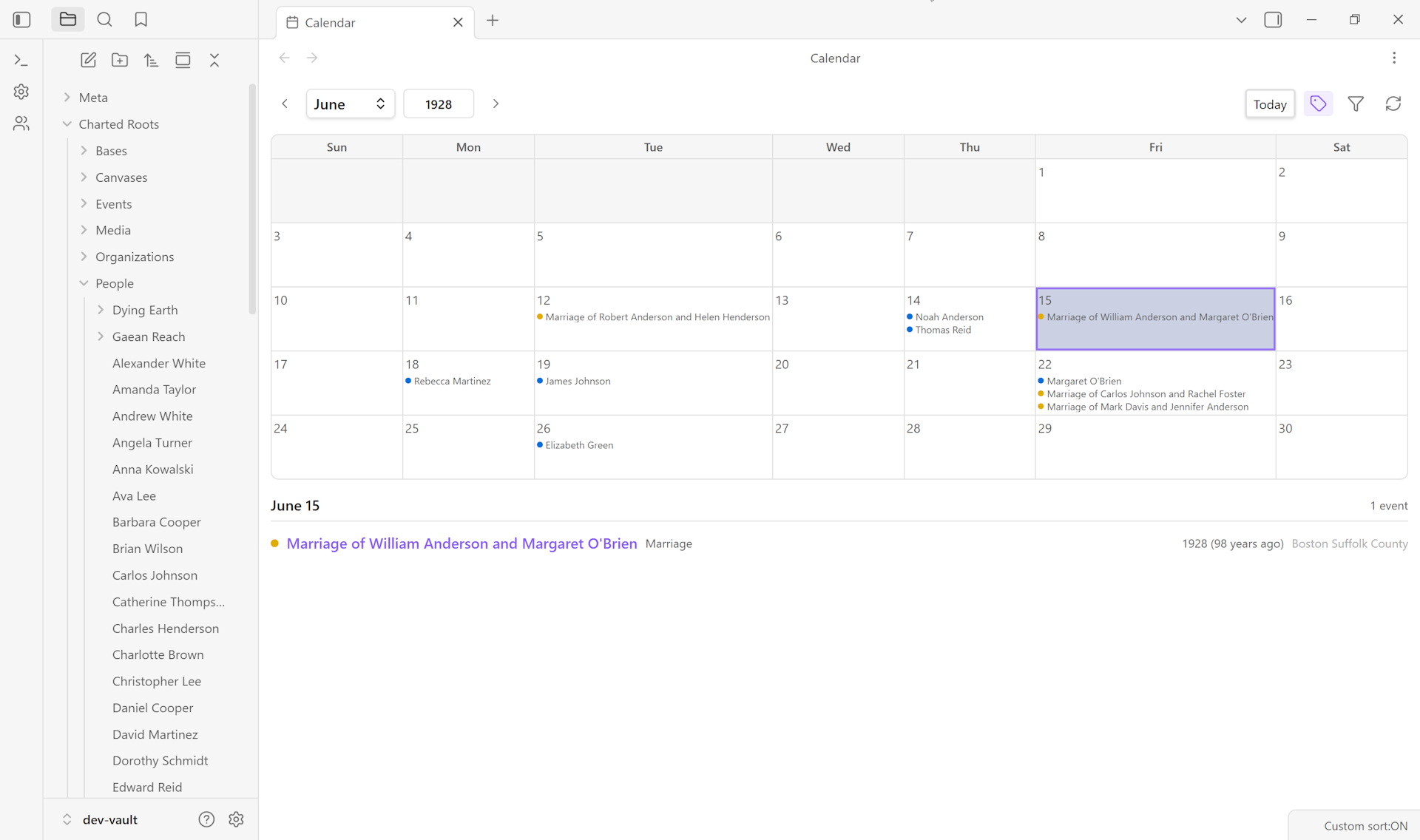
A monthly calendar workspace view showing significant dates across the vault.
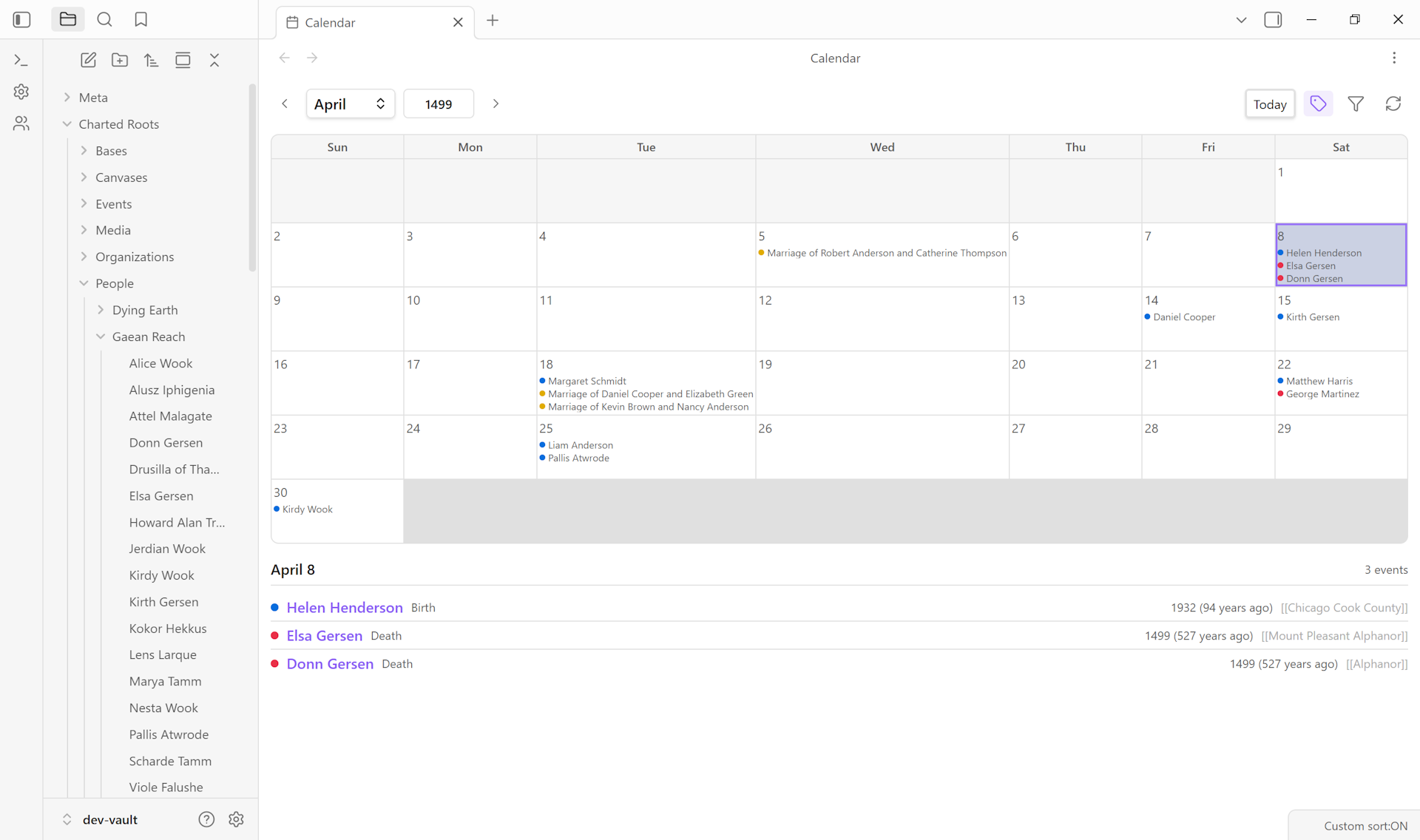
- Color-coded event dots per day (blue for birth, red for death, yellow for marriage)
- Text labels toggle showing person names inside day cells
- Month dropdown and year input for instant navigation
- Day click detail panel with events, person names, type, year, years-ago, and place
- Imprecise dates section for entries with a month but no day
- Filters by event type and by living / deceased status
- Right-click a day to create an event pre-filled with that date
- Keyboard navigation: arrow keys for month, T for today
- State persistence across reloads (month, year, filters, label toggle)
- Entry points from the command palette, Control Center dashboard tile, Events tab, and person / event context menus
Guide: Track narrative events alongside vital ones →
Entity Profile View#
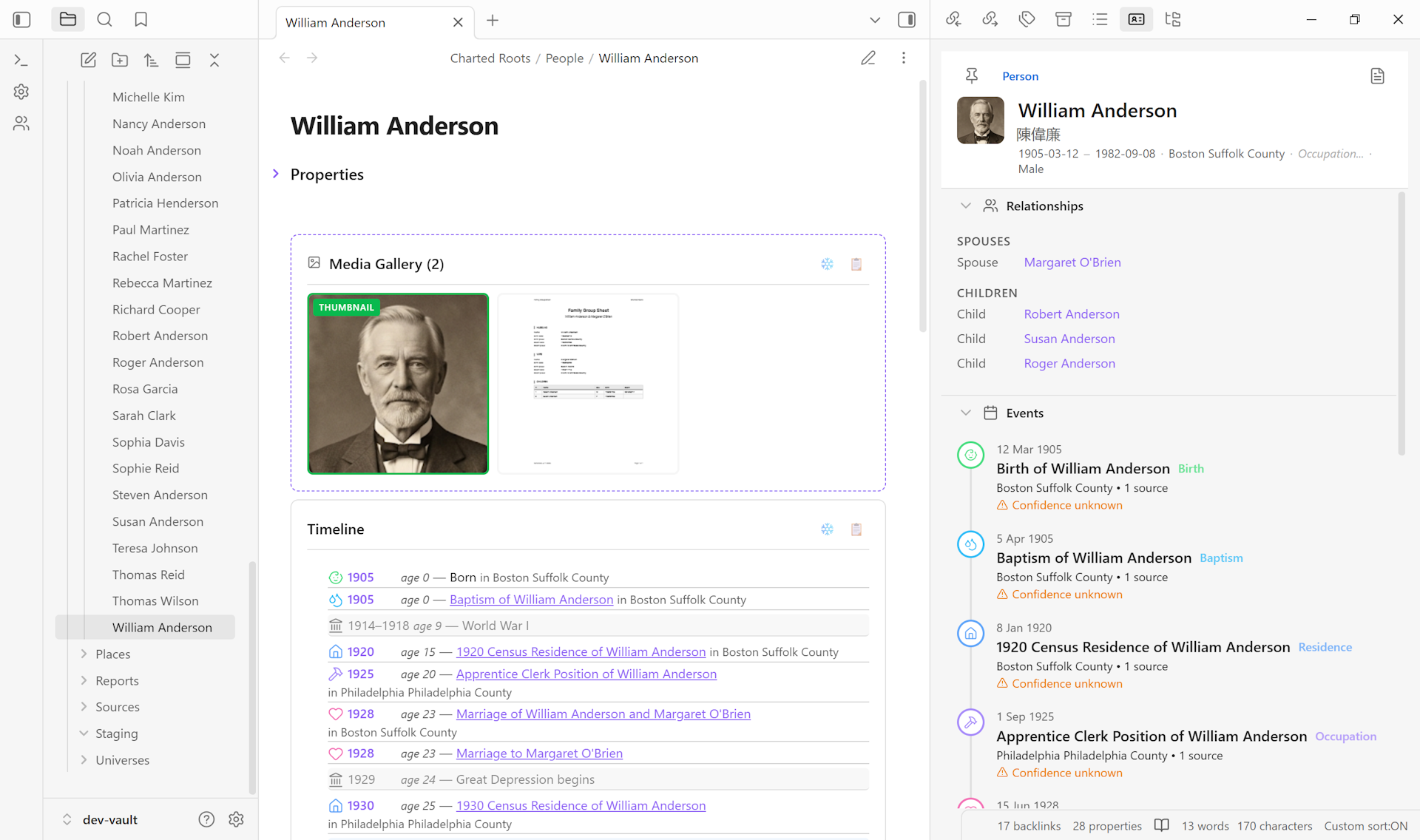
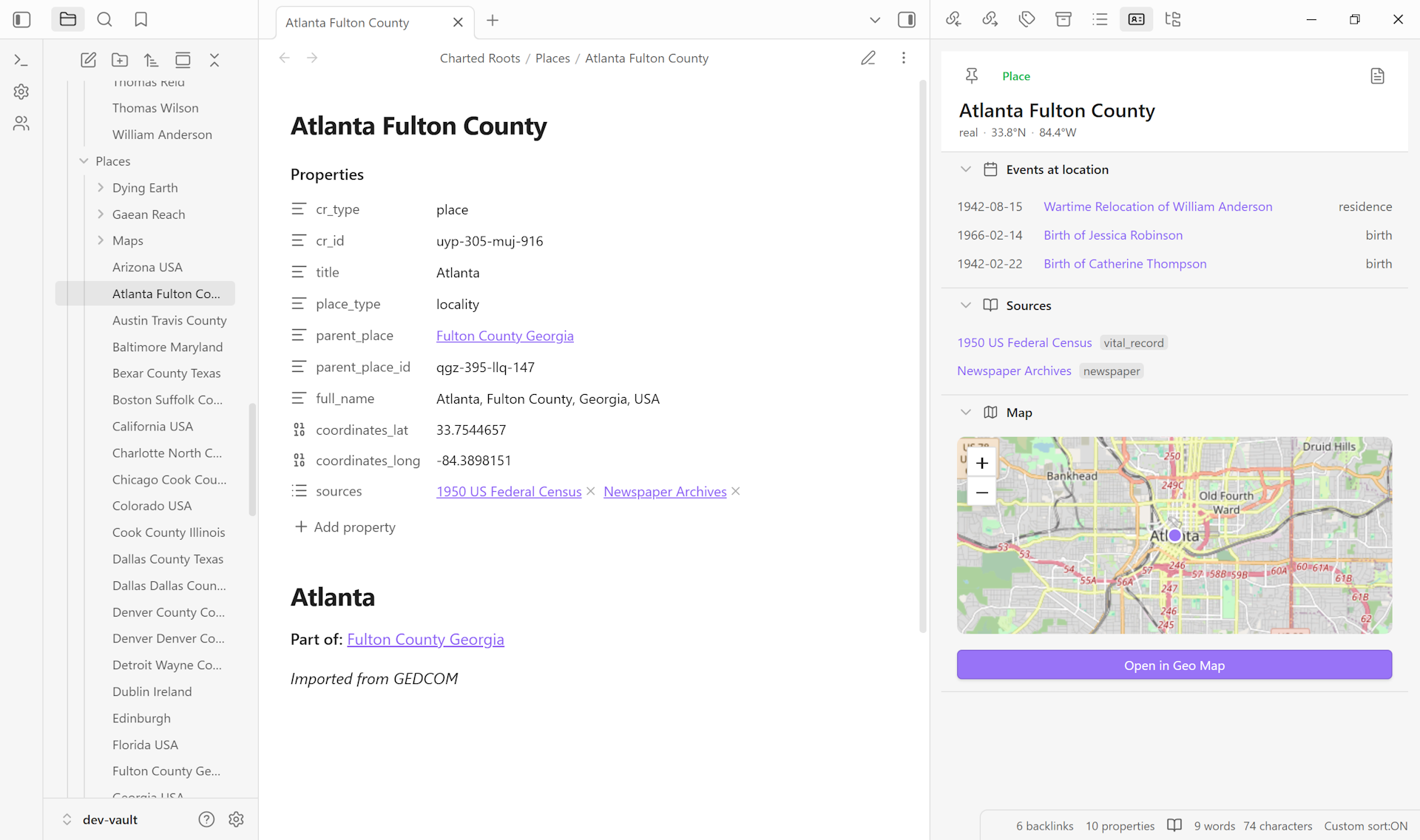
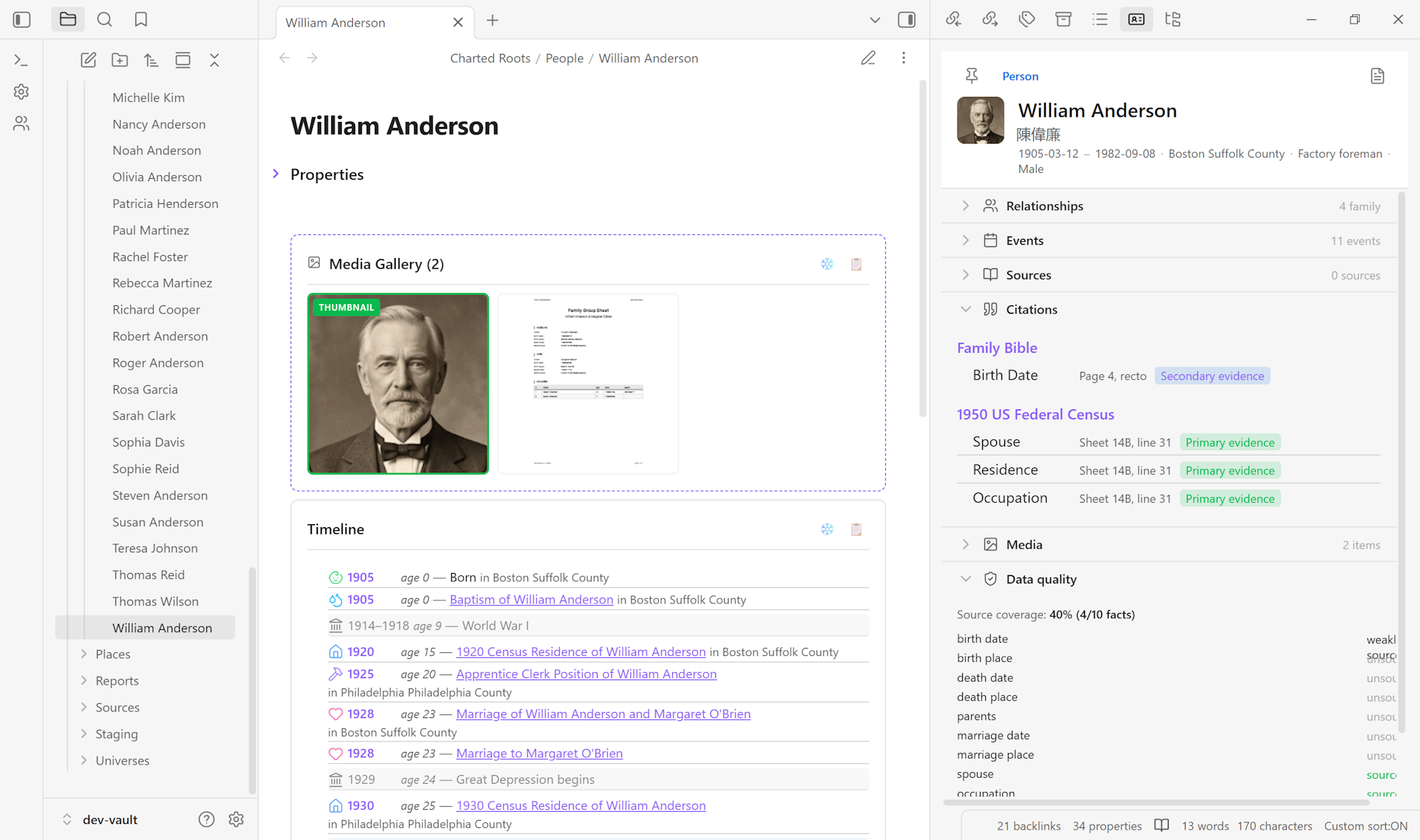
A dockable profile panel that auto-syncs to the active note and displays related data for any entity type (Person, Place, Event, Source, Organization) in collapsible sections.
- Auto-syncs with a 150ms debounce as you switch notes
- Identity header with entity type badge, avatar, key metadata, and pin toggle
- Collapsible sections per entity type: Relationships, Events, Sources, Media, Data Quality for persons; Events at location, Sources, Media, Map preview for places; Participants, Sources, Media for events; Referenced Facts, Media for sources; Members, Events, Sources, Media for organizations
- Inline editing on all identity-header fields (text, number, select)
- Pin / unpin to freeze on a specific entity; multiple instances for side-by-side comparison
- Breadcrumb navigation for in-place entity traversal
- State persistence across sessions (pinned entity, section states, breadcrumbs)
- Lazy rendering and keyboard navigation on section headers (WAI-ARIA accordion)
- Embedded Leaflet map preview for place profiles
- Children block labels stepchildren and adopted children with their specific category, falling back to “Child” only when neither marker applies. Bio + adopted + step children intermix chronologically by birth date (universe-aware sort, descending fictional eras handled correctly)
- Sibling rendering walks both biological and adopted children of each shared parent, so adopted siblings surface on bio-side household pages and bio-and-adopted siblings see each other consistently
- Custom relationship types filed under the Family category (e.g. a user-defined
twin) render inline in the Family subsection alongside Father / Mother / Spouse / Child rows, grouped by type name - Per-relationship notes (set via the Notes field in the Add Custom Relationship modal, or written directly to a
<type>_notesparallel array in frontmatter) display on their own line beneath each row that has one, in italic muted text indented to align with the link column - A Memberships section on Person profiles surfaces organizations the person belongs to, with role label, organization link, date range, “Current” badge for ongoing memberships, and per-membership notes — mirroring the Organization Profile View’s existing Members section in the inverse direction
- The Members section on Organization profiles groups members by role (uppercase headings with
roles-list ordering) and sorts by name within each group; same logic feeds the dynamic Members block via a shared helper, so the two surfaces stay consistent
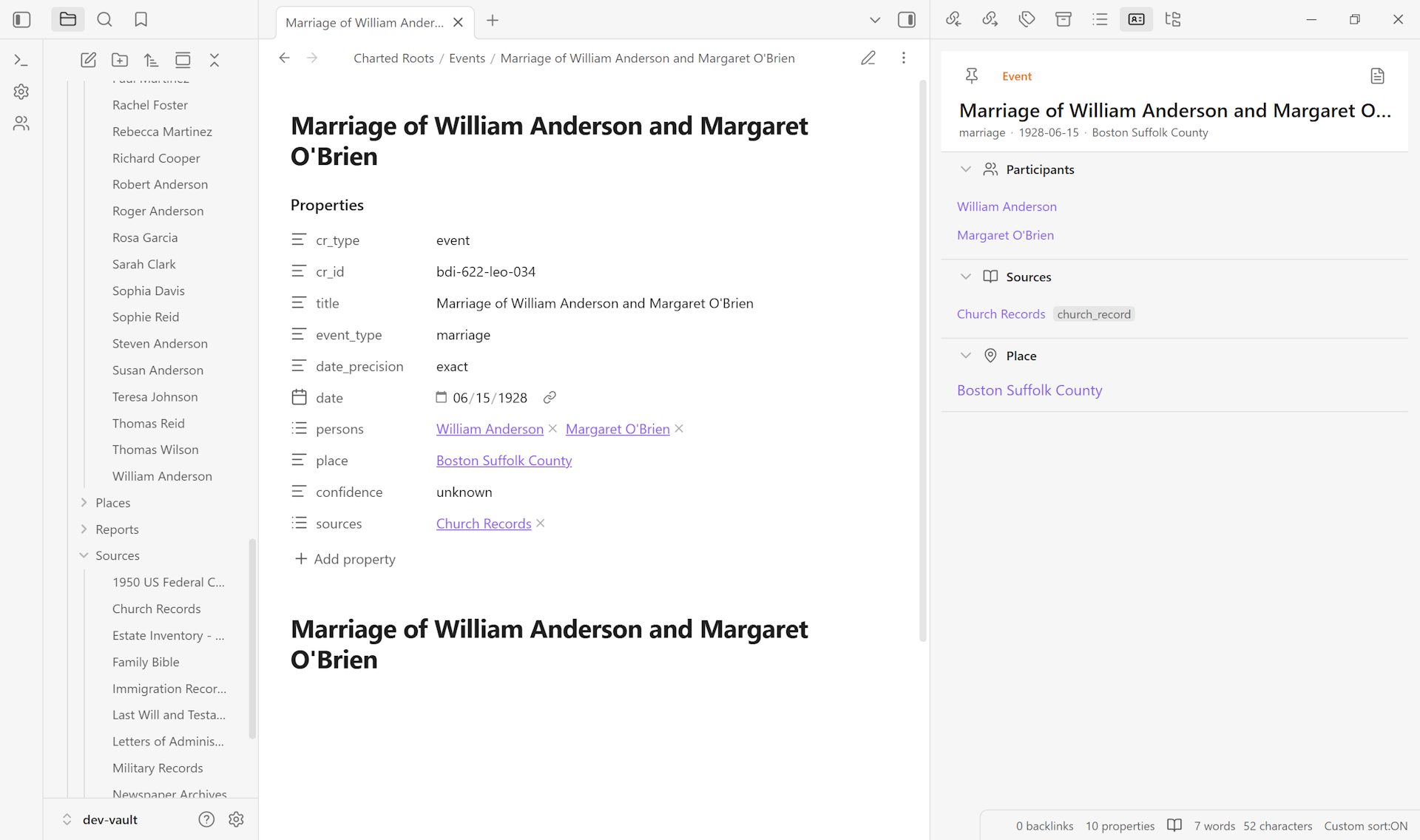
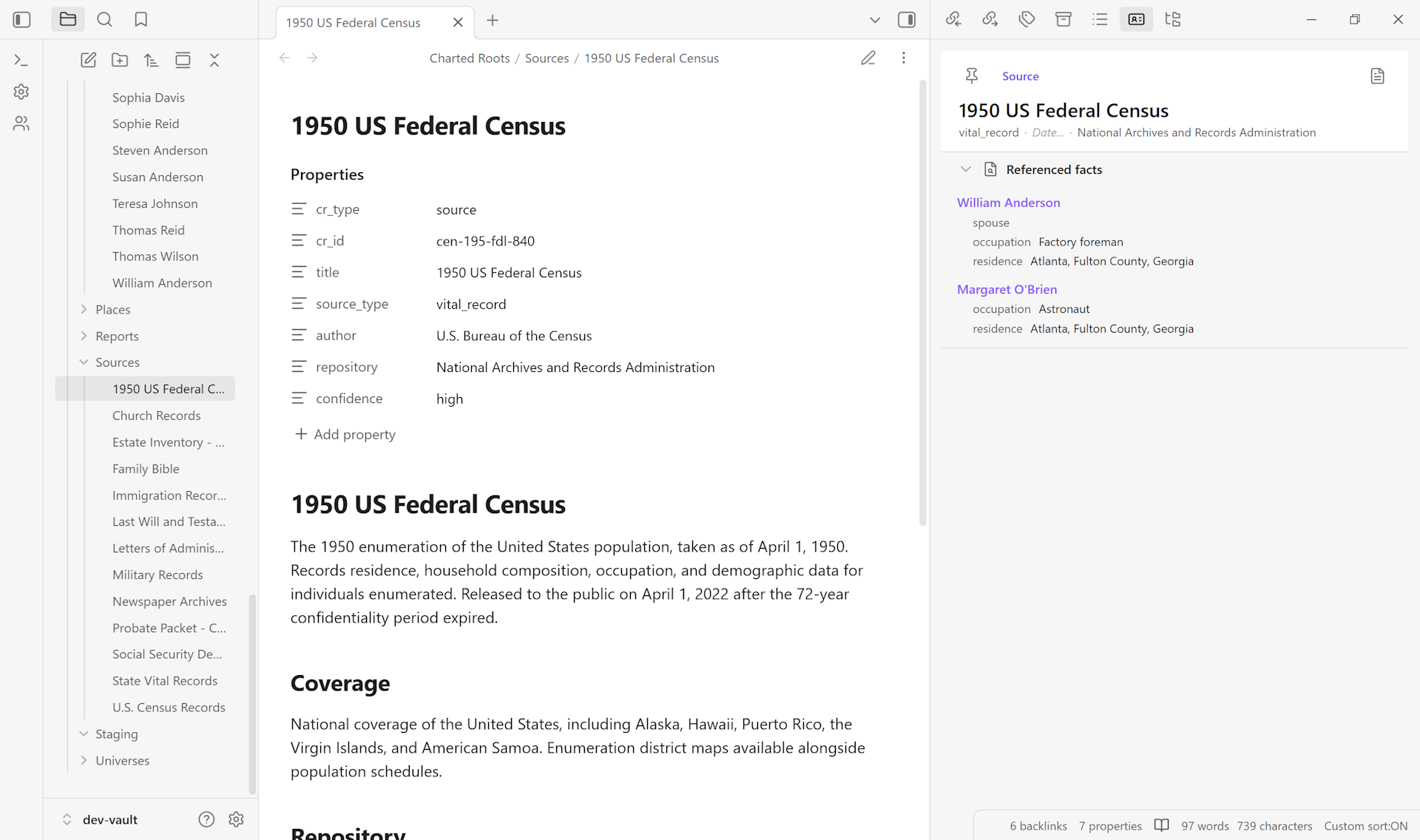
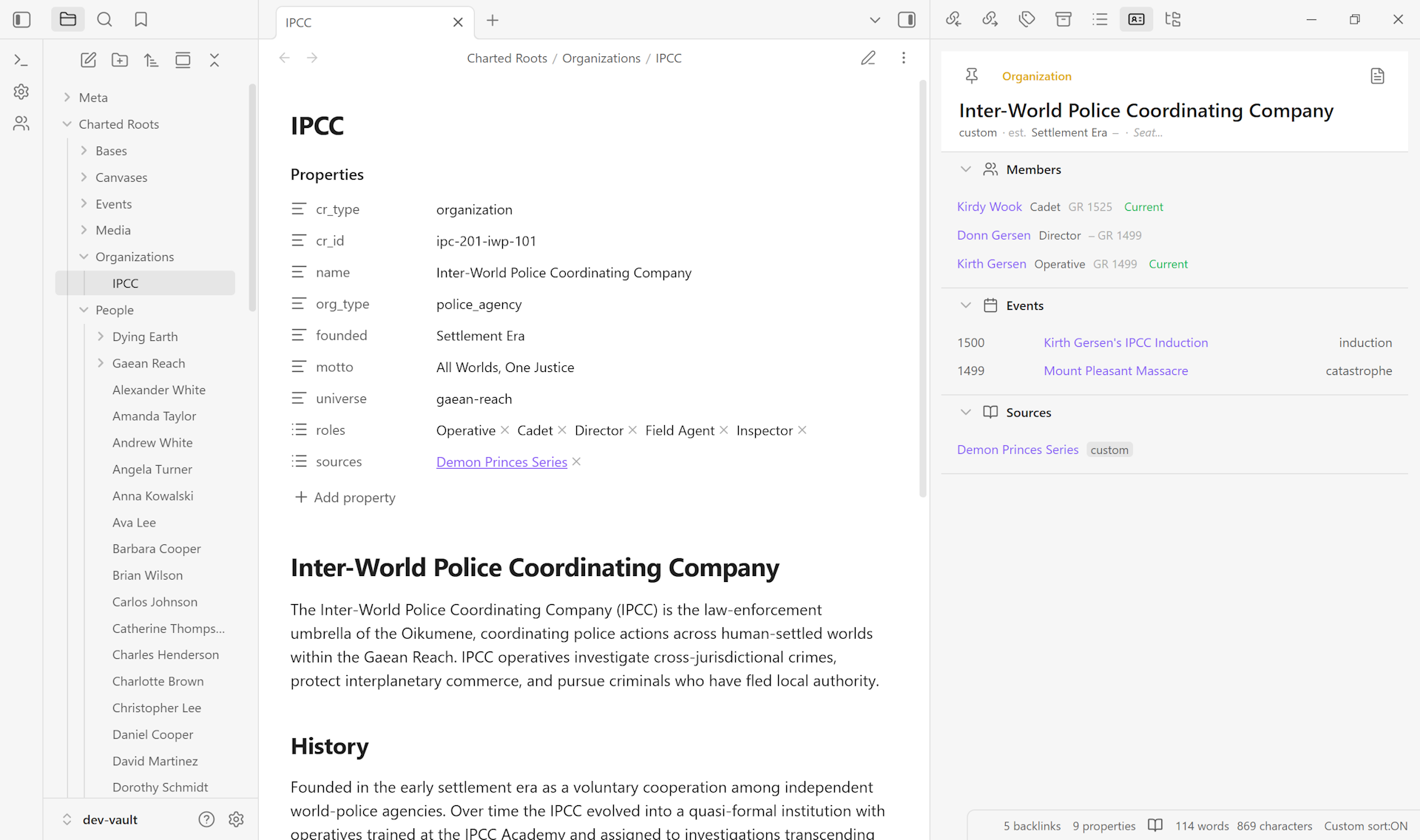
Read more: Entity Profile View →
Statistics Dashboard#
A dockable view surfacing vault-wide analytics. See Statistics and reports below for the full list of what the dashboard shows, how drill-downs work, and how the numbers feed into reports.
Read more: Statistics and Reports →
Dynamic content blocks#
Live-rendered blocks that show computed data inside entity notes when viewed in reading mode.
- Timeline block: chronologically ordered events for a person or family, with configurable layout modes (chronological, grouped by personal / family / context, personal-first) and customizable formatting. Spouse death events appear on surviving spouses’ timelines by default, and stepchildren’s births stay on biological-parent timelines without bleeding into stepparent timelines. Sibling-birth events derive from any shared parent — biological or adoptive — so adopted siblings’ births surface on bio-side household pages and vice versa, with the existing reality-window filter still hiding any sibling whose birth predates the focal person’s.
- Relationships block: family connections as clickable links with optional family-events inclusion. Children section labels biological, adopted, and stepchildren distinctly, and bio + adopted + step children intermix chronologically by birth date. Siblings (in
extendedandallmodes) merge biological and adoptive sources and sort by birth date — descending fictional eras (e.g. Star Wars BBY) order oldest-first the same as Gregorian dates, since the comparator works on a canonical-year scale rather than raw numeric values.allmode additionally surfaces custom-typed relationships from the person’srelationshipsarray (mentor, godparent, ally, etc.) as separate sections after Siblings — same routing rules as the Profile View’s “Other Relationships” subsection, so the two surfaces stay consistent. - Media block: photos and PDFs attached to the note, with first-page PDF thumbnail previews, image-crop regions for face thumbnails, and per-image captions set via right-click on each thumbnail (caption persists in frontmatter as a flat parallel array, rides through reorders, and rides through frozen-gallery export by injecting into the wikilink alias slot)
- Sources block: sources referenced by the entity, grouped with citation metadata and quality badges
- Transfers block: transfer events (migration, relocation, emigration) with date and place
- Members block: organization membership with roles and date ranges
- Universe-entity blocks: tables of people, places, events, and organizations scoped to a universe, with sorting and limits
- Universe-map thumbnails: clickable thumbnail grid for custom maps in a universe
- Research-specific blocks: research timeline, negative findings, extractions
All blocks auto-refresh when vault data changes.
Read more: Dynamic Note Content →
Data entry and management#
Tools for creating, organizing, and maintaining the data in your vault.
Family Creation Wizard#
- 5-step workflow for creating interconnected family groups (parents, children, marriage) in one pass
- Automatic bidirectional linking across all members
Staging Workflow#
- Staging Manager for batch-promoting imported or clipped notes
- Batch cards with file previews and per-entity actions
- Duplicate detection before promotion
Bidirectional Sync#
- Automatic reciprocal relationship maintenance (add A → B, B → A written on save)
- Dual storage: wikilinks for readability,
cr_idreferences for tracking that survives note renames - Person-delete cleanup: when a person note is removed, their cr_id is automatically removed from referencing notes’
*_idarrays (parents, spouses, children, step-, adoptive-, and indexed-spouse slots, plus user-aliased equivalents)
Data Quality Tools#
- Quality scores across 15+ issue types
- Smart duplicate detection using fuzzy name matching and date proximity
- Merge wizard with field-level conflict resolution and automatic relationship reconciliation
- Batch normalization for dates and other format issues
- 14-step post-import cleanup wizard covering dates, genders, relationships, places, sources, and property migrations
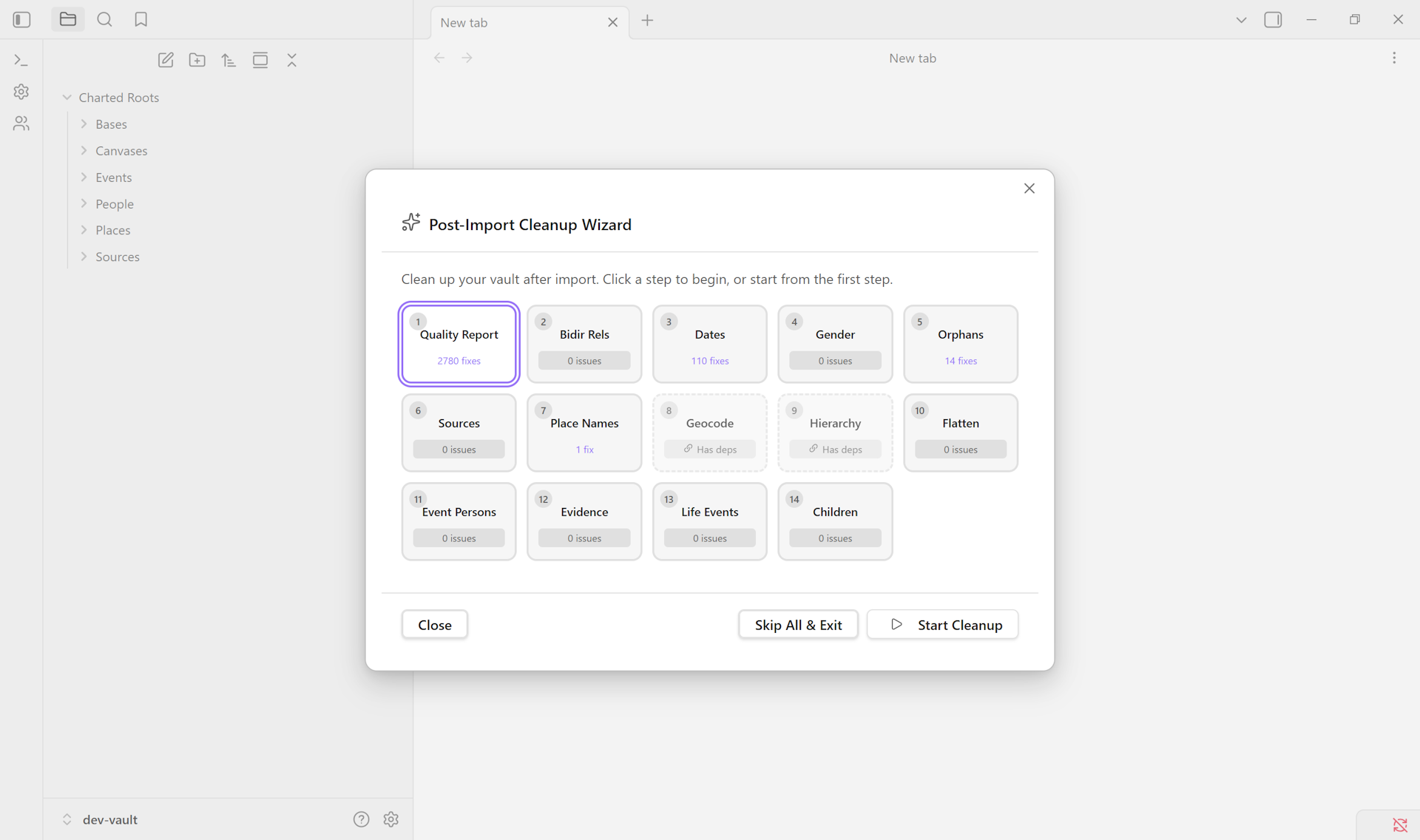
Guide: Find and merge duplicate persons → · Delete a person and clean up references →
Schema Validation#
- User-defined schemas with required properties
- Type validation and custom rules
- Targeted schema validation: run validation against only the notes matching a specific schema, via right-click context menu
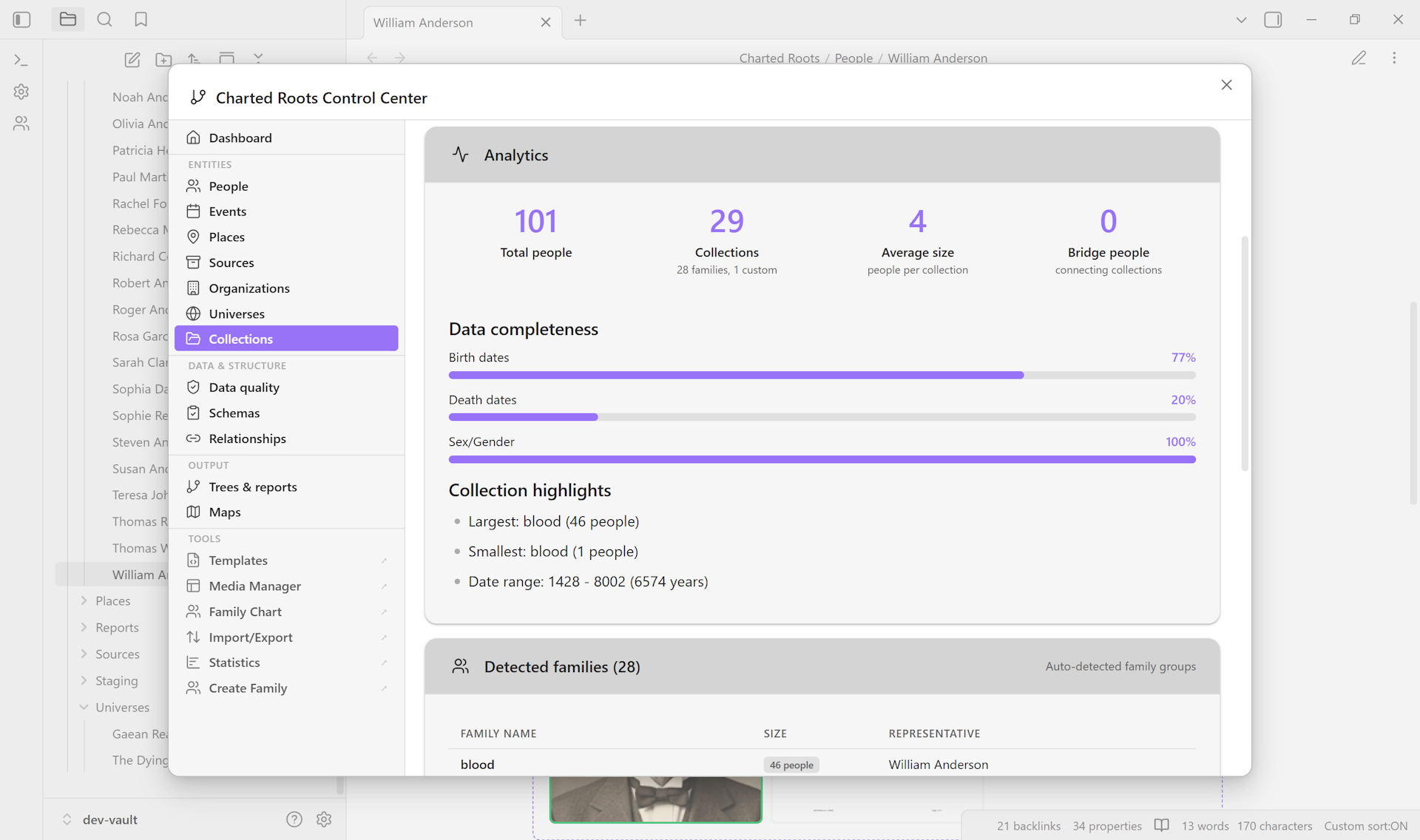
Collections#
- User-defined groupings across persons and places
- Membership badges rendered contextually (e.g., “5 people, 3 places” for mixed collections)
- Visible across Edit Person dropdowns, the Create Place modal, and the Control Center Collections tab
- Collections can be defined from either entity side and surface consistently
Property and Value Aliases#
- Property aliases map custom property names to canonical Charted Roots properties (e.g.,
bornvs.birthvs.birthDate) - Value aliases map custom values to canonical Charted Roots values (e.g., “male” / “m” / “M” all normalize)
Edit Person#
- Single modal for events, family relationships, and inline editing
- Events list with type, date, and location per entry; supports fictional-era dates so worldbuilder vaults round-trip cleanly
- Family relationships: parents, spouses, and children with their own date metadata (marriage, divorce, etc.)
- Inline add / edit / delete affordances on every row; link affordances for empty parent slots
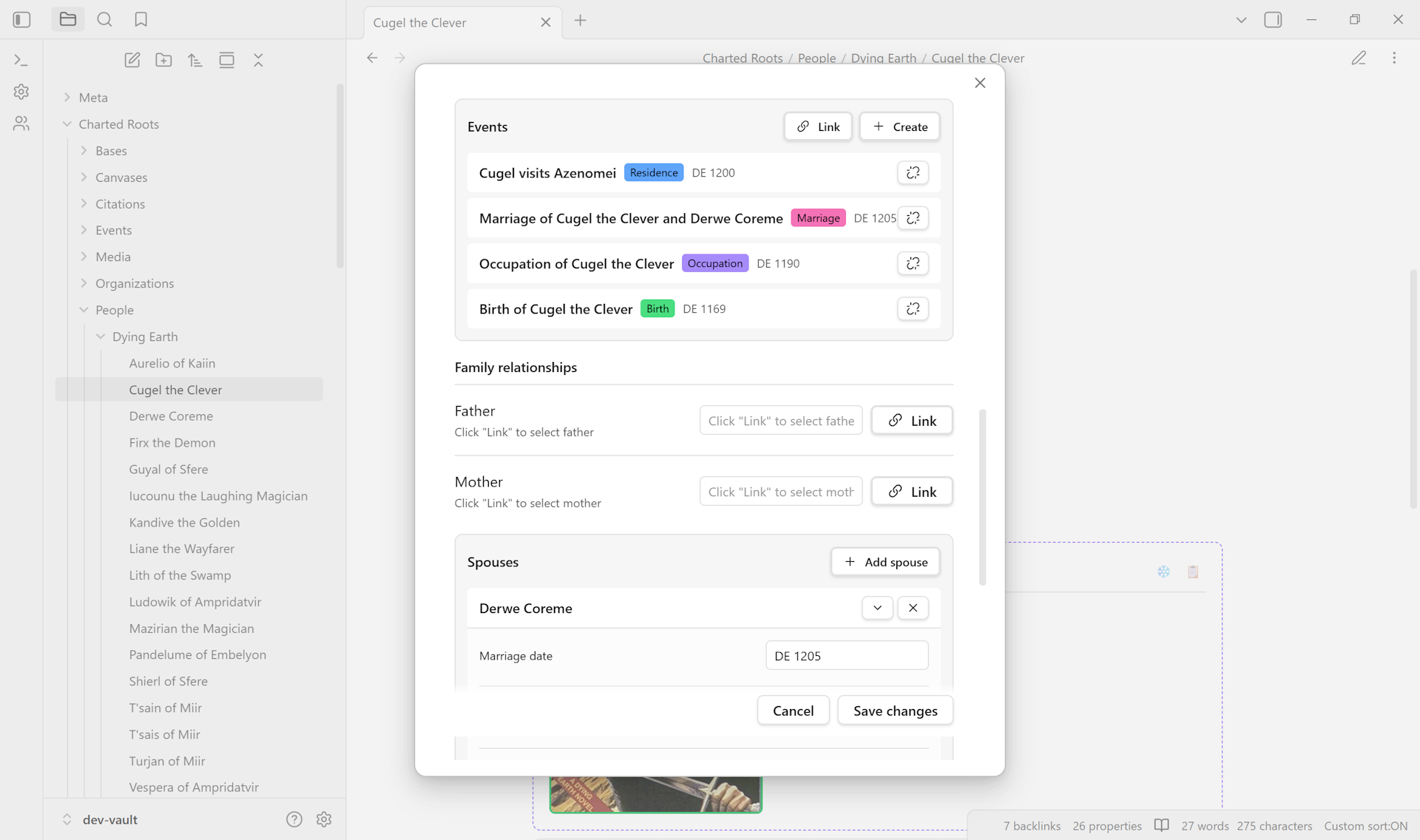
Guide: Add a new family member →
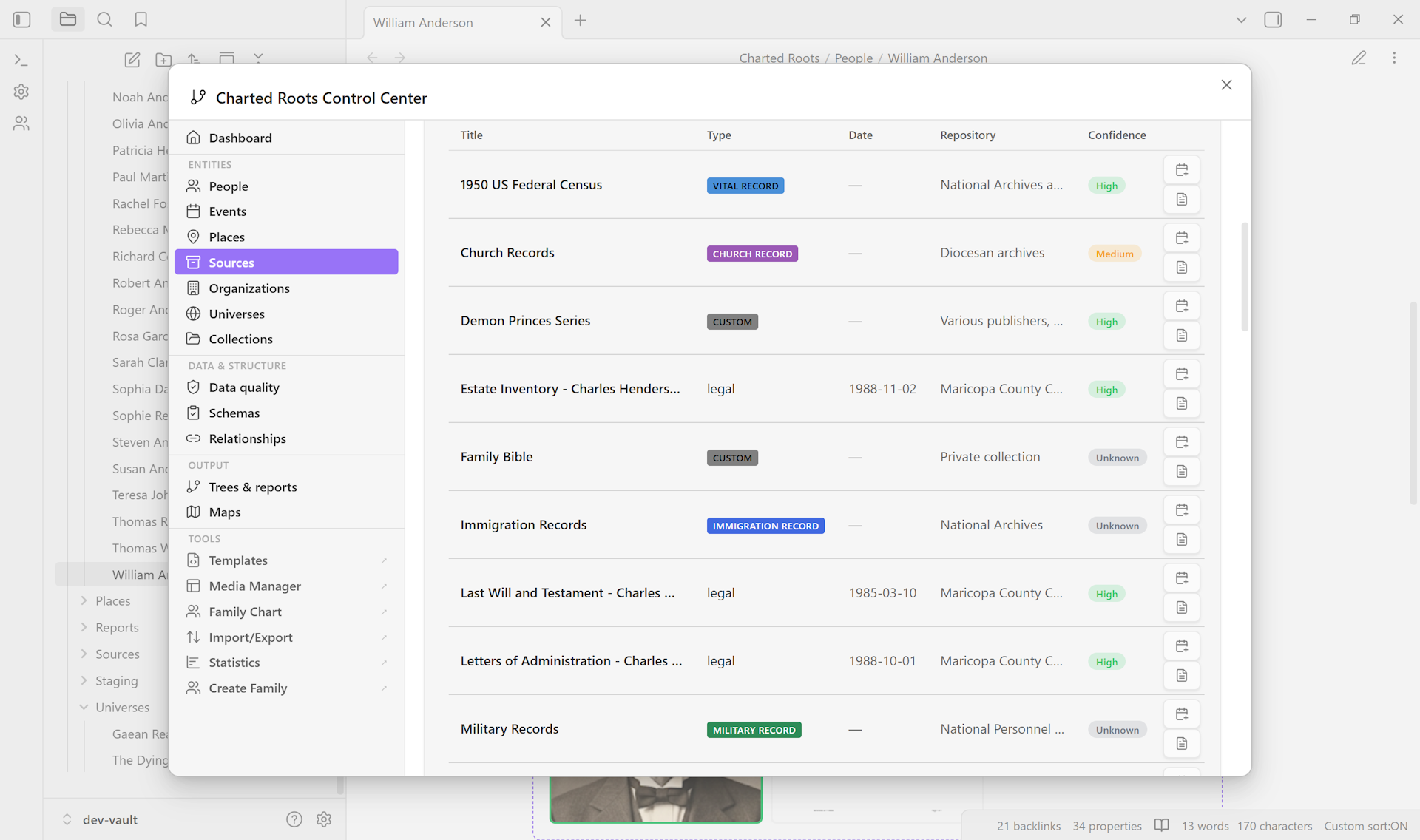
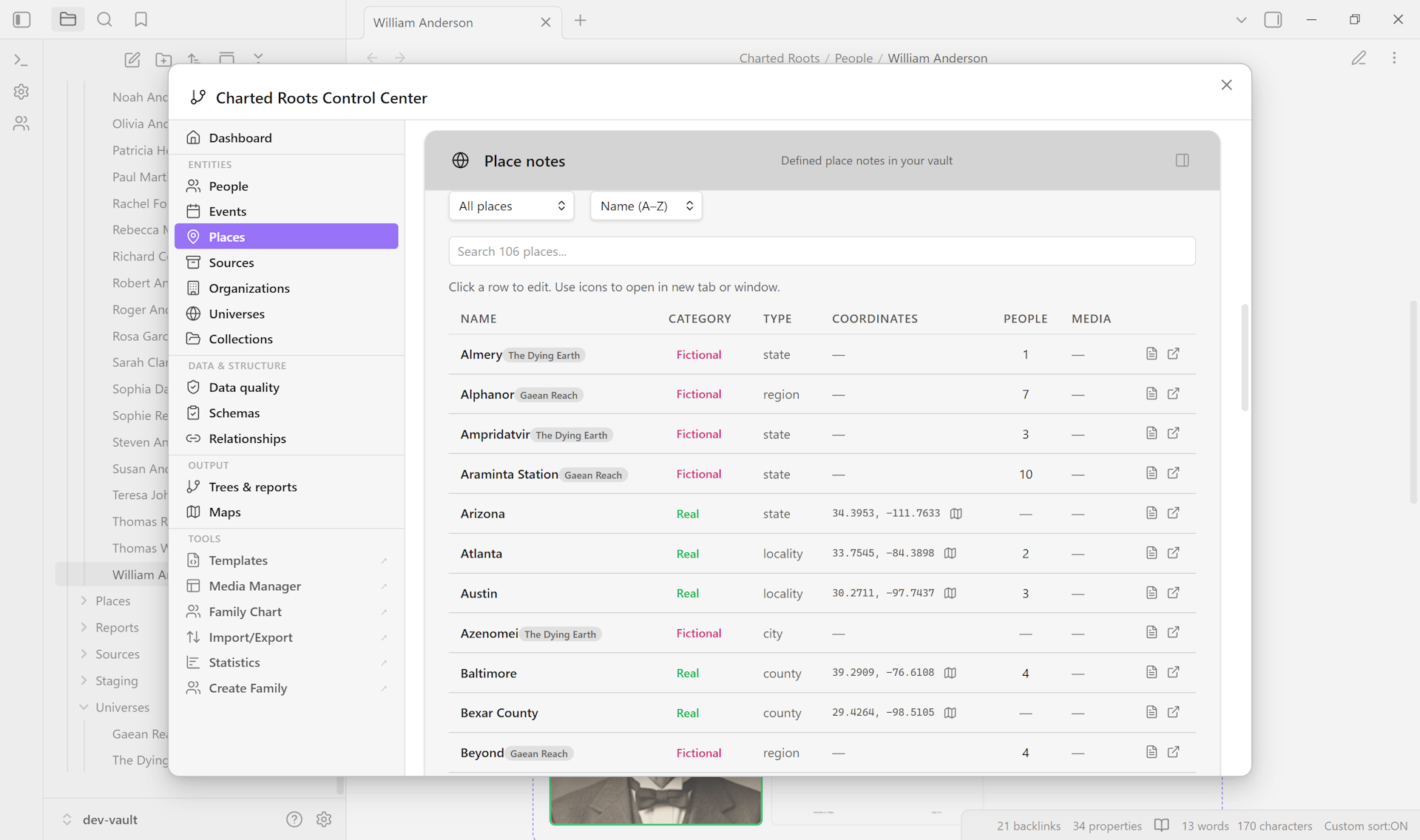
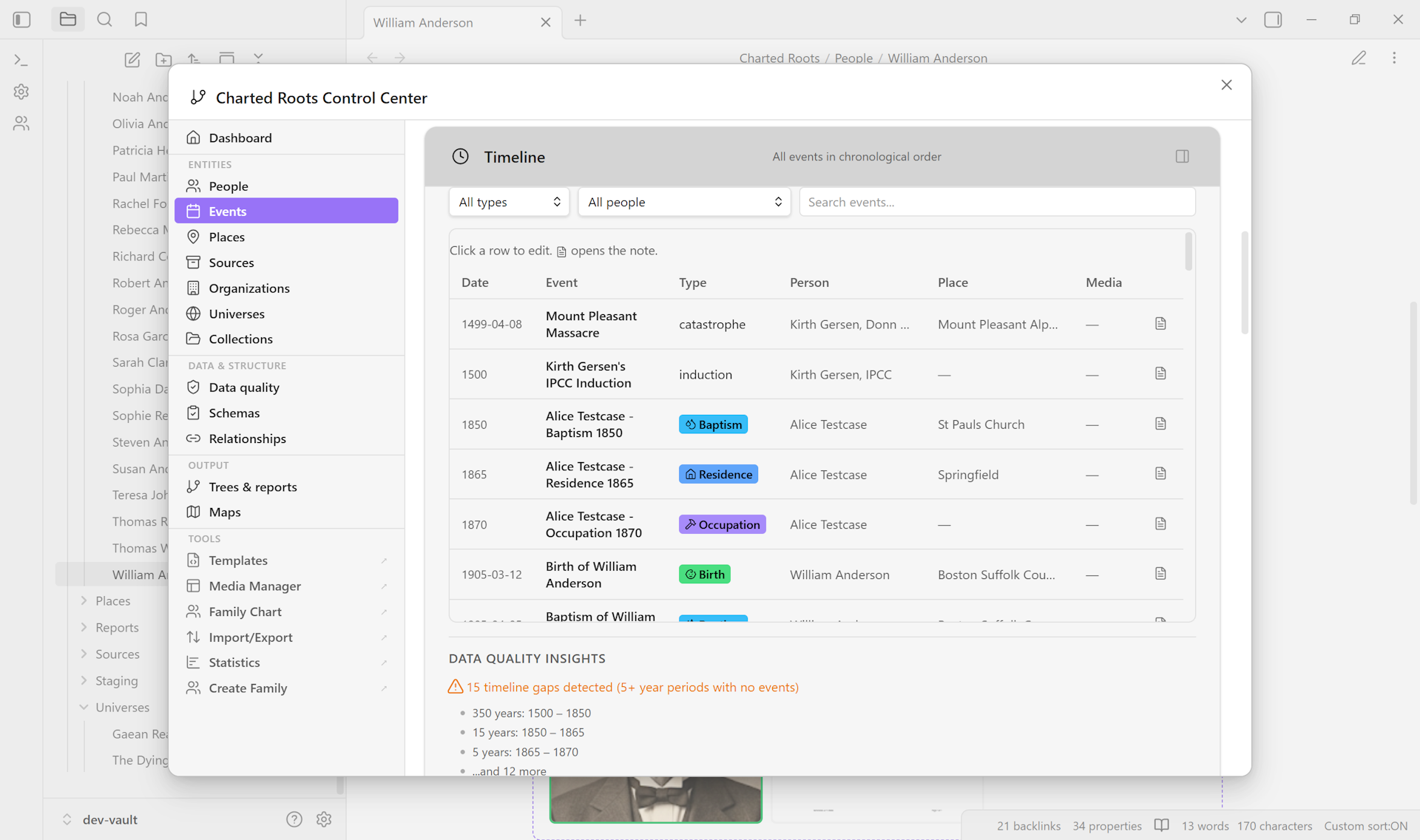
Control Center#
- Workspace-wide tab strip for browsing and managing every entity type the plugin tracks
- Tabular data per tab with type badges, completeness metrics, and drill-down affordances
- Collections / Sources / Places / Events shown below
Relationships and lineage#
Tools for computing, visualizing, and customizing how people connect.
Relationship Calculator#
- Find connections between any two people using proper genealogical terminology (e.g., “2nd cousin once removed”)
- Step and adoptive paths resolve symmetrically with their own labels — Stepparent, Stepchild, Stepsibling, Adoptive parent, Adopted child, Adoptive sibling, plus multi-hop variants (Step-grandparent, Adoptive grandparent, Step-aunt/uncle, Adoptive cousin) — and any path crossing a step or adoptive edge is correctly flagged
Blood relation: No - Multiple-relationship mode for people who are related through more than one path
- Relationship history with timestamps and one-click undo
Custom Relationships#
- 25 built-in non-family relationship types across legal, religious, professional, social, feudal, and DNA categories (godparent, guardian, mentor, apprentice, ally, rival, witness, etc.) — plus full support for defining your own (sire, nemesis, sworn rival, or anything else your story needs)
- Symmetric types (
neighbor,ally,companion) auto-propagate to both people; asymmetric pairs (mentor→disciple,godparent→godchild) maintain a clear directionality - Colored canvas edges and family-chart overlay rendering per type
- Overlay arcs paint on top of family links by default; layering flips when stacks reach 3+ to keep dense areas readable
- Per-relationship notes capture context for each link (e.g. “Confirmed in 1990”, “Apprenticed under both masters”) via the Notes field on the Add Custom Relationship modal, persisted as parallel
<type>_notesarrays in frontmatter alongside<type>and<type>_id, and displayed in the Entity Profile beneath each row that has one - Custom types filed under the Family category render in the Profile view’s Family subsection alongside bio family rows (e.g. a user-defined
twinappears under TWIN inside the Family pane), not in Other Relationships
Guide: Build a noble house with succession over generations →
Step and Adoptive Parents#
- Dedicated fields with distinct line styles on canvas trees (dotted for adoptive, dashed for step)
- Adopted children and adoptive siblings surface consistently across the Dynamic Relationship Block, the Dynamic Timeline Block, and the Profile view’s Family subsection — bio-side household pages see adopted siblings, adoptive parents see adopted children, and the relationship is symmetric regardless of which side of the household the focal person sits on
- Step-parent relationships persist round-trip through the Edit Person modal
Lineage Tracking#
- Patrilineal, matrilineal, or all-descendants lineage assignment
- Bulk assign / clear via command palette
Reference Numbering#
- Four numbering systems: Ahnentafel, d’Aboville, Henry, and Generation
- Applied in reports and optionally as frontmatter properties
Inheritance and Succession#
inherited_fromandsuccessorproperties for tracking title, estate, and office succession across generations
Read more: Relationship Tools →
Evidence and sources#
Structured tools for Genealogical Proof Standard research and evidence-based claims. Sources are first-class notes with their own entity type, classification, hierarchy, and citation metadata.
Source Management#
- Source notes as first-class entities with structured genealogical metadata
- Fact-level source attribution via
sourced_*properties on person / place / event notes - Mills-aligned classification (from Evidence Explained) with three optional axes:
- Source type: original, derivative, authored narrative
- Information type: primary, secondary, undetermined
- Evidence type: direct, indirect, negative
Source Hierarchies#
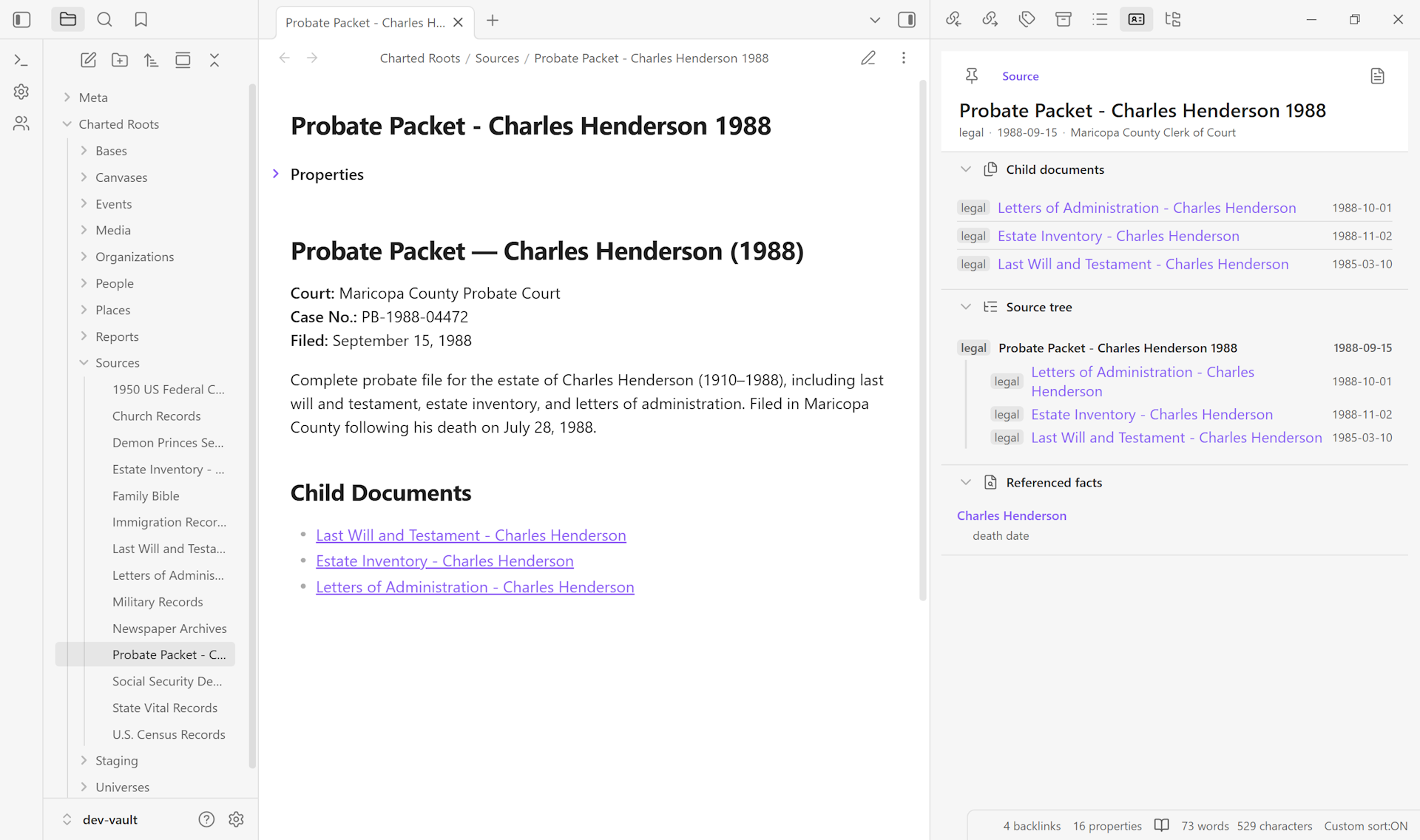
source_parentandsource_parent_idproperties for modeling multi-document record groups- Examples: probate packets with multiple documents, census pages in a schedule, multi-volume works
- Profile view sections for parent source, child documents, related documents, and a collapsible source tree
- Filter the Sources tab by “has parent,” “no parent,” or children of a specific source
Citations#
- Citation as a first-class entity with page references (
citation_page) and quality assessments (citation_quality) - Full GEDCOM roundtrip (PAGE / QUAY sub-tags)
- Bidirectional sync between citation notes and
sourced_*fields on entities - Citation generator supporting Chicago, Evidence Explained, MLA, and Turabian formats
- Citation notes section in Entity Profile View grouped by source with fact labels, page references, and color-coded quality badges
Research workflow#
GPS-aligned research entity types for multi-phase research cases:
research_project: hub for a research caseresearch_report: living document analyzing a specific research questionindividual_research_note(IRN): synthesis between reports and person notesresearch_journal: daily or session tracking across projectsresearch_log_entry: individual log entries as queryable notes
Supporting tools:
- Project statuses: open, in-progress, on-hold, completed
- Report statuses: draft, review, final, published
- Proof summary notes for documenting reasoning chains
- Research level property (0–6 scale based on GPS methodology)
- Research gaps report with priority ranking
- Source conflict detection and tracking
- Canvas research indicators showing source counts, coverage percentage, and conflict warnings
Web Clipper integration#
Charted Roots threads sources from capture to attribution: clip a record in the browser, get a structured source note in your vault, attribute it to specific facts on the people it documents. Purpose-built Obsidian Web Clipper templates handle the structured extraction; standard Obsidian properties carry the data through.
- Find a Grave Person: CSS and AI-assisted variants for memorial pages
- FamilySearch Source: CSS and AI-assisted variants for indexed records and browse-only collections
- Wikipedia Biography: AI-assisted variant for structured biographical extraction
- Wikidata Place: AI-assisted variant for place entities with coordinates
- Works with the standard Obsidian Web Clipper plugin (no custom browser extension)
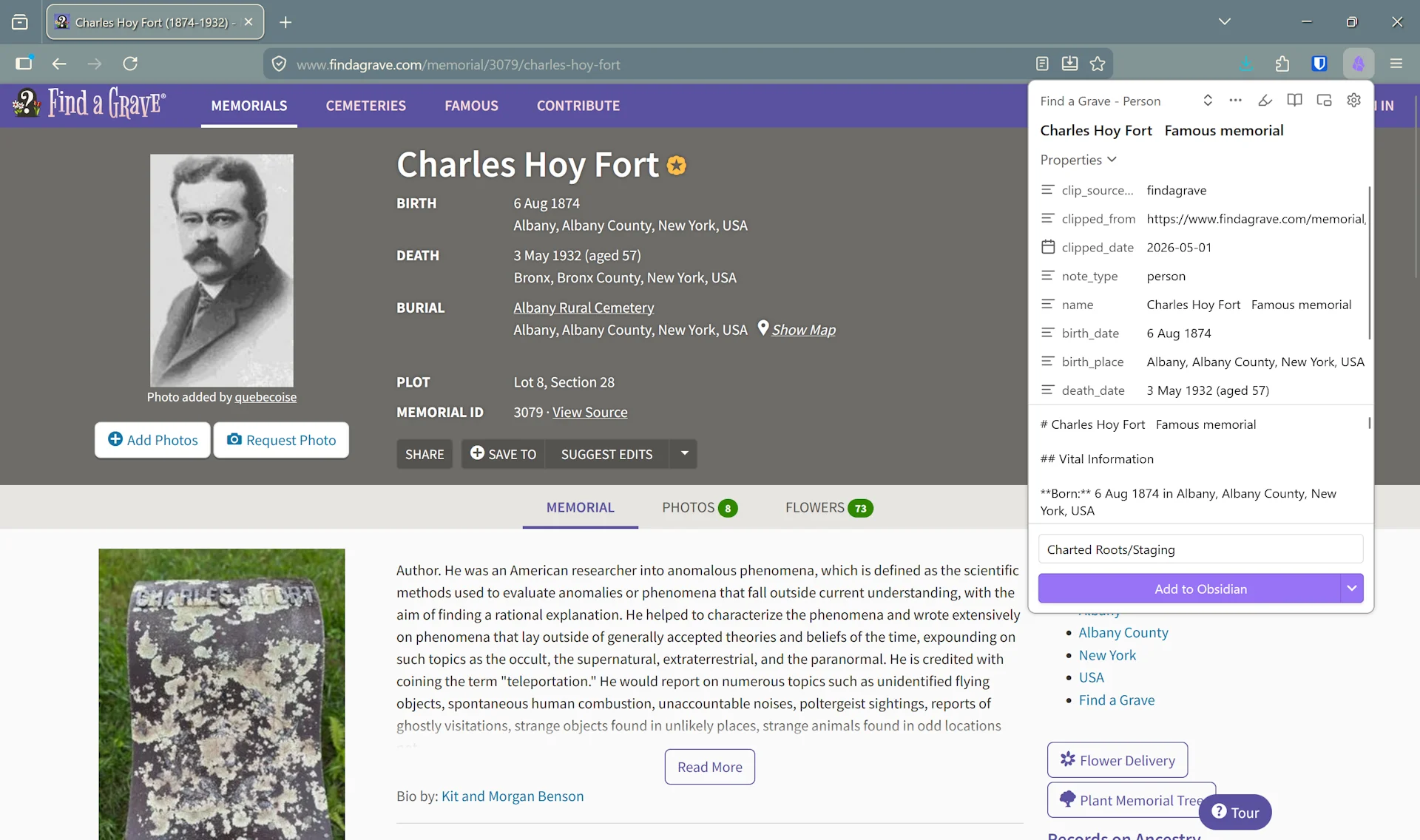
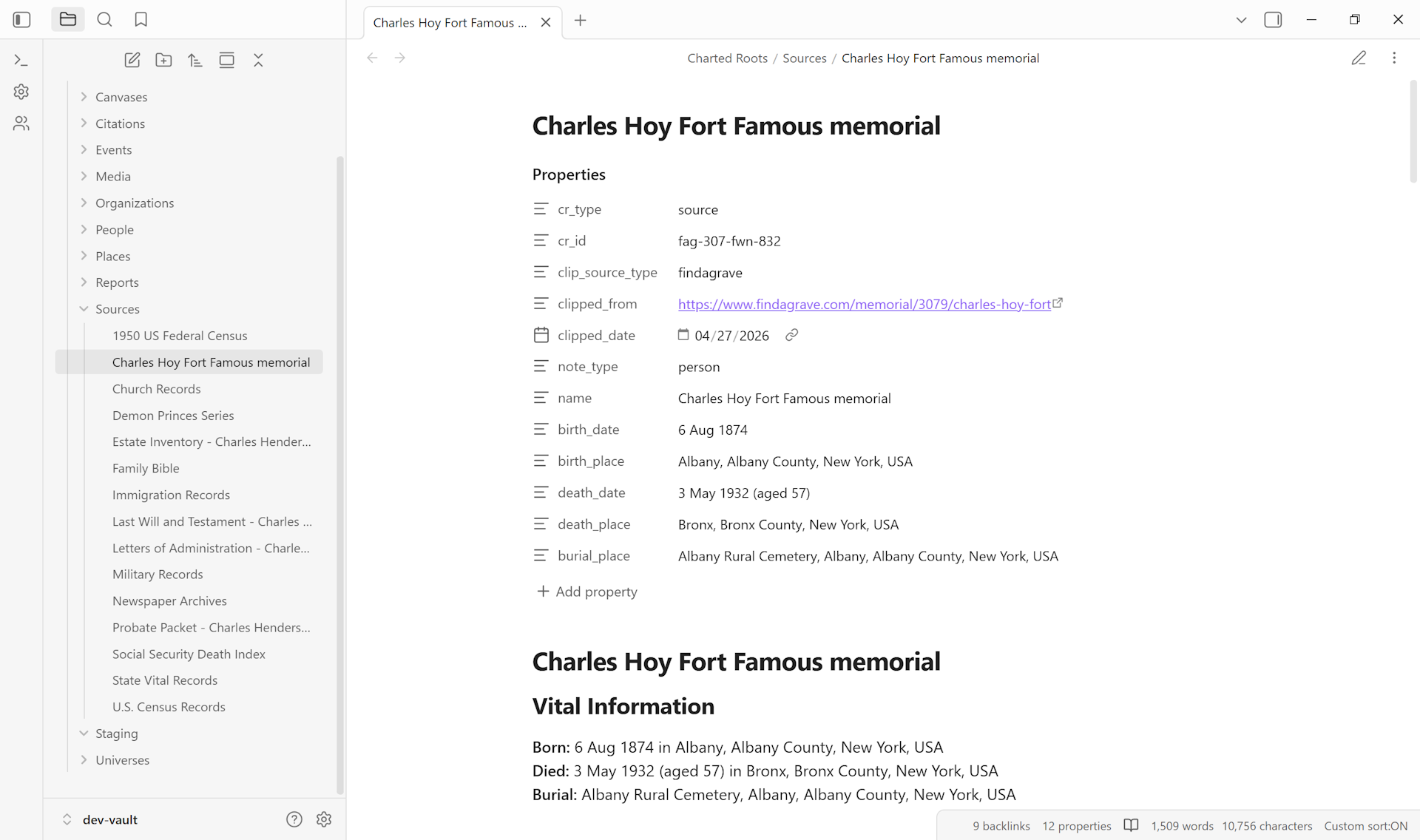
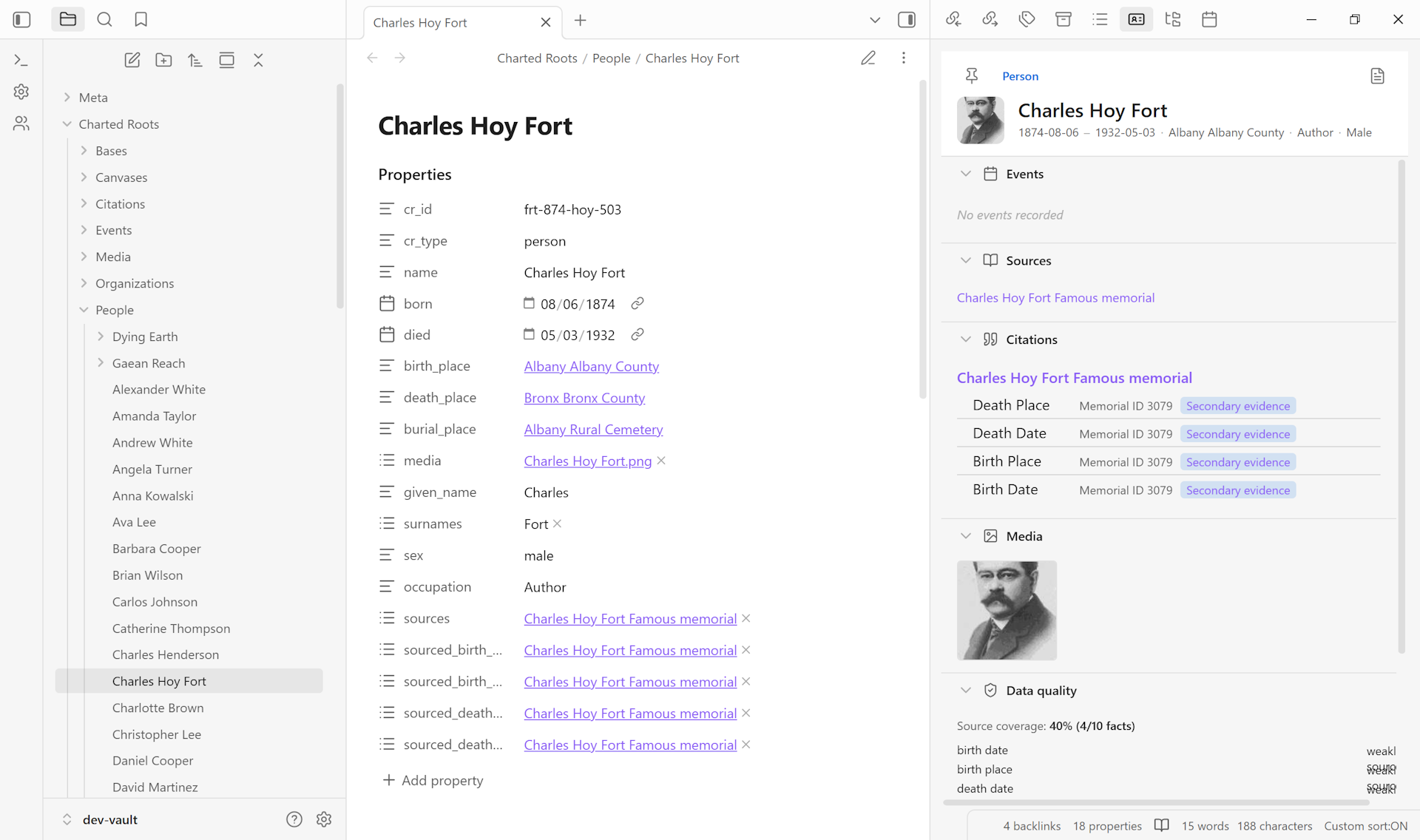
Clips first land in a Staging folder so you can review extracted fields before importing as plugin-managed source notes. The structured frontmatter (dates, places, source URL, clip date, type) is preserved end-to-end; a plain browser bookmark loses all of it.
Guide: Capture a source from a website →
Person Roles in Sources#
person_roleson source notes for first-class informant / enumerator / clerk / author modeling- Reverse-linked to person notes for “Sources where this person is listed as an informant” queries
Media and Citations#
- Source media gallery with search, filtering, and lightbox viewer
- Historical context overlay and age annotations on timelines
- Customizable timeline display templates with
{year},{title},{place},{age}placeholders
Guide: Set up per-fact source citations → · Attach one source to multiple people →
Read more: Evidence and Sources →
DNA tracking#
Opt-in support for genetic genealogists, off by default. When enabled, person notes can be flagged as a DNA Match and tracked with genetic-specific metadata.
- Master toggle in Settings → Advanced → DNA tracking
- DNA Match person type selectable during creation
- Tracked properties: shared cM, testing company, kit ID, match type, endogamy flag, notes
- Match types: BKM (Best Known Match), BMM (Best Mystery Match), confirmed, unconfirmed
dna_matchrelationship type with automatic bidirectional linking (A → B creates B → A)- DNA badge in the person picker showing a flask icon and shared cM value
Scope is intentionally narrow: track key matches rather than full chromosome analysis. Specialized tools like DNAPainter or Genetic Affairs handle chromosome-level work better, and Charted Roots is designed to live alongside them.
World Building#
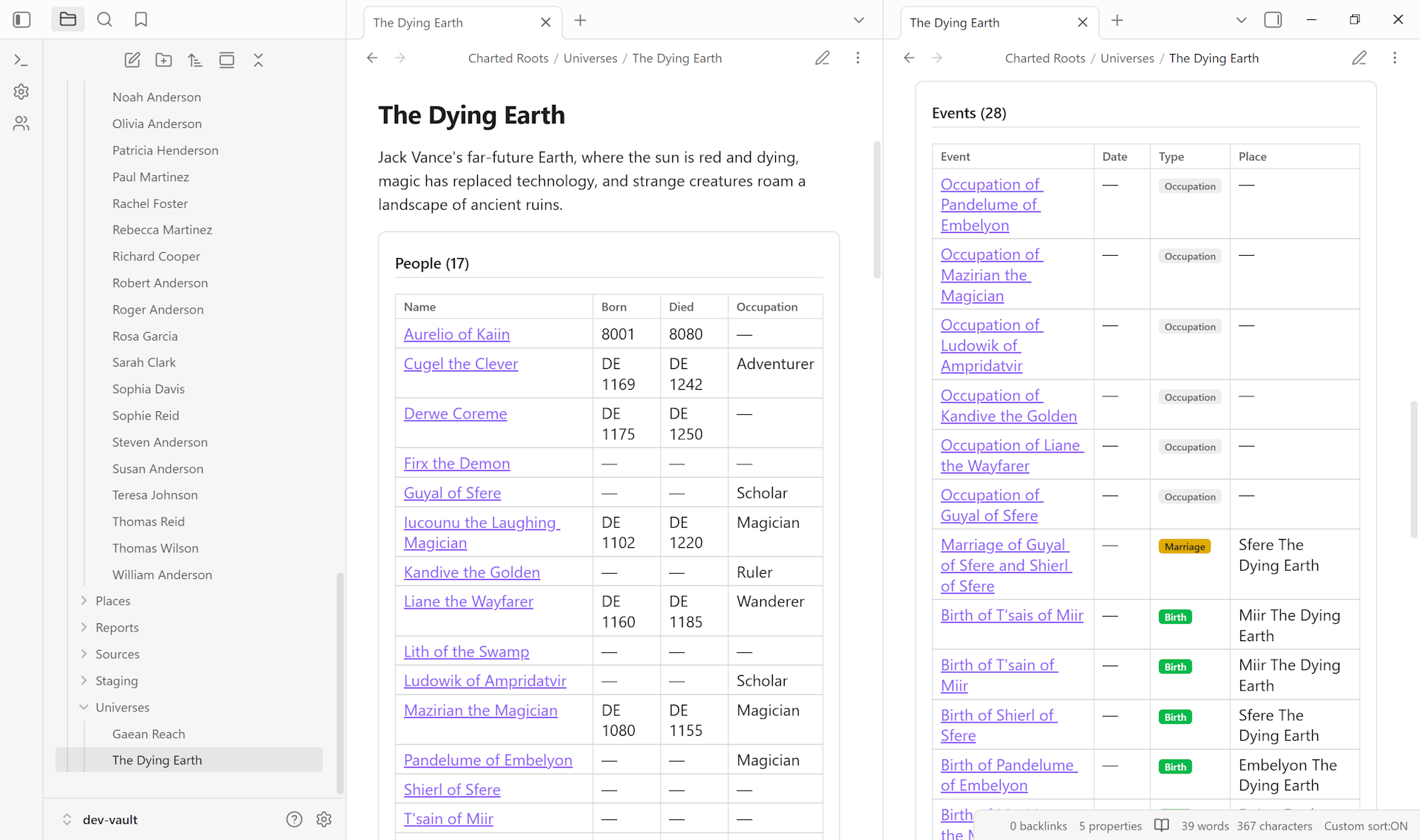
Tools designed for worldbuilders, novelists, and RPG creators who document fictional universes alongside (or instead of) real genealogy. A universe note pulls together every person, place, event, and organization scoped to that world — auto-generated tables that respect the universe’s linked calendar so dates render in its own era.
Universe Notes#
- First-class entity type for organizing a fictional world
- Metadata, linked calendars, maps, and validation schemas
- Universe wizard step 2 offers a three-way calendar picker (None, Built-in, Custom), with slug-match preselection so a “Star Wars” universe auto-selects Galactic Standard, “Middle-earth” auto-selects Middle-earth Calendar, and so on. The Edit Universe modal exposes the same Calendar field, and the Universes tab shows the linked default calendar as a sub-line under entity counts.
- Auto-generated dynamic content blocks for every entity scoped to the universe:
charted-roots-universe-people: tables of characterscharted-roots-universe-places: tables of locations with place typescharted-roots-universe-events: tables of events with type badgescharted-roots-universe-organizations: tables of guilds, houses, factionscharted-roots-universe-maps: clickable thumbnail grid for custom maps
Guide: Create a fictional universe → · Build a family tree for fictional characters → · Compile a worldbuilding bible →
Fictional Date Systems#
- Custom calendars and era systems defined in settings
- Built-in support for Middle-earth (TA / SA), Westeros, and Star Wars (BBY / ABY)
- Calendarium integration for calendars defined in the Calendarium plugin
- Date parsing and display respects the active universe’s calendar
Guide: Set up a custom calendar with eras → · Use a built-in calendar →
Custom Image Maps#
See Geographic features above. Maps support pixel-coordinate systems ideal for fictional worlds, linked-map drill-down for multi-scale worldbuilding, and child-map region editing.
Guide: Create a custom map of my fictional world → · Align a hand-drawn map → · Link drilldown maps for regions →
Organizations#
Track non-genealogical hierarchies like noble houses, guilds, corporations, military units, and religious orders. Works for fictional settings and for real-world genealogy (fraternal orders, employers, religious communities).
- Organization notes as a first-class entity type
- Member management with roles and date ranges
- Structured role lists: define valid roles and their display order per organization
- Role picker autocomplete in membership modals
- Members dynamic block on organization notes with three-level role ordering fallback. The Org Profile View’s Members section uses the same role-grouping logic so the two surfaces stay consistent
- Reciprocal Memberships section on the Person Profile View shows each person’s organization memberships with role, date range, current/former status, and per-membership notes
- Organization membership statistics in the Statistics Dashboard
Guide: Build a noble house with succession over generations →
Import and export#
Full multi-format support for genealogical data exchange.
GEDCOM 5.5.1#
Comprehensive round-trip import and export with UUID preservation.
- Name components: NPFX (prefix), NSFX (suffix), SPFX (surname prefix), NICK (nickname)
- Person attributes: TITL (title), RELI (religion), NATI (nationality), DSCR (description), IDNO (ID number), PROP (property), CAST (caste), NCHI (number of children), NMR (number of marriages), SSN
- Burial: date and place imported to person frontmatter
- Death cause: imported to
death_cause - Age at event: AGE sub-tag stored on event notes and re-exported
- Date ranges: both BET / AND and FROM / TO parsed and exported
- Family events (MARR, DIV, MARB, MARC, MARL, MARS, DIVF) exported on FAM records
- Citation metadata: PAGE and QUAY sub-tags preserve citation details across roundtrip
- PEDI tag parsing for step and adoptive parents
- Validation and privacy protection on export
GEDCOM X#
- JSON format with FamilySearch compatibility
- Lineage type parsing
Gramps XML#
- Import and export for Gramps genealogy software
.gpkgpackage imports with bundled media extraction
CSV and TSV#
- Spreadsheet workflows with auto-detected column mapping
Excalidraw Export#
- Export canvases for manual annotation or hand-drawn styling
Privacy#
- Privacy-aware exports with optional anonymization of living persons
- Full entity export for people, events, sources, places, and custom relationships
Guide: Import a GEDCOM file and clean up the result →
Migrating from a specific tool: Family Tree Maker → · Ancestry → · RootsMagic → · Gramps →
Statistics and reports#
Analytics, compiled reports, and the book builder for sharing research.
Statistics Dashboard#
The dashboard (a dockable workspace view) surfaces vault-wide metrics and analytics.
- Entity counts and completeness metrics
- Gender distribution and date ranges
- Top Lists: surnames, locations, occupations, sources (each with drill-down)
- Longevity analysis, family size patterns, marriage patterns, migration flows, timeline density
- Citation statistics: coverage percentage, quality distribution, most cited sources
- Research statistics: entity counts and status breakdowns across projects, reports, IRNs, journals, and log entries
- Organization membership statistics
Data Quality Analysis#
- Severity-coded alerts across issue types
- Drill-down lists for issue resolution
Report Types (17+)#
Export as PDF, ODT, or Markdown:
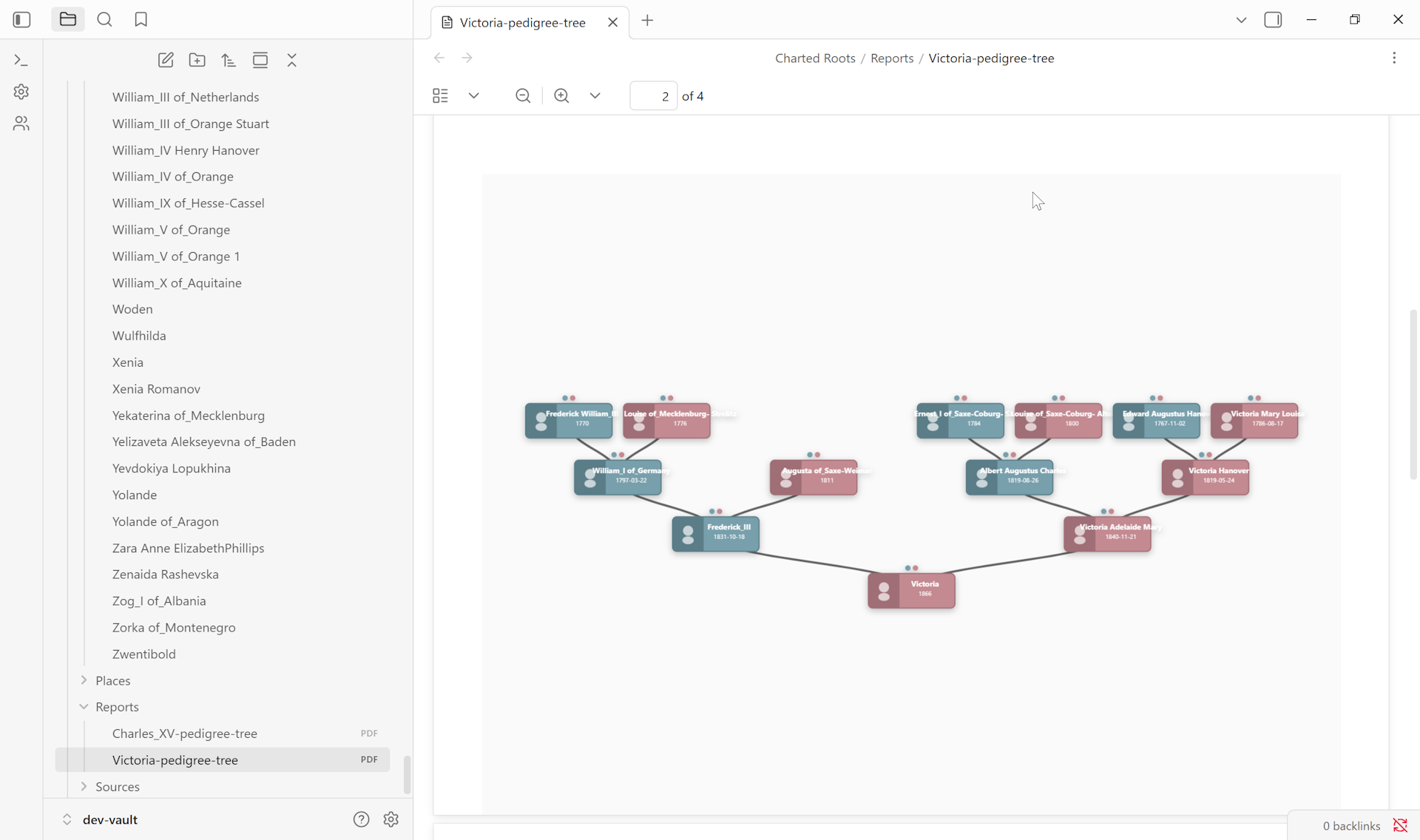
- Pedigree charts
- Descendant charts
- Hourglass charts
- Fan charts
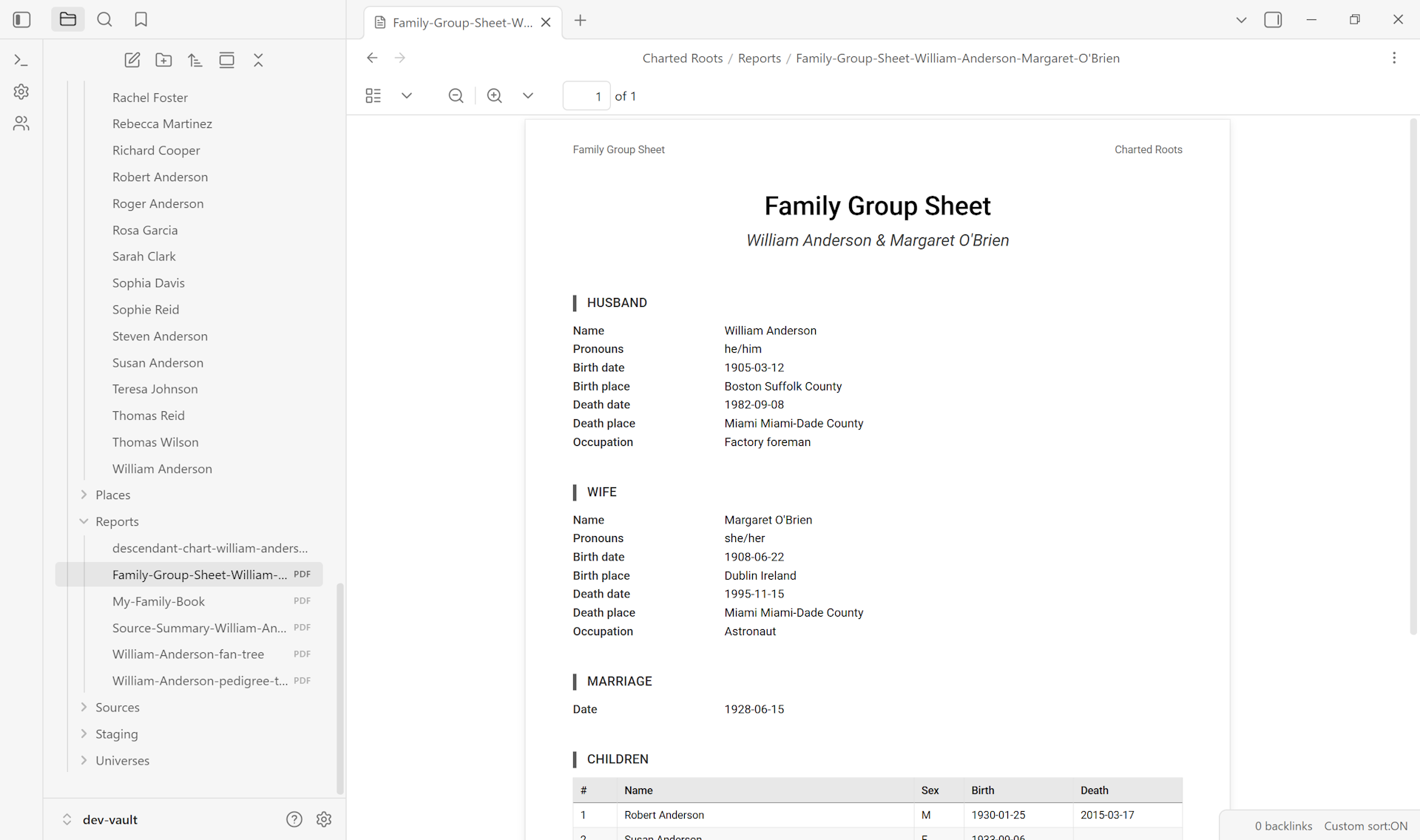
- Family group sheets (with marriage data)
- Individual summaries
- Ahnentafel reports
- Gaps reports
- Register reports
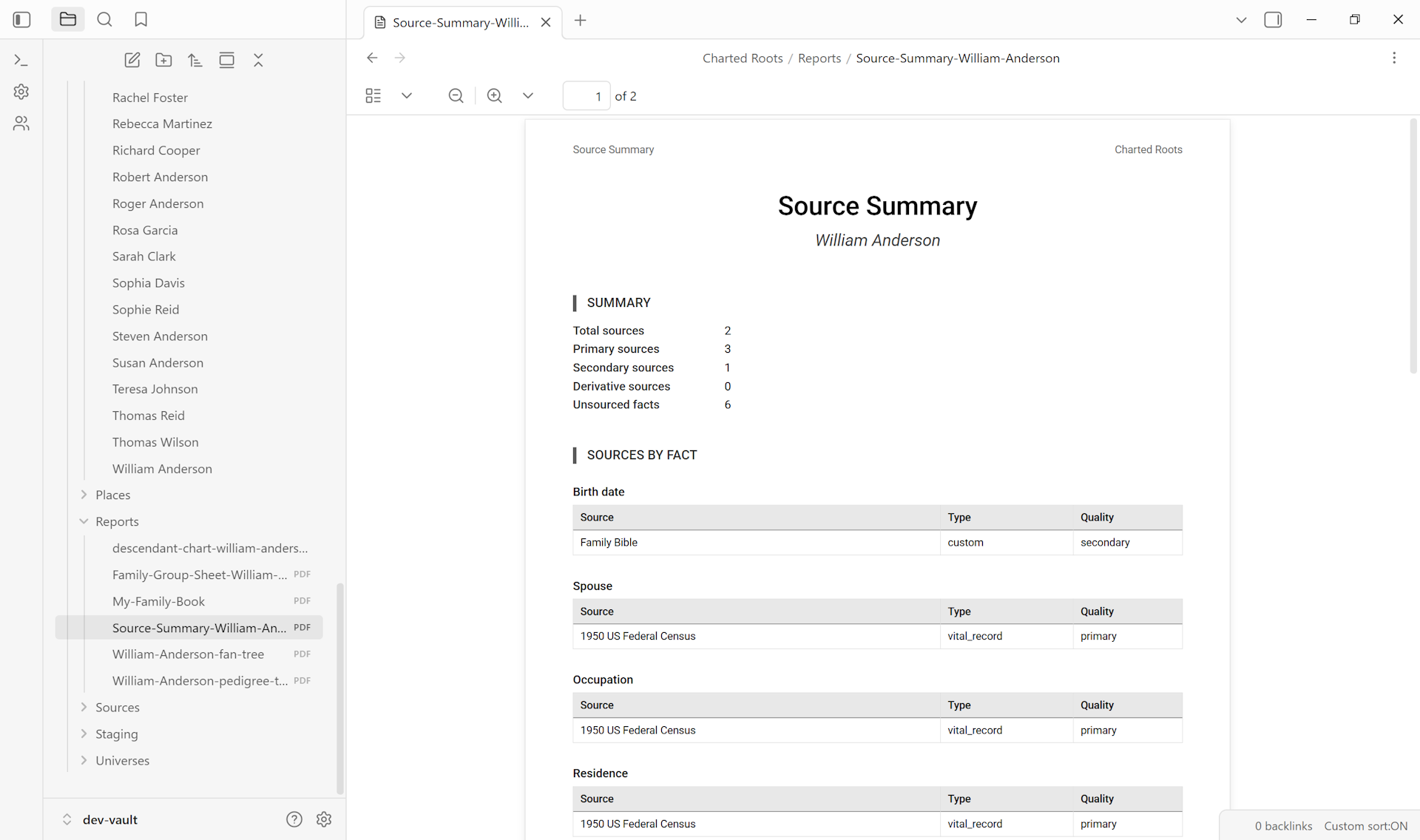
- Source summaries (with citation page columns)
- Sources by role
- Timeline reports
- Place summaries
- Media inventories
- Universe overviews
- Collection overviews
- Research reports
The shots below sample three representative outputs: a graphical pedigree, a structured family group sheet, and a research-focused source summary.
Guide: Generate a family group sheet → · Generate a family reunion report →
Book Builder#
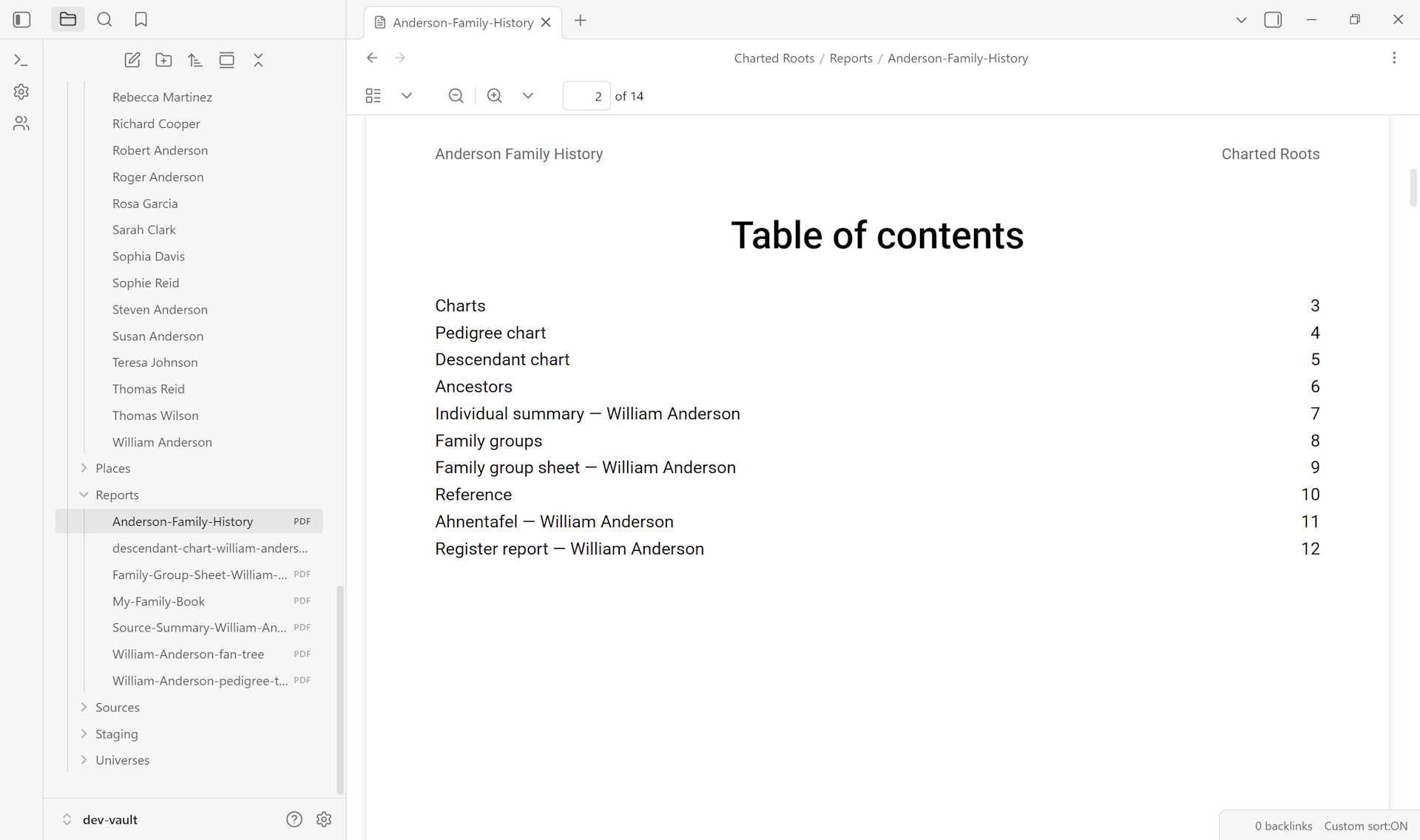
A book builder that compiles multiple reports, visual trees, and user-written vault notes into a single sequenced document.
- Chapter types: generated reports, visual trees, vault notes, section dividers
- Preset templates: Family history book, Research compilation, Blank
- 4-step wizard for metadata, chapter selection with drag-and-drop ordering, output configuration, and progress-tracked generation
- Saveable book definitions as
.book.jsonfiles for re-generation as underlying data changes - Consolidated bibliography deduplicating footnotes across chapters
- Auto-generated name index sorted by last name with alphabetical grouping
- Chapter numbering (numeric or Roman numeral)
- Output as PDF or ODT
Guide: Assemble a family history book → · Compile a worldbuilding bible →
Read more: Statistics and Reports →
Integration and compatibility#
Designed to work with the Obsidian ecosystem and adjacent tools.
- Obsidian Web Clipper plugin: purpose-built templates for genealogical sources (see Evidence and sources)
- Calendarium plugin: fictional date systems defined in Calendarium are read and usable in Charted Roots
- Obsidian Bases: ready-to-use Base templates for persons, places, events, sources, and universes
- Style Settings plugin: color customization via the standard Style Settings surface
- Templater: integration for template-driven note creation
- Type customization: full type managers for person types, event types, and organization types
- Property aliases: map custom property names (
borntobirthtobirthDate) - Value aliases: map custom property values
- Context menu actions: right-click operations across file explorer, canvas, and reading view
- YAML-first data: compatible with Dataview, Bases, and any plugin that reads Obsidian frontmatter
Guide: Filter and analyze your data with Bases →
Read more: Bases Integration →
If you’re helping someone else get started, see the supporter’s guide for non-technical relatives →.