Use this when your fictional world has noble houses, dynasties, royal families, or any other group whose identity persists across multiple generations of biological descent. By the end you’ll have the house itself as a first-class organization entity, members linked across generations with roles and tenure, biological succession captured via family relationships, and (optionally) political ties to other houses captured via custom relationships.
The workflow combines four Charted Roots primitives: organizations, person notes, family relationships, and custom relationships. Each does a distinct job — modeling a noble house cleanly is mostly about knowing which primitive owns which fact.
What you’ll need#
- A universe note for your world. See I want to create a fictional universe.
- (Optional) A custom calendar for the universe. See I want to set up a custom calendar with eras — useful for dating tenures and successions in your world’s reckoning.
- An idea of the founding generation: at minimum, the patriarch/matriarch, their spouse, and the seat (a place note) where the house is based.
Steps#
1. Create the house as an organization#
Open Control Center → Organizations tab → Create organization. Fill in:
- Name — e.g., “House Stark”
- Type —
noble_house(purple, crown icon) - Universe — your universe
- Seat — wikilink to the place note for the house’s primary stronghold
- Founded — founding date (use your custom calendar’s format if you set one up)
- Motto — optional but flavor-rich
- Roles — ordered list of valid role names:
Lord,Heir,Castellan,Maester, etc. The order controls how members display.
2. Create the founding generation#
Use the Create Person modal (or the Family Creation Wizard if you want the whole nuclear family at once). For each founding member:
- Universe — match the house’s universe.
- Sex / dates — as appropriate.
- The Lord/founder should have the relationships to spouse and children populated.
Use bidirectional family fields (father, mother, spouse, children) for biological succession — this is what generates the family tree.
3. Wire members to the house with roles + tenure#
On each person note, add a memberships array linking them to the house with their role and tenure. From the wiki’s example shape:
memberships:
  - org: "[[House Stark]]"
    org_id: org-house-stark
    role: Lord
    from: "AC 263"
    to: "AC 298"
  - org: "[[House Stark]]"
    org_id: org-house-stark
    role: Heir
    from: "AC 245"
    to: "AC 263"
The same person can hold multiple roles across their lifetime — Heir from age 18, Lord from age 36, etc. Date ranges are optional but make the house’s history queryable.
4. Build successive generations#
For each subsequent generation, repeat steps 2 and 3. Children of the founding Lord become members of the same house (typically). When the founder dies, the heir’s tenure as Heir ends and Lord begins. The succession is implicit in the family relationships + the membership tenures together.
5. (Optional) Add political custom relationships#
Family fields cover biological succession. Custom relationships cover political layering. From Settings → Charted Roots → Relationships (or via right-click → Charted Roots → Relationships → Add custom relationship), add:
- Liege lord ↔ Vassal — for hierarchical political ties (gold lines on canvas)
- Ally — symmetric, for political alliances
- Rival — symmetric, for political rivalries
- Betrothed — for arranged matches that didn’t (yet) result in marriage
Custom relationships are typed and color-coded; they render alongside family lines on canvas trees.
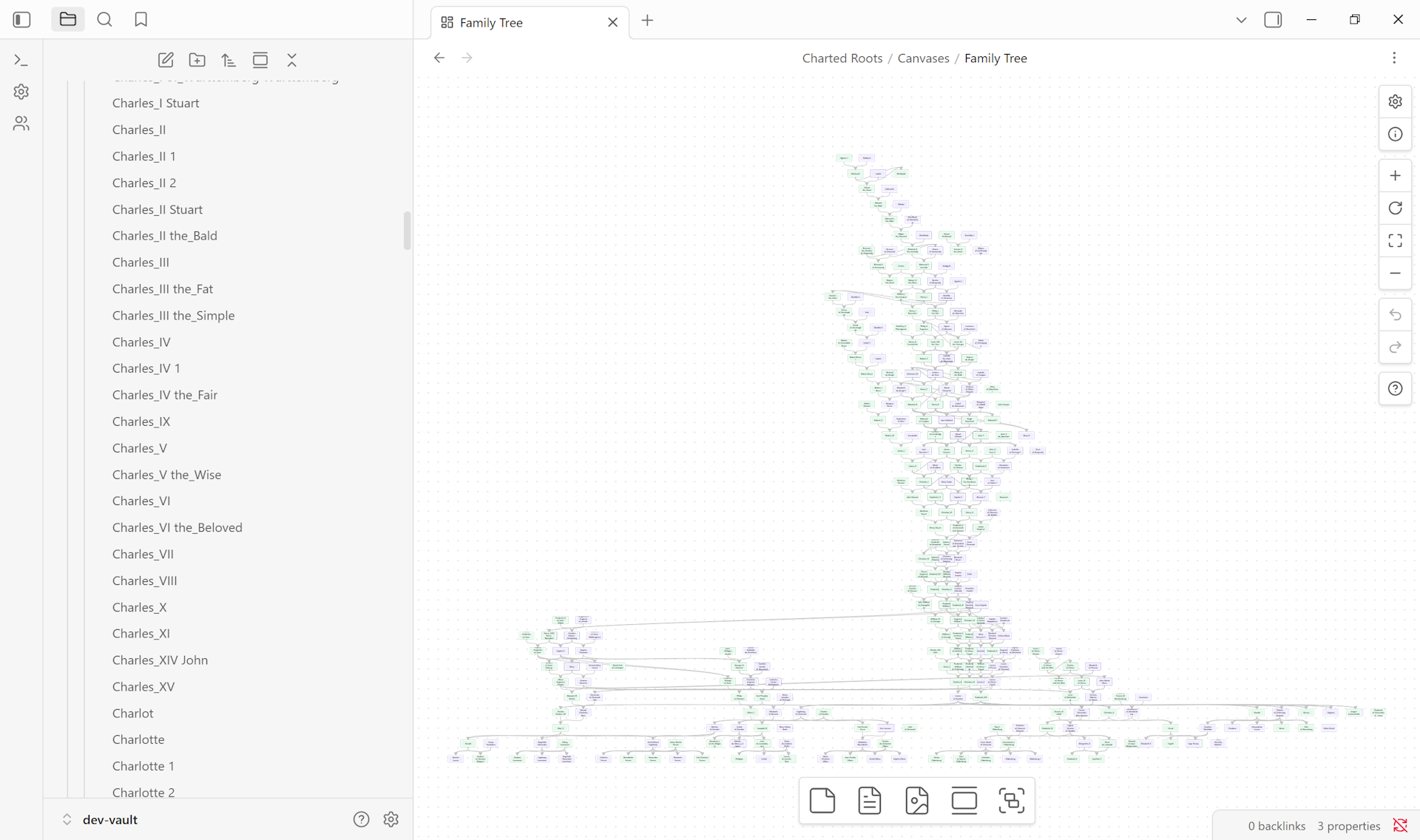
6. Generate the family canvas#
Control Center → Visual Trees → New Tree → pick the founder as root → Full Tree (Hourglass) or Descendants depending on what you want to show. Enable custom relationships in the styling options if you want political ties rendered too.
Variations#
- Cadet branches. When a member founds a new branch, create a separate organization (e.g., “House Stark of Karhold”) with
parent_org: "[[House Stark]]". Members of the branch list both organizations in their memberships array. - Dissolution. When a house ends, set
dissolved: <date>on the organization note. The Organizations tab can filter to active vs dissolved houses. - Cross-house marriage. Members of two houses who marry list both houses in their memberships array — the membership reflects political reality (a Lannister-born Stark by marriage is genuinely both).
- Pre-organization shortcut. If you don’t need the organization-level features (motto, seat, roles, hierarchy), you can skip step 1 and just use a string
house: starkproperty on persons. Less queryable but lighter.
Related guides#
- I want to create a fictional universe — prerequisite
- I want to build a family tree for fictional characters
- I want to set up a custom calendar with eras
- I want to track narrative events alongside vital ones
Reference#
- Wiki: Organization Notes
- Wiki: Custom Relationships — Feudal / World-building section has the political-tie types
- Wiki: Universe Notes
Found something wrong or unclear? Suggest an edit — opens a pre-filled issue with the guides label.