Use this when you’re starting a new fantasy / sci-fi / historical-fiction project, or migrating an existing project to Charted Roots. The universe note is the foundational entity for worldbuilding — it groups characters, places, events, organizations, and sources; provides defaults for calendars and maps; and unlocks autocomplete + orphan detection across your worldbuilding workflow. By the end, you’ll have a universe note in the vault, optionally linked to a calendar / map / schema, with the Universes tab showing it and starter entity counts of zero.
This is the foundational worldbuilding guide. The other P0 worldbuilding guides (custom calendar, fictional family tree, custom map) all assume a universe exists.
What you’ll need#
- A name for your universe. Examples: “Middle-earth”, “Dying Earth”, “Star Wars”, “The Gaean Reach”, or your own.
- (Optional) An idea of which date system you’ll use:
- None — use real-world Gregorian dates.
- Built-in — Galactic Standard, Middle-earth Calendar, Westeros, Generic Fantasy Ages.
- Custom — your own eras with names and epochs.
- (Optional) A map image file if you want a custom map.
- (Optional) An idea of validation rules if you want schema enforcement.
Steps#
1. Open the Create Universe Wizard#
Three paths:
- Command palette →
Charted Roots: Create universe - Control Center → Universes tab → Create Universe tile (if no universes exist) or Create universe button in the Actions card
- Statistics Dashboard → Universes section → Create button
2. Fill in universe details#
Step 1 of the wizard:
- Name (required) — e.g., “Middle-earth”
- ID — auto-generated from the name in kebab-case (
middle-earth); customizable if you want a different identifier - Description — brief overview of the world
- Author — creator (J.R.R. Tolkien, Jack Vance, you)
- Genre — fantasy, sci-fi, historical, etc.
- Status —
active(currently being developed),draft(early development), orarchived
3. (Optional) Pick a calendar#
Step 2. Three options:
- None — skip; use Gregorian dates for events.
- Built-in — pick from Galactic Standard / Middle-earth / Westeros / Generic Fantasy Ages. The wizard preselects a built-in if your universe name slug-matches one (e.g., “Star Wars” → Galactic Standard).
- Custom — define inline with eras, abbreviations, and epochs. See I want to set up a custom calendar with eras for deeper coverage.
4. (Optional) Pick a map#
Step 3. Skip if you’ll use real-world maps. Otherwise select an image file and define coordinate bounds. See I want to create a custom map of my fictional world for deeper coverage.
5. (Optional) Define a validation schema#
Step 4. Skip if you don’t want schema enforcement. Otherwise define required properties scoped to this universe — useful when different universes need different validation rules (e.g., a sci-fi universe requires species; a fantasy universe requires house_affiliation).
6. Review and create#
Step 5. Each created entity has a link to open it directly.
7. Verify#
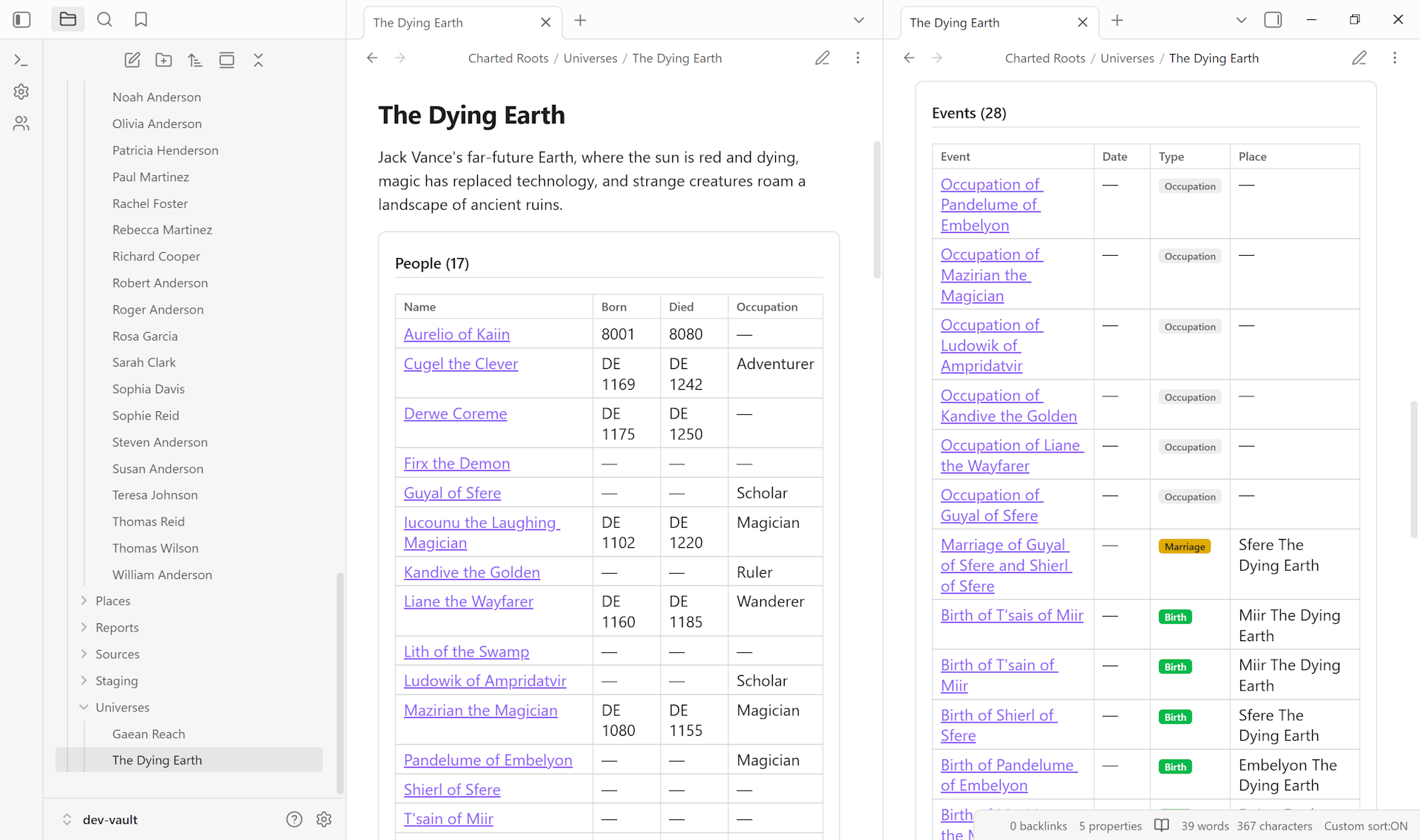
Open the Universes tab in Control Center. Your universe appears in the Your Universes card with entity counts (0 each, until you start creating people / events / places linked to it). Open the universe note itself — frontmatter shows cr_type: universe, your metadata, and any linked default_calendar / default_map.
Variations#
- Manual creation (no wizard). Write the YAML frontmatter directly with
cr_type: universe,cr_id,name, and optional fields. No autocomplete, no built-in linking, but minimal. - Add a universe note to existing string-based data. If you already have entities tagged with
universe: "Middle-earth"as plain strings, the Universes tab’s Orphan Universe Strings card flags them. Click an orphan string to see all entities using that value, then create a universe note with that ID — the entities then benefit from the registry, autocomplete, and statistics aggregation. - Multiple universes for crossover work. Each universe is independent. Create as many as you need (alternate-history fork, multiple short-story settings). Entities scope to one universe via the
universe:property. - Built-in calendar with no custom map. Common combination — pick a built-in in step 3, skip step 4.
Related guides#
- I want to set up a custom calendar with eras
- I want to build a family tree for fictional characters
- I want to create a custom map of my fictional world
Reference#
- Wiki: Universe Notes
- Wiki: Fictional Date Systems
- Wiki: Geographic Features
Found something wrong or unclear? Suggest an edit — opens a pre-filled issue with the guides label.