Use this when you’re worldbuilding or writing fiction and your event timeline needs more than births, deaths, and marriages. Charted Roots ships eight built-in narrative event types — anecdotes, lore events, plot points, flashbacks, foreshadowing moments, backstory beats, climaxes, resolutions — that sit alongside vital and life events on the same timeline. By the end you’ll know how to pick the right type, when to mark an event as canonical, and where the resulting events surface across the plugin.
What you’ll need#
- A universe note for your world. See I want to create a fictional universe.
- (Recommended) A custom calendar for dating events in your world’s reckoning. See I want to set up a custom calendar with eras or I want to use a built-in calendar.
- An idea of which event you want to track and which type best fits.
Steps#
1. Open the Create Event modal#
Three paths:
- Command palette →
Charted Roots: Create event note - Control Center → Dashboard → Create New Event Note
- Right-click a person note → Charted Roots → Add event
2. Pick a narrative event type#
In the Event type dropdown, the narrative types appear under their own category. The eight options:
| Type | When to use |
|---|---|
anecdote | Memorable but minor moment — a quote, an observation, a small incident |
lore_event | Worldbuilding-canonical happening — a war, a magical convergence, a coronation that affects your world’s history |
plot_point | Key story beat in a narrative — a turning point in a novel chapter or campaign session |
flashback | Story moment that occurred in a character’s past, dramatized later |
foreshadowing | A hint or omen pointing at a future event |
backstory | Pre-narrative background — events that happened before your story starts |
climax | The peak dramatic moment of a narrative |
resolution | The aftermath / falling action of a climax |
Picking a narrative type also reveals the Worldbuilding section of the Edit Event modal — where the canonical-event toggle lives.
3. Toggle “Canonical event” if appropriate#
In the Worldbuilding section, Canonical event marks the event as authoritative truth within your world — is_canonical: true in frontmatter. The distinction matters when you’re recording multiple versions of the same event (e.g., “the official chronicle says X happened in TA 2941” vs “the bard’s song claims Y happened” — the former is canonical, the latter is not).
For most narrative events you author yourself, leave it on. For events that exist as a character’s perception, rumor, or in-world propaganda, leave it off.
4. Fill in the rest of the event#
- Title — descriptive enough to scan in a list (e.g., “The Burning of Skara Brae”, not just “Fire”)
- Date — use your calendar’s format (real-world Gregorian or fictional like
TA 2941) - Persons — link the characters involved
- Place — link the location where it happened
- Description — narrative detail in the body of the event note
5. Verify on the timeline#
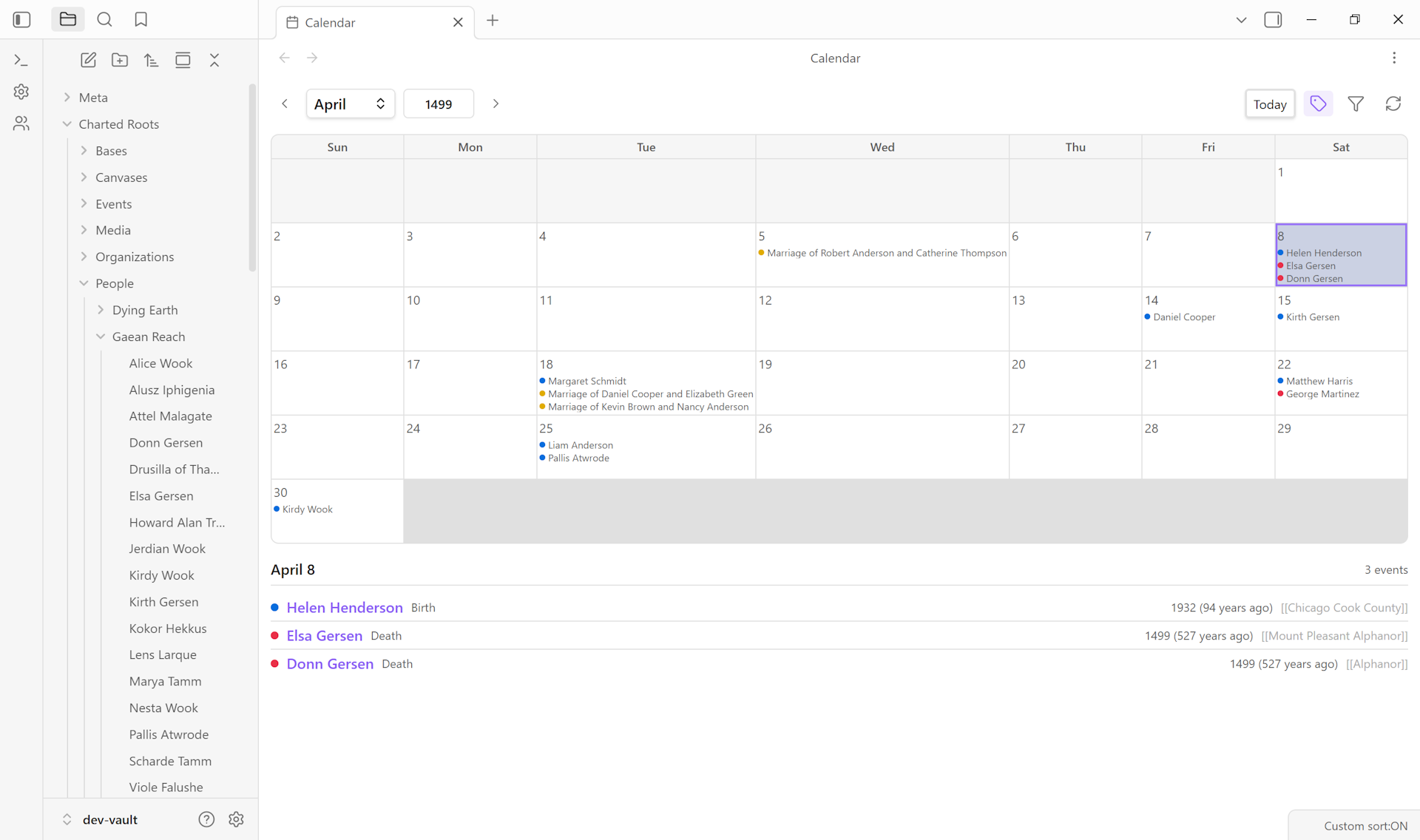
Open the Calendar View or the Events tab. Your narrative event appears chronologically alongside vital events with the same character or place. Filter by event type if you want to view only narrative beats — useful when assembling a story outline.
Variations#
- Re-categorizing later. Open the Edit Event modal at any time and change the event type. The Worldbuilding section shows or hides reactively — no need to save and reopen.
- Mixed real + fictional. Cross-genre work (a historical-fiction novel with real ancestors and invented characters) benefits from explicit canonical/non-canonical distinction. Real-history events stay canonical; fictional embellishments don’t.
- Filtering by event type. The Events timeline view supports filtering by type, so you can quickly scope to “show only narrative events” or “show only vital events.” Universe / place / date-range filtering for events is on the roadmap (#515) and would extend this further.
- Custom event types. Beyond the built-in narrative types, you can define custom event types in Settings → Events → Event types. Useful when your story shape needs categories the built-ins don’t cover (“tournament”, “court session”, “ritual”).
- Anecdotes and quotes. The
anecdotetype is light enough to use freely. A short character-defining moment doesn’t need to rise to “plot_point” weight to deserve a note.
Related guides#
- I want to create a fictional universe — prerequisite
- I want to set up a custom calendar with eras
- I want to build a family tree for fictional characters
- I want to compile a worldbuilding bible from my notes
Reference#
- Wiki: Events & Timelines — full event-type reference including all narrative types
- Wiki: Universe Notes
Found something wrong or unclear? Suggest an edit — opens a pre-filled issue with the guides label.