Use this when your fictional world is one of the four major franchises Charted Roots ships built-in calendars for: Middle-earth (TA / FoA / SA / FA), Westeros (BC / AC), Star Wars (BBY / ABY), or Generic Fantasy (A1 through A4). By the end you’ll know how to enable the built-ins, recognize the date format the parser expects, and (optionally) scope a built-in to a specific universe so it surfaces in the right context.
For custom worlds that don’t fit any of these, see I want to set up a custom calendar with eras instead.
What you’ll need#
- A universe note for your world. See I want to create a fictional universe. Optional but recommended — the built-in calendar will preselect when the universe name matches.
- A character or event you’d like to date using the built-in format.
Steps#
1. Confirm fictional dates are enabled#
Settings → Charted Roots → Dates & validation → Fictional date systems. Confirm Enable fictional dates is on. This also removes the 120-year age cap in the statistics dashboard, so long-lived characters (elves, droids, dynasty founders) appear correctly in longevity-aware reports.
2. Confirm built-ins are visible#
Same panel: Show built-in systems should be on (default). The four built-ins appear in a table:
| Calendar | Eras | Example dates |
|---|---|---|
| Middle-earth | FA / SA / TA / FoA | TA 2941, FoA 61 |
| Westeros | BC / AC | BC 100, AC 283 |
| Star Wars | BBY / ABY | BBY 19, ABY 4 |
| Generic Fantasy | A1 / A2 / A3 / A4 | A1 500, A3 1200 |
If you don’t use one of the four (e.g., your world is Star Wars only), toggle Show built-in systems off — actually, leave that on but instead just hide individual systems via the eye icon next to each built-in, since the toggle is global.
3. Use the date format in frontmatter#
The parser recognizes {abbreviation} {year} (case-insensitive). Plug it into person born / died or event date:
---
cr_type: person
name: Bilbo Baggins
universe: middle-earth
born: "TA 2890"
died: "FoA 61"
---
---
cr_type: event
title: Battle of the Trident
event_type: military
universe: westeros
date: "AC 283"
---4. Verify#
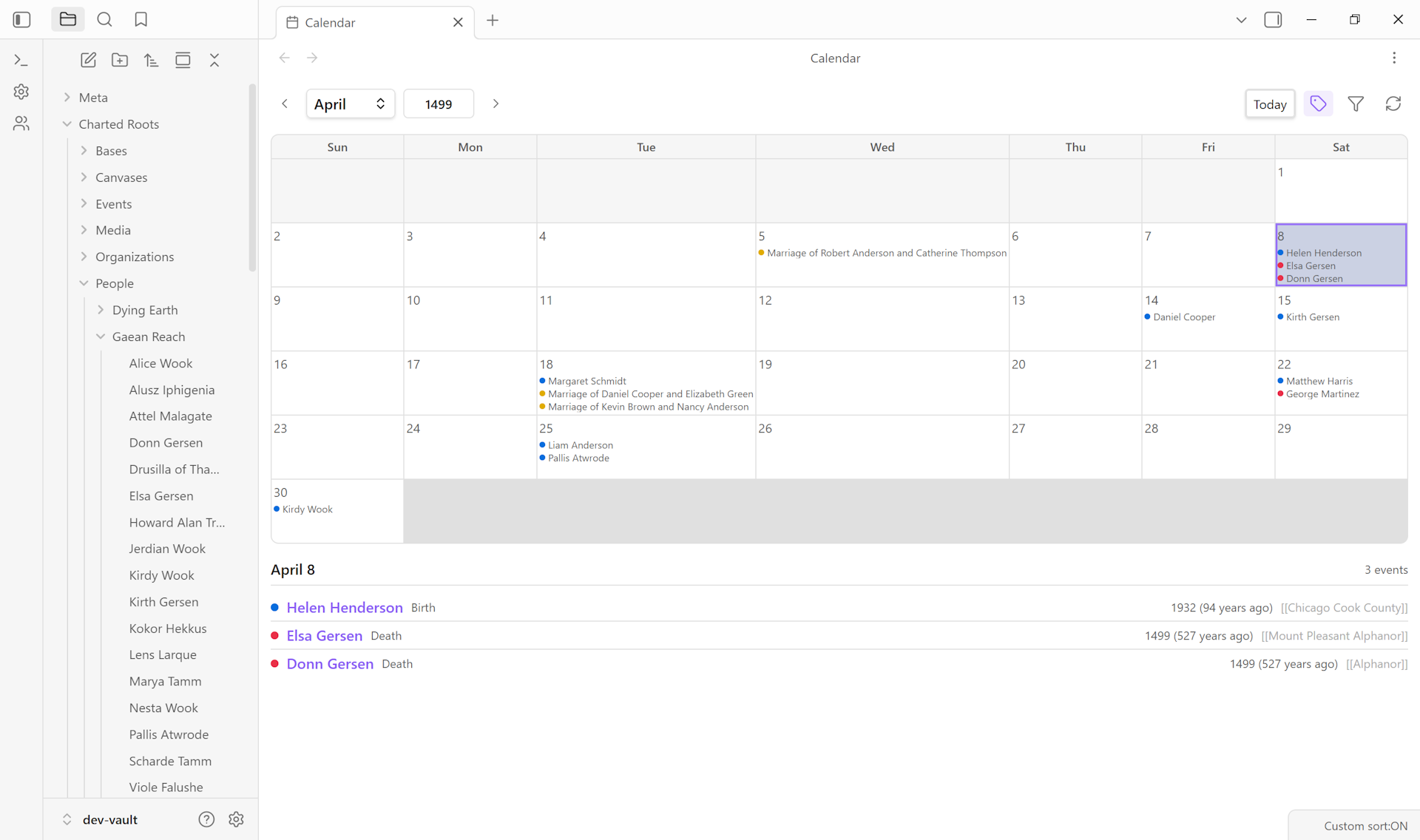
Use the Test date parsing input at the bottom of the Fictional date systems settings panel. Enter a date like TA 2941 — green confirms it parsed correctly with era + year + canonical year for sorting. The Calendar View also renders fictional dates inline once events are dated:
Variations#
- Universe-name auto-pickup. If you create a universe note named exactly “Middle-earth”, “Westeros”, or “Star Wars”, the Create Universe Wizard preselects the matching built-in calendar in step 2. Saves a click during setup.
- Multiple built-ins in one vault. Each calendar is independent. A vault that contains both a Lord of the Rings fanfic and a Star Wars campaign happily uses both — entities scope to whichever calendar via their
universefield. - Hide a built-in you don’t use. In the built-ins table, click the eye icon next to a calendar to hide it. The calendar’s eras are still recognized by the parser; the calendar just doesn’t show up in date pickers.
- Pair with Calendarium. If you maintain calendars in the Calendarium plugin, enable the integration under Settings → Charted Roots → Advanced → Integrations → set Integration mode to “Read-only (import calendars)”. Calendarium calendars then appear in date pickers alongside the built-ins.
- Custom calendar instead. If your world is Discworld, Earthsea, the Wheel of Time, or your own creation, see I want to set up a custom calendar with eras.
Related guides#
- I want to create a fictional universe
- I want to set up a custom calendar with eras
- I want to build a family tree for fictional characters
Reference#
- Wiki: Fictional Date Systems — full table of built-in eras with epoch values
- Wiki: Universe Notes
Found something wrong or unclear? Suggest an edit — opens a pre-filled issue with the guides label.