Use this when your fictional world has accumulated enough notes that you need a single canonical reference — the “bible” — for yourself, your collaborators, your future self when you return after months away, or readers who want a guidebook to your setting. By the end your universe note will function as a living overview that auto-renders the world’s people, places, events, organizations, and maps; you’ll know which dynamic blocks to use; and (optionally) you’ll have an exported printable book ready to share.
What you’ll need#
- A universe note for your world. See I want to create a fictional universe.
- A populated vault — characters, places, events, and (ideally) organizations and maps already created and scoped to your universe.
- (Optional) The Book Builder feature available in Charted Roots if you want a printable export.
Steps#
1. Open the universe note#
Navigate to your universe note. The body below the frontmatter is yours — this is where the bible lives.
2. Add an overview section#
Write a narrative overview of your world at the top of the body. Include:
- The premise (one or two paragraphs).
- The genre and tone.
- The time period or eras of interest.
- The scope (one continent? one city? a galaxy?).
Keep it brief — this is the elevator pitch, not the world’s complete history. The narrative sections you add below cover depth.
3. Add dynamic content blocks for entities#
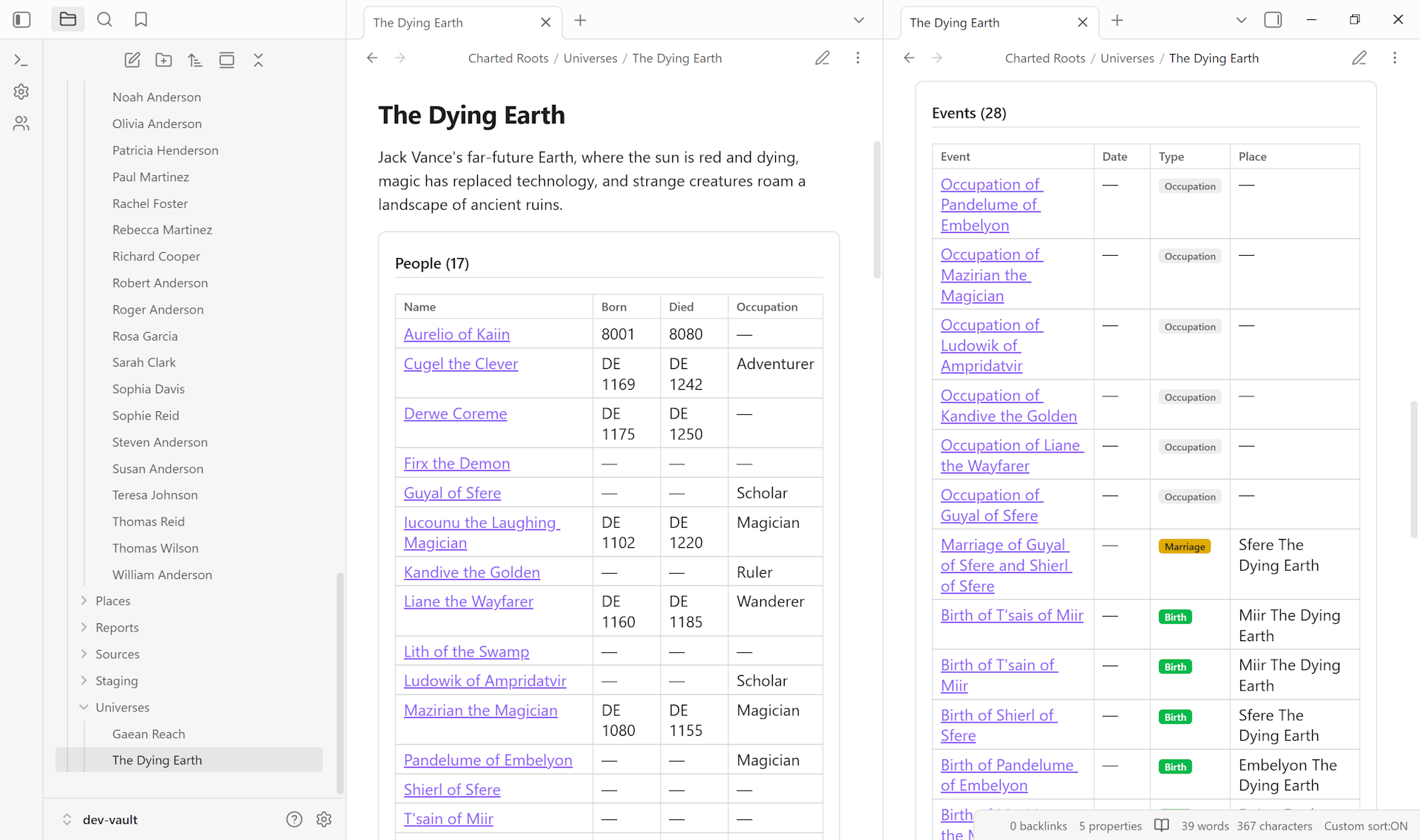
Charted Roots provides five dynamic blocks that auto-render lists of entities scoped to the universe. Add these blocks to the body where you want each entity type to appear:
```charted-roots-universe-people
sort: name
```

```charted-roots-universe-places
sort: name
```

```charted-roots-universe-events
sort: date
```

```charted-roots-universe-organizations
sort: name
```

```charted-roots-universe-maps
size: medium
```
Each block auto-refreshes as your vault changes. Sort options: name, date, type. Maps render as clickable thumbnails that open in Map View.
4. Add narrative sections between the blocks#
Group the dynamic blocks under thematic headings — ## People, ## Geography, ## History, ## Houses and Organizations, ## Maps. Between the headings and the blocks, write narrative prose that frames what the reader is about to see. Example:
## History

The First Age ended with the fall of the Iron Citadel. The
Second Age opens with the rise of the merchant republics, whose
trade routes shape the world the bible's main characters inherit.

```charted-roots-universe-events
sort: date
The dynamic block lists every event scoped to the universe; the narrative paragraph anchors the reader before they hit the table.
### 5. Cross-link prominent entities
For your most important characters, places, or organizations, embed them inline in the narrative — `[[King Aragorn]]`, `[[Minas Tirith]]`, `[[The Fellowship]]`. Obsidian's wikilinks resolve these to clickable navigation. The bible thus reads as both a reference document and an entry point into the deeper notes.
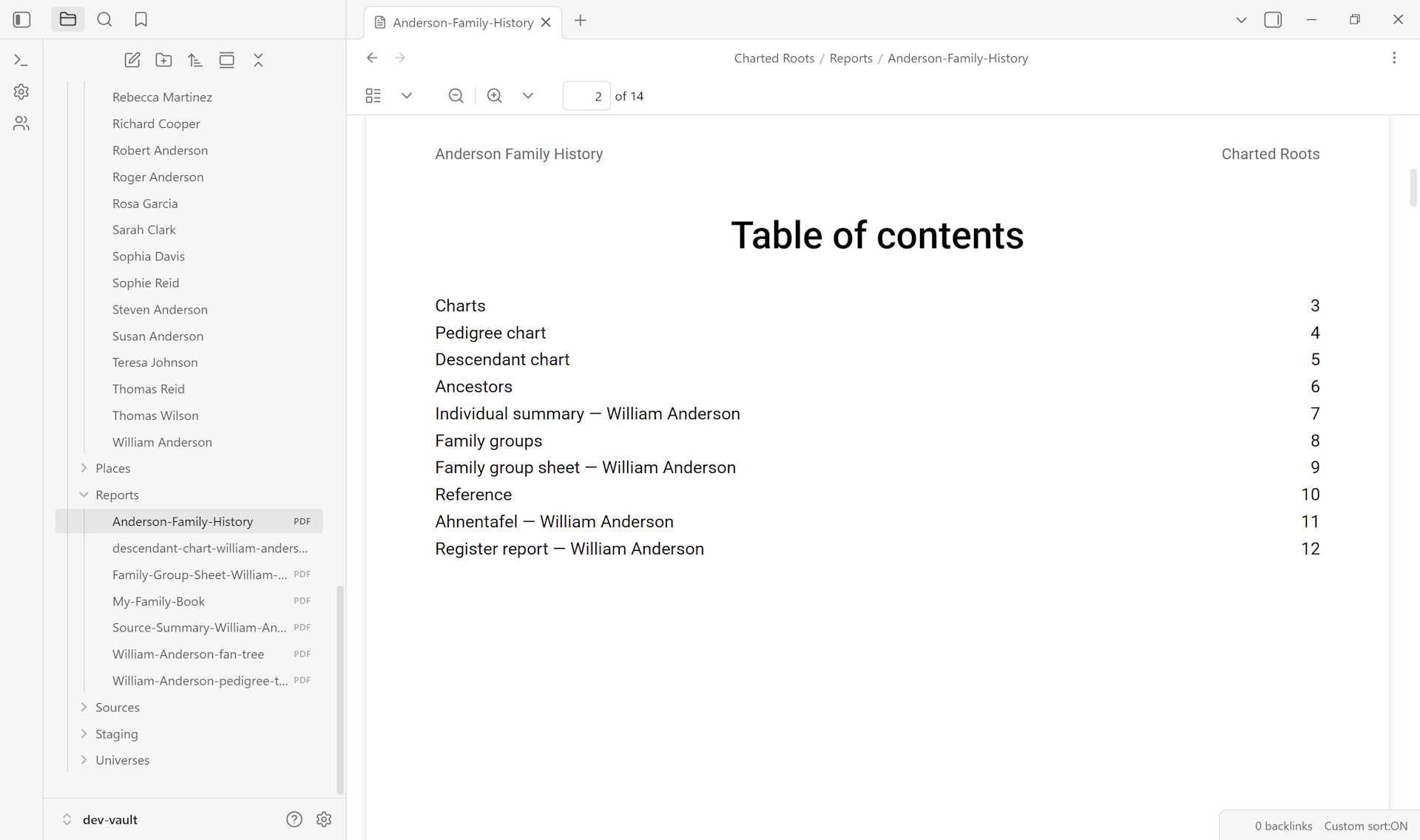
### 6. (Optional) Export with Book Builder
Control Center → Tools → **Book Builder**. Configure the book:
- **Setup** — title, author, output format (PDF / ODT / Markdown).
- **Chapters** — pick which entities or sections become chapters. The universe note can be the introductory chapter; subsequent chapters can be person profiles, organization deep-dives, or filtered slices.
- **Output** — page size, font, optional table of contents and bibliography.
- **Generate** — produces the assembled book file.
The result is a single document suitable for sharing with collaborators, printing for a campaign binder, or archiving as a snapshot of your world at a moment in time.
### 7. Maintain
The dynamic blocks update automatically as your vault changes. Re-run Book Builder periodically to refresh the printable version. The narrative sections you wrote in steps 2 and 4 don't auto-update — revisit them when major worldbuilding shifts happen (new era opens, major characters join the cast, the political landscape changes).
## Variations
- **Multiple universes, multiple bibles.** Each universe note carries its own dynamic blocks. A vault with two universes (e.g., a primary fantasy world plus an alternate-history fork) gets two separate bibles, no cross-contamination.
- **Lite bible.** Skip Book Builder if a printed export isn't needed. The universe note alone — overview + dynamic blocks + narrative paragraphs — is sufficient as a working bible inside Obsidian.
- **Sharing with non-Obsidian collaborators.** Book Builder's Markdown output preserves cross-links as plain text; PDF and ODT outputs render them as references. A dedicated sharing-with-collaborators guide is queued for the deeper sharing workflow.
- **Limit per block.** If a section gets unwieldy (50+ characters), pass `limit: 20` to a block to show only the top entries. Useful for the "marquee" sections of large universes.
## Related guides
- [I want to create a fictional universe](/guides/worldbuilding/create-fictional-universe/) — prerequisite
- [I want to build a family tree for fictional characters](/guides/worldbuilding/build-fictional-family-tree/)
- [I want to set up a custom calendar with eras](/guides/worldbuilding/set-up-custom-calendar/)
- [I want to create a custom map of my fictional world](/guides/worldbuilding/create-custom-image-map/)
- I want to share my worldbuilding bible with collaborators *(coming soon)*
## Reference
- Wiki: [Universe Notes — Dynamic Content Blocks](https://github.com/banisterious/obsidian-charted-roots/wiki/Universe-Notes#dynamic-content-blocks)
- Wiki: [Book Builder](https://github.com/banisterious/obsidian-charted-roots/wiki/Book-Builder)
- Wiki: [Dynamic Note Content](https://github.com/banisterious/obsidian-charted-roots/wiki/Dynamic-Note-Content)
---
*Found something wrong or unclear? [Suggest an edit][issue-link] — opens a pre-filled issue with the `guides` label.*
[issue-link]: https://github.com/banisterious/obsidian-charted-roots/issues/new?labels=guides&title=%5BGuides%5D+compile-worldbuilding-bible%3A+