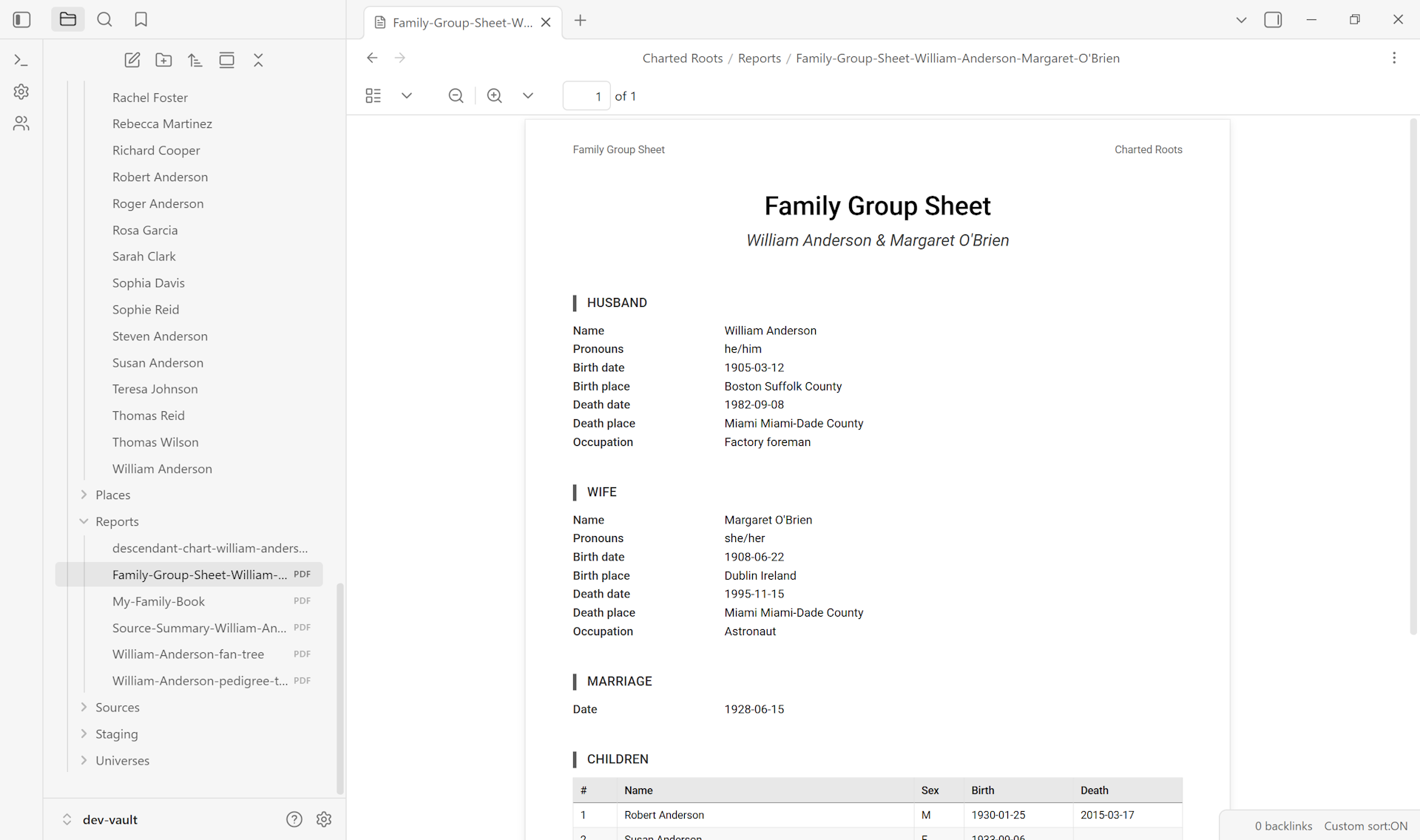
Use this when you want a single-page summary of a nuclear family — the parents, their marriage, and their children — formatted for print or sharing. Family Group Sheets are a long-standing genealogy convention; they’re the standard handout at family reunions and the standard reference exhibit in research files.
By the end you’ll have a PDF (or ODT) document showing the group sheet for the couple you picked.
What you’ll need#
- A couple in your tree, with their marriage event and at least some children documented.
- (Recommended) Birth, death, and marriage dates for the parents and children — empty fields render as blanks on the sheet.
Steps#
1. Open the Report Wizard#
Control Center → Reports → Generate Report. Or via command palette → Charted Roots: Open report wizard.
2. Pick the Family Group Sheet report type#
Several report types are available; pick Family Group Sheet. The wizard then prompts for the central couple.
3. Select the couple#
Search for one of the parents (the picker shows birth/death years for disambiguation). Pick them. The wizard auto-detects their spouse from the family relationships; if there are multiple spouses, you’ll be asked which one this group sheet is for.
4. Configure the report#
Choose what to include:
- Source citations — list the citations supporting each fact alongside the data. Increases page length but is the convention for serious genealogy work.
- Notes section — include any narrative notes from the parents’ notes.
- Children’s spouses — show each child’s spouse if known.
- Page size — Letter (US default) or A4 (international).
5. Generate#
Click Generate. The wizard produces a PDF (or ODT if you switched format) and saves it to your configured output folder. Open it to verify.
Variations#
- ODT for further editing. Switch the output format to ODT before generating if you want to tweak the layout, add a custom cover, or include extra content in LibreOffice / Word / Google Docs.
- Multiple group sheets at once. Re-run the wizard for each couple. There’s no batch mode in the current report wizard — couples ship one at a time.
- No children? Couples without children still generate a valid group sheet; the children section just shows blank.
- Custom date format. The report respects your Settings → Dates configuration. If you use fictional dates (
TA 2941,AC 283), the report renders them in their native format.
Related guides#
- I want to generate a printable family tree — for tree-shaped output instead of group-sheet shape
- I want to generate a family reunion report — for multi-generation output suitable for reunion handouts
- I want to assemble a family history book — for book-length output that can include many group sheets
Reference#
- Wiki: Statistics & Reports
Found something wrong or unclear? Suggest an edit — opens a pre-filled issue with the guides label.